📶Z-Wave vs Zigbee vs Wi-Fi: Which Should You Choose?
TLDR
- Z-Wave, Zigbee, and WiFi each serve different roles in a smart home security setup.
- Zigbee and Z-Wave use mesh networking, improving reliability and coverage.
- WiFi devices are easier to set up but can strain your network and power usage.
- Choosing the best protocol for smart home devices depends on your setup size and goals.
- Many modern systems combine protocols for better performance and flexibility.
When people start building a smart home, they usually focus on devices first. Cameras, sensors, lights, and locks are the visible parts of the puzzle that make us feel protected.
But underneath all of that hardware is something much more critical to your daily peace of mind: how those devices communicate with one another and your central hub.
That is where the whole Z Wave vs Zigbee vs WiFi decision comes in. It is the invisible foundation of your entire defense strategy.
Pick the right protocol, and everything feels smooth, responsive, and reliable. Pick the wrong one, and you will likely deal with frustrating delays, frequent dropped connections, or the constant chore of changing batteries in sensors that drain too fast.
Understanding these diy home security systems explained is the first step toward building a system that actually works when you need it most. Let’s break down this smart home protocols comparison in a way that helps you move from a collection of gadgets to a professional grade, unified security network.
📶 WiFi: Simple, Familiar, and Sometimes Overwhelming
WiFi is the easiest starting point for almost every DIYer. You already have a router, your smartphone is already connected to it, and the setup for a new device usually takes just a couple of minutes through a native app.
That is why many people default to WiFi smart devices, especially when looking for the best diy home security cameras for apartments. It eliminates the need for an extra “bridge” or “hub,” which appeals to anyone trying to keep their clutter to a minimum.
However, the convenience of WiFi comes with significant technical baggage. WiFi was designed for high bandwidth data like streaming video or browsing the web, not for sending tiny “door open” signals from a battery-powered sensor.
This affects the battery vs wired security devices debate because WiFi sensors have to “wake up,” find the network, authenticate, and send data, which is an energy-intensive process.
WiFi Quick Overview
| Feature | WiFi Performance |
| Setup Complexity | Very low (Direct to router) |
| Signal Range | Limited to router reach |
| Battery Longevity | Shorter (High power draw) |
| Scalability | Limited by router device capacity |
If you are building a very small system, WiFi vs Zigbee for smart home security often leans toward WiFi simply because you don’t want to buy a $60 hub for a single light bulb.
But once your setup grows beyond five or ten devices, the congestion on your 2.4 GHz band can negatively impact how reliable wireless security systems are.
Too many devices competing for the same “airtime” leads to latency, which is the last thing you want when a sensor is trying to tell you someone just stepped onto your porch.
🔗 Zigbee: Flexible and Built for Growth
Zigbee was designed specifically for the low-power, low-data needs of a smart home. According to technical overviews of the protocol, it uses a mesh network architecture. In this setup, every mains-powered device (like a smart plug or a light switch) acts as a repeater.
This means your signals can “hop” from the hub to a plug in the hallway, then to a sensor in the garage, effectively blanket-covering your home in a web of connectivity.
Instead of worrying about WiFi dead zones in the far corners of your house, Zigbee devices extend the network as you add them. This makes it an excellent choice for minimalist home security setups that need to be rock-solid without requiring expensive WiFi extenders.
Zigbee is the backbone for many popular DIY brands because it allows for tiny, discreet sensors that can run on a single coin-cell battery for over a year.
The Benefits of a Zigbee Mesh
- Self-Healing: If one repeater is unplugged, the network finds a new path to the hub.
- Low Latency: Signals move almost instantly compared to “waking up” a WiFi device.
- High Device Capacity: A single Zigbee hub can often handle dozens or even hundreds of sensors.
- Energy Efficiency: Ideal for motion sensors vs contact sensors that need to last a long time.
The difference between Z Wave and Zigbee at a glance is that Zigbee operates on the 2.4 GHz frequency globally. This is the same frequency as your WiFi, which can occasionally lead to interference if your router and Zigbee hub are sitting right next to each other.
However, if you are designing a home security system on a budget, Zigbee is often the winner because the chips are cheaper for manufacturers to produce, leading to lower retail prices for you.
🧩 Z-Wave: Reliable and Consistent
Z-Wave is often described as the “pro-grade” alternative to Zigbee. While it also uses a mesh network, it operates on a completely different frequency band (sub-GHz, usually around 900 MHz in the US).
Because it does not share the 2.4 GHz band with your WiFi, Bluetooth, or microwave, it is virtually immune to the most common types of wireless interference found in modern homes. This history is documented in detailed protocol archives.
This frequency difference also gives Z-Wave a physical advantage: lower frequencies travel through walls and floors much better than higher ones. This is where Z-Wave shines for people with large homes or thick plaster walls.
If you are debating are smart locks safe, you will find that many of the most secure, high-end smart locks use Z-Wave because of its strict certification standards for interoperability and security.
Z-Wave Network Snapshot
| Feature | Z-Wave Specifics |
| Operating Frequency | Sub-GHz (908.42 MHz in US) |
| Interference Risk | Very Low (Dedicated band) |
| Network Type | Specialized Mesh |
| Certification | Strict (Every device must work with every hub) |
When people ask which is better Zigbee or Z Wave, the answer often comes down to your local environment. If you live in a dense apartment complex with fifty visible WiFi networks, Z-Wave’s dedicated frequency will offer far more stability.
It is the “set it and forget it” choice for critical entry points like garage security, where a missed signal is not an option.
⚖️ Head-to-Head: The Mesh Network vs WiFi Smart Home Debate
At this point, the smart home protocols comparison becomes more practical than theoretical. You have to decide which device goes on which network. A common mistake is trying to put everything on WiFi because it seems simpler.
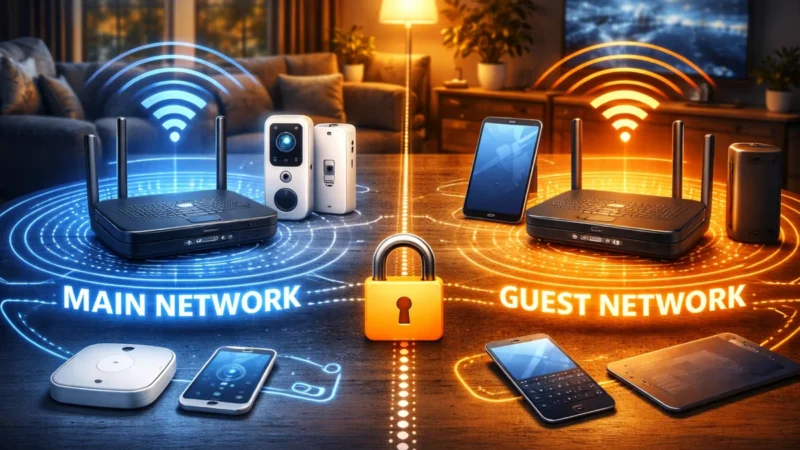
In reality, the mesh network vs WiFi smart home debate is about specialized roles. WiFi is best for bandwidth-heavy devices like home security cameras, while Zigbee and Z-Wave excel in handling dozens of low-power sensors.
If you put thirty window sensors on WiFi, you are essentially asking your router to manage thirty individual conversations. If you put them on a Z-Wave or Zigbee mesh, the hub manages one conversation, and the mesh handles the rest locally.
This prevents your router from becoming a bottleneck, which is essential for optimizing Wi-Fi for home security devices that actually need the speed, such as your 4K cameras.
Protocol Comparison Summary
| Feature | WiFi | Zigbee | Z-Wave |
| Hub required | No | Yes | Yes |
| Network type | Star (Router) | Mesh | Mesh |
| Battery efficiency | Low | Very High | Very High |
| Interference risk | High | Medium | Very Low |
| Best use cases | Cameras, Doorbells | Sensors, Bulbs | Locks, Critical Sensors |
By utilizing the right tool for the job, you ensure that you don’t miss home security threats most people ignore simply because a sensor was “offline” during a network hiccup.
🧠 Choosing the Best Protocol for Smart Home Devices
You don’t need to pick a single “winner” in the Z Wave vs Zigbee vs WiFi debate. Modern layered home security frameworks almost always use a hybrid approach. You use WiFi for the “heavy lifters” (cameras) and a mesh protocol for the “perimeter watchers” (sensors).
How to Build Your Hybrid Setup
- Start with WiFi for Cameras: Get your outdoor motion lighting and cameras settled on your main network.
- Add a Mesh Hub for Sensors: Choose a hub that supports both Zigbee and Z-Wave (like many SmartThings or Hubitat models).
- Use Z-Wave for Entry Points: Put your locks and garage door sensors on the sub-GHz band for maximum reliability.
- Use Zigbee for Everything Else: Fill in the gaps with affordable Zigbee contact sensors for your window security.
This hybrid strategy allows you to scale your system without crashing your home internet. It also gives you better redundancy for power and internet outages, as local mesh commands (like a sensor turning on a light) can often still function even if the cloud is down.
💬 Real-World Reliability: The Long-Term View
When I first set up my system, I went all-in on WiFi because it was cheap and fast to install. It worked great at first with three devices. But as I added more sensors to assess my home like a burglar would, the cracks started to show.
My door lock would occasionally show as “unreachable” in the app, even though it was only twenty feet from the router.
Switching those critical perimeter devices to a mesh-based protocol made an immediate difference. The “dead zones” in the back of the house disappeared because my smart plugs acted as signal repeaters.
This is why you must test your home security system regularly; you will quickly see which protocol is struggling under the load of your specific home’s layout.
Maintenance and Troubleshooting
- WiFi: Requires a strong router and frequent battery checks for sensors.
- Zigbee: Needs powered repeaters (plugs/bulbs) to keep the mesh strong.
- Z-Wave: Extremely stable but requires a central hub to manage the network.
🏁 Conclusion: Selecting the Right Foundation
The question is not really which is better Zigbee or Z Wave or WiFi. It is which one fits the specific job you are trying to do.
WiFi is the king of bandwidth and accessibility for cameras. Zigbee is the champion of affordable, scalable sensor networks. Z-Wave is the gold standard for interference-free, professional-grade stability.
If you are just starting your diy home security journey, don’t feel pressured to pick just one. Most veteran DIYers use all three. By understanding the smart home protocols comparison, you can build a system where every device has the connection it needs to keep you safe.
Always prioritize the reliability of the connection over the novelty of the feature, and you will end up with a system that protects your home for years to come.