📡 How Reliable Are Wireless Security Systems?

TLDR
- Modern wireless security systems use encrypted radio protocols and supervised signals to maintain reliable communication.
- Battery backup and cellular redundancy improve performance during power or internet outages.
- Signal interference and poor placement are the most common causes of reliability issues.
- Regular maintenance, firmware updates, and battery checks are essential for consistent operation.
- When properly installed and configured, wireless systems can be highly dependable for residential use.
Wireless security systems used to have a minor reputation problem. Years ago, people frequently worried about dropped signals, easy environmental interference, and fragile hardware links. If you are still picturing cheap sensors randomly falling offline, you are likely thinking of outdated technology.
Today’s wireless alarm systems are built on entirely different communication standards. When considering where to start with a DIY system, the main question is no longer whether over-the-air signals can connect. Instead, it is understanding what parameters control wireless security system reliability in everyday residential properties.
Let’s look practically at the internal mechanisms that keep your home protected without physical data lines.
⚙️ How Modern Wireless Alarm Systems Communicate
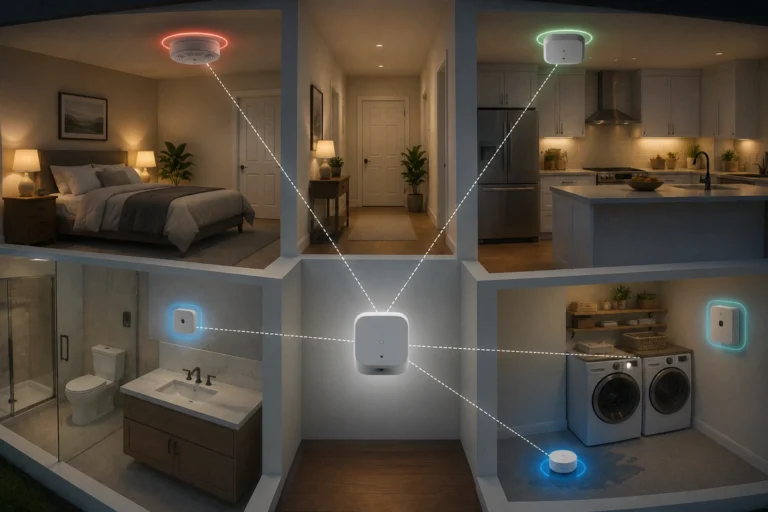
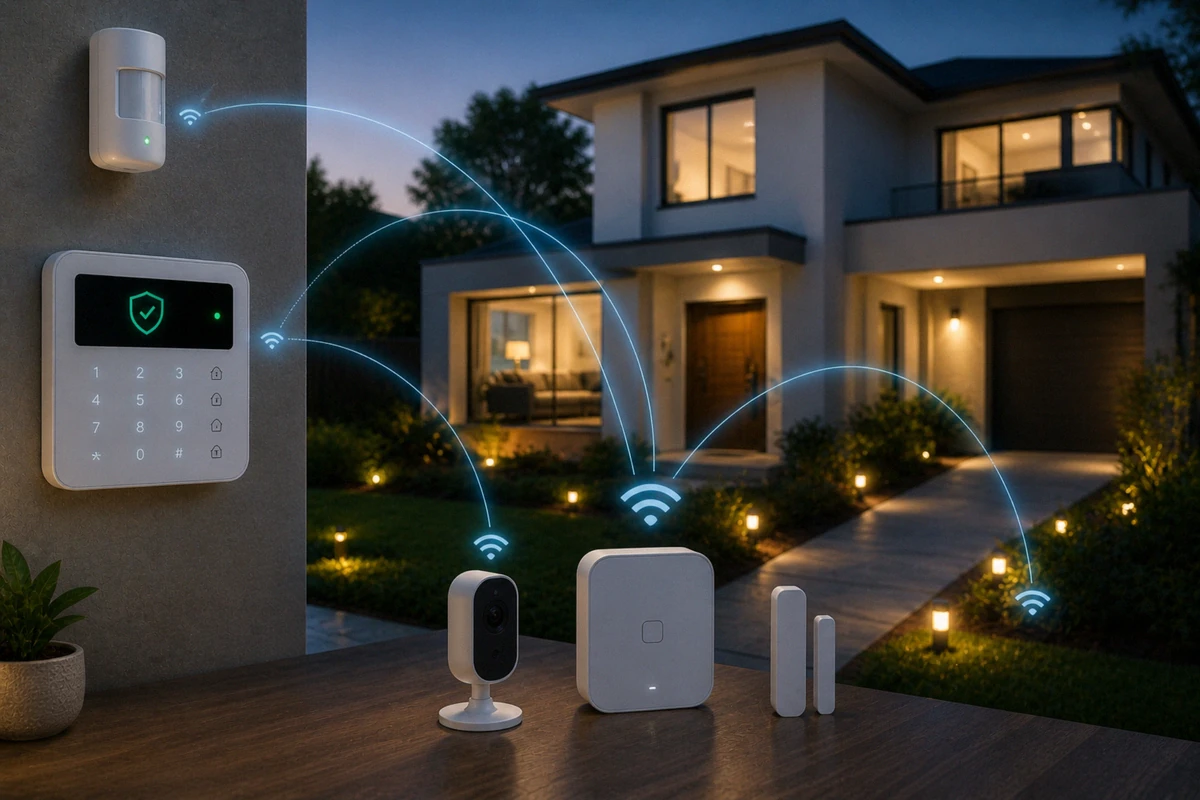
A wireless alarm system relies on localized radio frequency (RF) networks to bridge the gap between peripheral triggers and a central control panel. A common misconception among property owners is that every tiny entry sensor must connect straight to your primary home internet router.
Instead, most consumer networks utilize low-frequency, dedicated radio bands (like 345 MHz, 433 MHz, or 915 MHz) rather than high-frequency Wi-Fi. These narrow frequencies are optimized for rapid, sub-second bursts of encrypted text data, such as a window shifting open.
Because your sensors aren’t constantly hogging heavy bandwidth, they sidestep the internal congestion that can ruin a standard network.
Security Network Architecture
| System Component | Network Protocol Used | Battery Dependency | Data Load Profile |
| Window / Door Sensors | Sub-GHz Dedicated RF | High (Internal Cells) | Extremely Low (Text Triggers Only) |
| Motion Detectors | Sub-GHz Dedicated RF | High (Internal Cells) | Low (Periodic Trip Indicators) |
| High-Definition Cameras | 2.4 GHz / 5 GHz Wi-Fi | Low (Mains or Solar Powered) | High (Constant Video Streams) |
| System Control Panel | Wi-Fi / Cellular / RF | Low (Plugged in with backup) | Moderate (System Status Syncing) |
This structural isolation means your basic door monitoring stays completely active even if your primary internet router experiences a complete software crash. This is a core reason why wireless options are stable and practical for modern residential layouts.
🛰️ Signal Supervision and Electronic Heartbeats
The secret behind current are wireless security systems reliable metrics is a feature known as signal supervision. In older generations of hardware, a sensor only transmitted a signal when it was physically tripped.
If a device suffered internal component damage or a dead battery while sitting idle, the main panel had no way of tracking the failure until an open zone failed to register.
Modern infrastructure eliminates this vulnerability by utilizing scheduled electronic heartbeats. Every few minutes, each sensor transmits a quiet status ping to the base station confirming that it is online, structurally sound, and holding adequate voltage.
Government tech updates, such as the CISA wireless network security guidelines, frequently emphasize the absolute necessity of supervised authentication channels to prevent system manipulation. If a sensor fails to check in, your app immediately displays a missing hardware error.
Heartbeat Status Indicators
- Green / Stable: Sensor is actively pinging the hub on its exact schedule.
- Amber / Warning: Missed a check-in link; indicates temporary signal block or dropping voltage.
- Red / Offline: Sustained silence from the device; panel triggers a dashboard alert to warn you.
🔐 Encryption and Defending Against Signal Jamming
A prominent question that arises when looking at the problems with wireless security systems is the threat of radio jamming or spoofing. Homeowners worry that a tech-savvy intruder can use a basic RF transmitter to block sensor signals or mimic a “closed” state while forcing a window open.
While radio jamming is technically possible in a controlled lab environment, executing it against a modern, encrypted system is incredibly difficult. Current consumer brands protect their RF packets with rolling codes and localized encryption layers.
This makes it tough for an external device to inject false data into your dashboard, similar to the protocols protecting your digital data transmission lines.
[Attacker RF Jammer] --> [Supervision Tech Detects Blocked Signal] --> Immediate Siren[Valid Sensor Code] --> [Encrypted & Verified by Panel Hub] --> Normal System StateAdvanced Anti-Jamming Checklist
- Rolling Code Technology: Prevents signal interception and replay attacks from car-curb thieves.
- RF Interference Detection: Triggers local sirens if a continuous block of white noise hits the frequency.
- Authentication Tokens: Verifies that incoming text packets belong exclusively to your hardware.
Furthermore, many premium systems include active jamming detection circuits. If you are worried about intentional masking, focus on physical front door reinforcements first, as criminals prefer crowbars over coding kits.
🏠 Mitigating Signal Interference and Poor Placement
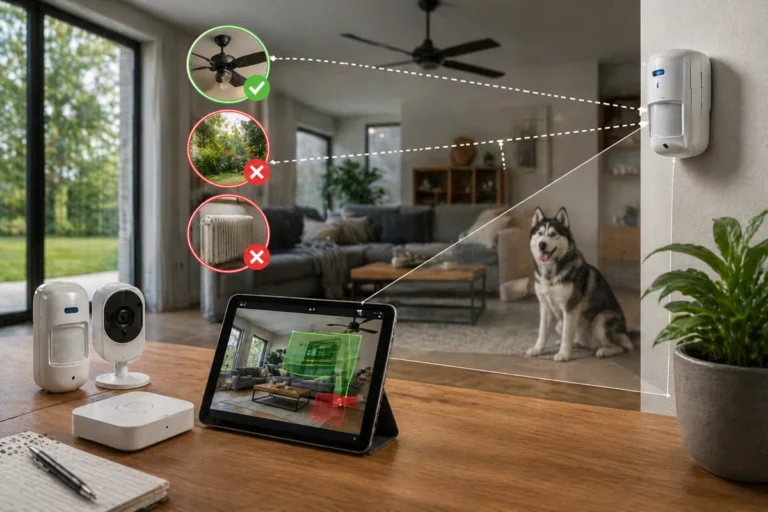
When a consumer experiences a scenario where their do wireless alarms fail, the true culprit is almost always poor structural placement rather than an inherent engineering bug. RF signals must physically pass through the building materials of your property to reach the central receiver hub.
Certain dense materials absorb or reflect radio waves, creating dead zones inside your house. If you mount a base station directly inside a metal cabinet or place a window sensor on a thick concrete wall, your signal strength will plummet rapidly. This is why learning how to position your devices is a vital element of a functional DIY home security framework.
Building Material Interference Impact
- Drywall and Wood: Extremely low resistance; signals pass through easily.
- Brick and Concrete: Moderate resistance; can sap signal strength over long distances.
- Foil-Faced Insulation / Mirrors: High resistance; causes localized RF reflection.
- Solid Steel Doors / Reinforced Concrete: Severe blockages; can kill sensor connectivity entirely.
If you encounter dropped connections on a specific window, relocating the central base station a few feet away from large appliances or metal obstructions will usually fix the issue instantly.
🔋 Power Redundancy and Avoiding Internet Failures
The overall stability of a wireless alarm system depends heavily on its backup energy profile. Because individual contact and motion sensors run entirely on internal cells, they are completely immune to neighborhood grid failures. They will continue tracking entry points even during a total blackout.
The main vulnerability sits at the central control station. To maintain full uptime, ensure your core hub includes built-in battery cells and dual-path communication routes.
If a storm cuts your landline internet connection, the system should instantly switch to its integrated cellular link to route push notifications to your smartphone. This exact layer of protection is what separates a cheap gimmick from a reliable network, as outlined in our guide on fail-safe planning for internet outages.
Redundancy Safety Layers
- Perimeter Power: Sensors hold independent power that survives grid blackouts.
- Base Hub Battery: Internal station backup cells keep the receiver active for 24+ hours.
- Dual-Path Routing: Seamlessly jumps from cellular networks to primary Wi-Fi lines as needed.
⚖️ Evaluating Wired vs Wireless Reliability Security
When conducting a strict wired vs wireless reliability security audit, both topologies have distinct design trade-offs. Neither option is universally superior; you must match the architecture to your specific lifestyle goals.
Wired vs Wireless Comparison
| Feature | Hardwired Ecosystems | Modern Wireless Networks |
| Interference Risk | Virtually Zero | Low (Mitigated by Encryption) |
| Installation Effort | High (Requires internal wall wiring) | Low (Screws or adhesive mounts) |
| Maintenance Task | Low (No peripheral cell updates) | Medium (Periodic battery swaps) |
| System Scaling | Rigid (Hard to add structural paths) | Highly Modular (Add items in minutes) |
The Wired Baseline
Physical copper lines completely eliminate radio interference risks and require zero sensor battery swaps. This makes hardwired installations the gold standard for commercial facilities.
However, running these cables through finished drywall is highly complex, costly, and completely impractical if you are trying to find the best security setups for apartments where structural drilling is banned.
The Wireless Reality
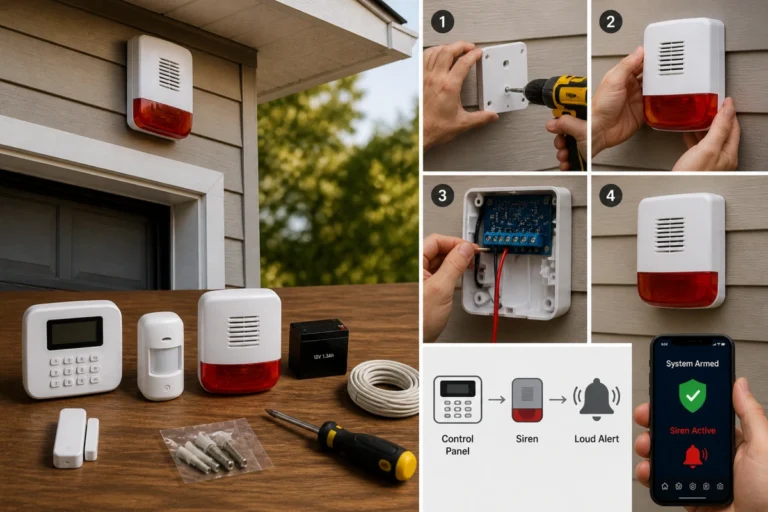
Wireless hardware delivers unmatched installation flexibility, allowing you to build out a comprehensive safety net over time as your budget permits. The only catch is that you must trade the permanence of a wire for the minor routine task of battery management.
🧰 How to Improve Wireless Alarm Reliability
If you want to ensure your layout operates flawlessly through every season, you need to turn simple maintenance tasks into regular habits. Neglecting basic upkeep is one of the most common security mistakes homeowners make.
First, pay close attention to environmental changes. Extreme cold weather can alter battery chemistry. According to industrial battery performance data, drop-offs in temperature directly reduce a cell’s available capacity.
This means your external garage gate or tool shed triggers will need battery swaps much earlier than your warm interior sensors.
System Maintenance Protocol
- Audit Battery Status: Replace any cells displaying low-power metrics through your dashboard app immediately to avoid blind spots.
- Apply Firmware Updates: Keep your core hub patched to protect against software vulnerabilities and bugs.
- Run Physical Tests: Walk your property and trip each entry point to verify the panel still registers the zone cleanly.
- Inspect Physical Alignments: Check that your door magnets haven’t shifted due to heavy doors slamming over time.
Including these items when you are testing your home security system regularly ensures you are never caught off guard by a silent perimeter failure.
🏁 Conclusion: Organization Breeds Dependability
The question of whether wireless alarms fail can be answered simply: only if they are neglected or installed poorly. Modern, encrypted, and supervised wireless hardware provides a remarkably stable safety profile that easily rivals traditional hardwired setups for residential use.
Final Verification Path
- Audit Range Tolerances: Place your base receiver in a clear, central part of your property.
- Prioritize Integrity: Pick reputable budget alarm brands that offer robust rolling code encryption.
- Commit to Testing: Check your app’s status history monthly to spot weak paths early.
Most system dropouts are caused by dead batteries, blocked paths, or loose mounts rather than an issue with the technology itself. By selecting stable hardware and applying proactive maintenance, you can enjoy the convenience of a wire-free setup without compromising on safety.
Take the time to audit your property layout, address your low-voltage alerts, and trust your wireless network to keep your property defended around the clock.