🛠️ Testing Your Home Security System Regularly

TLDR
- Regular testing ensures your home security system actually works when you need it.
- Sensors, cameras, alarms, and notifications should all be checked at least once a month.
- Battery levels, Wi-Fi strength, and app alerts are common failure points to monitor.
- Testing helps reduce false alarms and confirms proper device placement.
- A simple routine check can prevent silent failures and improve long-term reliability.
Setting up a customized property protection framework feels like a massive win for your household. You unpack the hardware, place your peripheral sensors, link the hubs to your mobile device, and enjoy immediate peace of mind. For a while, the digital setup works perfectly: real-time streaming clips load instantly and push alerts populate your dashboard whenever someone steps onto your porch.
Then, regular life gets busy. As your attention shifts to daily responsibilities, weeks quietly slip into months, and your hardware network slowly blends into the background scenery. The equipment remains mounted to your door frames, but you stop actively checking its underlying health.
That is exactly why establishing a strict schedule for checking security system regularly is so incredibly vital for your property’s safety. When you leave a defensive installation alone without running diagnostic drills, you are choosing to trust your family’s safety to unverified automation.
📈 Why System Diagnostics Are More Important Than They Sound
Most standalone protective setups do not experience catastrophic hardware failures all at once. Instead, they suffer from a slow degradation of features over an extended period. A lithium coin cell inside a recessed entryway sensor drops below its operational threshold, an exterior lens encounters brief network drops, or a specific smartphone update unexpectedly mutes critical push notifications.
None of these minor technical issues sound particularly dramatic on their own, but when multiple small bugs stack up simultaneously, they leave your entryways vulnerable. Committing to test home security system components brings these hidden vulnerabilities straight to light before an intruder attempts to exploit them.
Rather than scrambling to resolve a hardware malfunction after an entry point has been compromised, running deliberate operational checks helps you catch digital errors early. This straightforward process converts your daily defense plan from a fragile, reactive layout into a resilient barrier.
💡 Expert Tip
Spot the Soft Spots First: Before diving into your technical software menus, remember that digital tools are meant to back up real physical barriers. Take a moment to inspect your primary entry locks, as technical errors often compound mechanical vulnerabilities. You can learn how to fix common structural weaknesses by reviewing our comprehensive guide on why most homes are vulnerable despite having locks.
📅 Establishing an Optimal Diagnostic Schedule
While there is no single schedule that perfectly accommodates every smart hardware ecosystem, running a full evaluation once a month serves as a highly reliable industry baseline. A monthly diagnostic session is frequent enough to capture battery low-points and network hiccups before they become dangerous, yet spaced out enough that it never feels like an annoying weekend chore.
Certain life safety devices, including specialized photoelectric smoke detectors and electrochemical carbon monoxide modules, require consistent checks to ensure their internal detection chambers are completely free of household dust. Most equipment manufacturers suggest running manual test procedures on these specific sensors at least once every four weeks.
If you have chosen to connect your hardware to a monitoring plan, your service provider will also suggest performing a manual test home security system drill to confirm that emergency panic signals are successfully routing to their dispatch centers.
📊 Recommended Diagnostic Intervals
| Security Component | Ideal Testing Frequency | Primary Focus Area during Check |
| Contact Sensors | Once every month | Verify alignment and instant app alert delivery |
| Surveillance Cameras | Once every month | Check clip storage history and night vision clarity |
| Environmental Alarms | Once every month | Clear physical dust and execute local siren tests |
| Backup Power Systems | Twice every year | Simulate full grid failure to check battery health |
Setting a recurring digital reminder on your main calendar is the simplest way to maintain a highly effective home security maintenance routine without letting upkeep slip your mind.
🪟 Start the Process With Your Entryway Contact Sensors
Magnetic contact sensors serve as the absolute foundation of any reliable residential security plan. Because these tiny modules are attached to heavy, frequently moving building fixtures, they are subjected to constant mechanical vibrations that can loosen their mounting tape over time. Fortunately, learning how to test alarm system sensors is a fast, incredibly straightforward process.
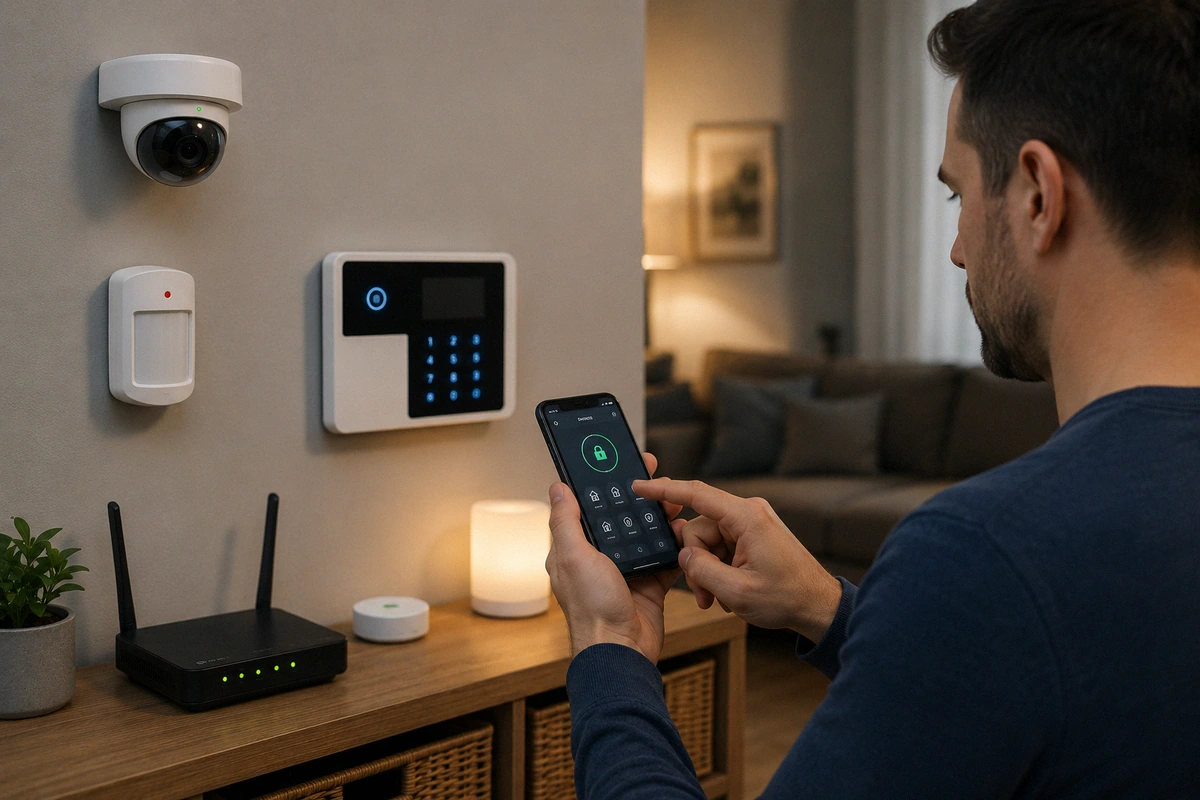
With your smartphone in hand, arm your property hub into its standard “stay” mode, then walk from room to room physically opening every protected door and window. Keep a close eye on your notification feed to verify that your hub transmits the corresponding entry alert without any noticeable lag.
If you encounter an unexpected delay or if a specific window fails to trip the alarm system entirely, you must address that coverage gap immediately.
🔍 Read More
- Check that the physical distance between the sensor and its accompanying magnet does not exceed the manufacturer’s specified gap limit (usually half an inch).
- Verify that the mounting adhesive hasn’t degraded due to extreme humidity, cold winter drafts, or moisture.
- Ensure you are deploying your sensors in the most effective manner by looking over our direct comparison of motion sensors vs contact sensors what you actually need.
🏃 Test Motion Sensors and Alarms Across Living Zones
Passive infrared (PIR) motion modules require a bit more tactical attention than simple door magnets. Walk deliberately through the primary paths of your interior layout to confirm that the sensors are actively registering your movement and transmitting immediate pings to your central control panel.
During these diagnostic sweeps, pay close attention to your current software sensitivity adjustments. Setting your parameters too high will flood your phone with annoying false alerts caused by passing pets or air vents, while dropping the sensitivity too low can cause the hardware to miss a slow-moving human intruder entirely.
Running these tests also gives you a perfect opportunity to spot recent changes in your home environment that might block a sensor’s field of view, such as a newly positioned piece of living room furniture, large holiday decorations, or seasonal indoor lighting shifts.
💡 Expert Tip
Calibrate Around Your Household: If you share your living space with active animals, you need to position your motion detectors with immense precision to prevent non-stop false alarms. Learn how to optimize your interior sensor angles without sacrificing coverage by reading our placement framework on how to set up motion sensors if you have pets.
📹 Audit Your Surveillance Cameras Beyond the Live Feed
It is incredibly easy to assume your exterior lenses are functioning flawlessly simply because you can pull up a live, real-time video stream on your smartphone dashboard. However, a live video feed only tells you half the story.
To properly check your surveillance setup, you must intentionally trigger a motion event, wait a few minutes, and then log into your media database to confirm the historical clip was recorded, processed, and archived without errors. Take a moment to evaluate the overall visual clarity, lens cleanliness, and current viewing angles.
A high-definition camera that has slowly shifted out of alignment due to heavy wind, low-hanging tree branches, or animal activity can accidentally leave critical entry gates completely unmonitored.
🔍 Read More
- Clean away dirt, spiderwebs, and hard water spots from your camera lenses using a soft microfiber cloth.
- Confirm that your storage drives aren’t automatically overwriting important security footage prematurely.
- Learn how to optimize your camera angles for maximum forensic usefulness by exploring our layout guide on how to position cameras for better facial identification.
📱 Verify the Delivery Speed of Notifications and App Alerts
Your smartphone application serves as your immediate link to your home’s daily defense. If your push alerts are suffering from communication lag or failing to clear your phone’s background restrictions, your physical hardware loses a massive portion of its real-world protective value.
While you are testing your physical sensors, monitor exactly how long it takes for the alert to pop up on your lock screen. You should ideally see both visual push updates and hear audible warning sounds within a few seconds of a door being opened.
Keep in mind that major smartphone operating system updates can occasionally reset app permission settings, turn off background data refreshing, or inadvertently block your security program’s ability to override your phone’s do-not-disturb profiles.
📋 Notification Optimization Steps
- Enable Critical Alerts: Grant your security app special permission to bypass system-wide silent profiles during emergencies.
- Update Notification Sounds: Assign a unique, highly distinct tone to your home alerts so you can instantly tell them apart from basic text messages.
- Audit Shared Accounts: Verify that your spouse, children, or trusted neighbors are receiving matching push notifications on their personal devices.
- Maximizing System Awareness: Learn how to establish a bulletproof notification framework by reviewing our blueprint on how to create an away mode for your home.
🚨 Trigger the Main Alarm Siren to Confirm Decibels
Yes, executing this specific diagnostic step is incredibly loud. Yes, your family members will cover their ears, and your closest neighborhood residents will definitely notice the noise. However, physically activating your primary audio sirens is the only way to guarantee they will function correctly during a real, high-stress property emergency.
Fortunately, almost every modern retail system includes a specialized diagnostic menu or a dedicated local test mode that allows you to activate the sirens for a brief, controlled window without routing an automatic panic signal to emergency dispatchers.
Verify that your interior sirens are loud enough to instantly wake a sleeping adult from the furthest bedroom, and make sure you can silence the alarm immediately through your physical keypad or your mobile software panel.
💡 Expert Tip
Build an Audio Deterrent: If you find that your standalone system hub is too quiet to startle an intruder or alert your neighbors, consider integrating an external, weather-resistant noisemaker into your setup. Discover the step-by-step process for expanding your system’s volume by reading our installation guide on how to add a siren to your diy security setup.
🔋 Check Every Battery Level and Main Power Feed
Depleted power cells represent one of the most common causes of complete system failure in residential DIY security setups. While smart devices are engineered to push a battery alert to your phone when their power levels begin to tank, these small dashboard notifications can easily get lost among your everyday app alerts.
During your dedicated monthly check, make it a point to open your system’s power management menu and review the exact percentage remaining across your entire hardware inventory.
Take a proactive approach by replacing any battery cell that is hovering near its lower limit, even if the application claims the device can scrape by for a few more weeks. For your permanently wired hardware nodes, inspect the physical power cables to ensure they are plugged in snugly and free from environmental wear.
📊 Battery and Power Source Breakdown
| Device Type | Power Archetype | Primary Maintenance Action |
| Door/Window Contacts | Lithium CR2032/CR123A | Replace proactivity when capacity drops below 20% |
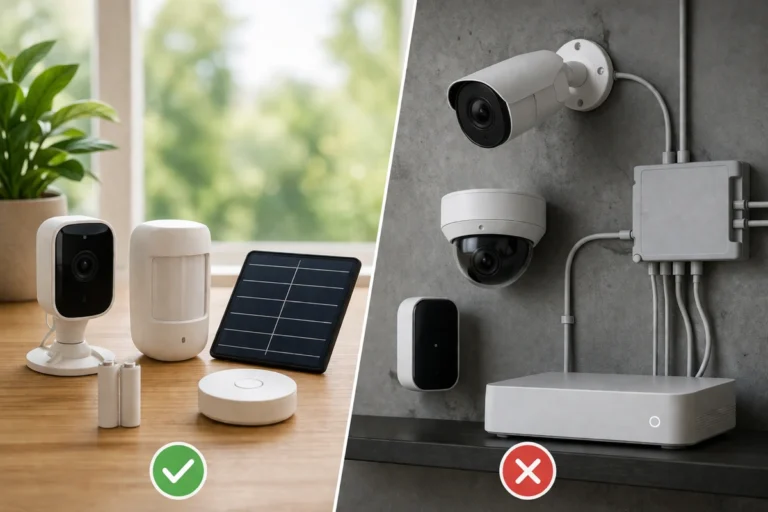
| Wireless Security Cameras | Rechargeable Pack | Top off the charge or install a weather-resistant solar panel |
| Central Smart Hub | AC Wall Power with Battery | Unplug from the wall to verify the backup battery kicks in |
Staying ahead of your system’s power demands prevents your sensors from quietly dropping offline in the middle of the night. To pick the absolute most reliable power configuration for your property’s specific layout, check out our comparison on battery vs wired security devices pros and cons.
🌐 Test Your Local Network Connection and Wi-Fi Stability
A wireless security network is only as reliable as the local router that ties all of its devices together. When you are looking into how often should you test security system setups, you must account for the everyday changes happening inside your home network, such as connecting new smart appliances or streaming high-definition media.
Log into your router’s administrative dashboard to confirm that every security lens and sensor maintains a stable signal strength reading. If you have recently moved your primary routing hardware, rearranged your furniture, or added a new smart television, you may have inadvertently created a wireless dead zone.
Running a quick cellular speed check right next to your furthest outdoor cameras can quickly highlight hidden bandwidth issues before they cause your hardware to miss a real security event.
🔍 Read More
- Verify that your security devices are operating on the clearest wireless channel to bypass local signal congestion.
- Look into assigning permanent, static IP addresses to your core hubs to prevent connection drops during router restarts.
- Discover how to configure your home internet router for ultimate uptime by referencing our guide on optimizing wi-fi for home security-devices.
📱 Review Your Master Control App and Automation Rules
Your smartphone application serves as the master command center for your entire property defense layout. Take a few quiet minutes during your monthly checkup to methodically comb through your advanced software submenus and configuration rules.
Verify that your automated geofencing rules, night-time arming schedules, and smart lighting integrations are still firing exactly how you want your home to behave.
This dedicated review session is also the perfect moment to check for newly released device firmware updates or explore software enhancements that can add fresh capabilities to your existing physical equipment.
💡 Expert Tip
Automate a Vacant Appearance: While reviewing your application’s smart rules, take a moment to double-check your automated indoor lighting routines. Simulating real human presence while you are away from home is one of the single most effective ways to deter casing criminals. Learn how to design a convincing lighting schedule by reading our setup framework on how to use smart lighting to simulate occupancy.
🔌 Simulate Real Power Outages and Internet Disruptions
Severe electrical storms, grid overloads, and deliberate internet line cuts by sophisticated criminals can take down a standard home security setup if it lacks backup systems. If your main panel includes a rechargeable battery backup or a secondary cellular data link, you must verify that these safety systems work seamlessly under pressure.
You can safely replicate a realistic grid emergency by simply unplugging your central security hub directly from its wall outlet. Keep a close watch on the system to confirm that the internal backup batteries kick in instantly without forcing the entire panel to reboot or drop its sensor connections.
If your system includes an alternative internet connection method, verify that it can still successfully route test alerts to your phone while your main home router is completely powered down.
📋 Emergency Redundancy Checklist
- Unplug your primary security panel from wall power to ensure the internal backup battery holds a charge for at least several hours.
- Temporarily disable your home Wi-Fi to confirm that your central hub switches to its cellular backup data stream.
- Check that your local, on-site storage cards continue to log video files even when the system is cut off from the internet cloud.
- Learn how to construct a resilient property network by checking out our step-by-step manual on how to build redundancy into a diy security setup.
🔄 Making Security Inspections a Natural Part of Your Routine
The single most challenging aspect of maintaining an effective home security maintenance routine isn’t the technical testing process itself. The real hurdle is simply training yourself to remember to do it consistently.
The easiest way to conquer this mental block is by linking your security checks to an established household chore that you already perform on a regular basis.
For instance, you can run through your home security checklist at the exact same moment you swap out your HVAC furnace filters, change the batteries in your standard hallway smoke detectors, or deep clean your kitchen appliances. Once you connect these tasks together, running your security diagnostics stops feeling like an annoying chore and simply becomes a natural part of keeping your household safe and organized.
📊 Integration and Habits
- The Setup Phase: Linking your digital system checks to routine calendar milestones to guarantee your gear never suffers from silent, unnoticed failures.
- The Neglect Phase: Leaving your expensive hardware completely unmonitored for years, which frequently results in unexpected dead batteries when an emergency unfolds.
- Maintaining System Vitality: To learn how to systematically upgrade and care for your home gear as your family’s needs evolve, look over our practical guide on how to upgrade a diy system over time.
🚪 Conclusion
A truly effective home security system is never a project that you simply install once and forget about for the next five years. Instead, it is an evolving digital and physical network that delivers its absolute best protection when you commit to checking in on its operational health on a regular basis.
Running these brief monthly diagnostics takes very little time out of your weekend, but it rewards your family with immense confidence that your defensive perimeter is operating exactly as intended. By taking a proactive approach, you catch minor technical bugs, dead batteries, and wireless connectivity drops long before they can escalate into dangerous security failures.
When it comes to protecting the people and property that matter most, you never want to guess whether your alarms will work during a crisis. By turning these simple DIY security system maintenance tips into a consistent habit, you ensure that your gear is fully prepared to step up and defend your home the exact second you need it most.