🔌 Backup Power Solutions for Home Security Systems

TLDR
- Built-in backup batteries in alarm panels keep sensors and sirens active during short power outages.
- Uninterruptible power supplies can maintain electricity for routers, modems, and security hubs.
- Battery-powered cameras and sensors often continue operating independently during outages.
- Portable power stations can support networking equipment or cameras during longer blackouts.
- Testing backup systems regularly ensures your security setup stays functional when power fails.
A home security system is designed to protect your space when something goes wrong. But there is a simple question many homeowners forget to ask: what happens when the power goes out?
Power outages are common. They can be caused by severe storms, unexpected grid failures, maintenance work, or even local accidents involving nearby power lines.
If your security devices rely entirely on household electricity, those outages can interrupt monitoring at the exact moment you need it most. This opens up vulnerabilities that compromise what DIY setups actually protect against.
The solution is not complicated. It simply requires building backup power into your setup from day one.
With the right combination of battery support and emergency power solutions, your security system can remain active even when the lights go out. Planning ahead makes it easier to design an efficient security network without overspending on bulky equipment.
⚠️ Why Backup Power Matters
Most modern home security systems depend on electricity to operate. Alarm hubs, cameras, Wi-Fi routers, and smart home integrations all require power to function.
If electricity disappears, those devices can shut down immediately unless they have reliable backup options. This creates a potential gap in protection.
Sensors may stop communicating, cameras stop recording, and remote smartphone notifications stop arriving. This leaves your property completely vulnerable to threats that most people ignore until a blackout hits.
Backup power ensures your system keeps running long enough to maintain monitoring during temporary outages. For many homeowners, even a few hours of continued operation provides peace of mind during storms or unexpected disruptions.
Read More
To understand how to prepare your entire household for unexpected electrical grid emergencies, you can read about official emergency power outage planning guidelines to keep your property resilient.
🔋 Built-In Battery Backup in Alarm Panels
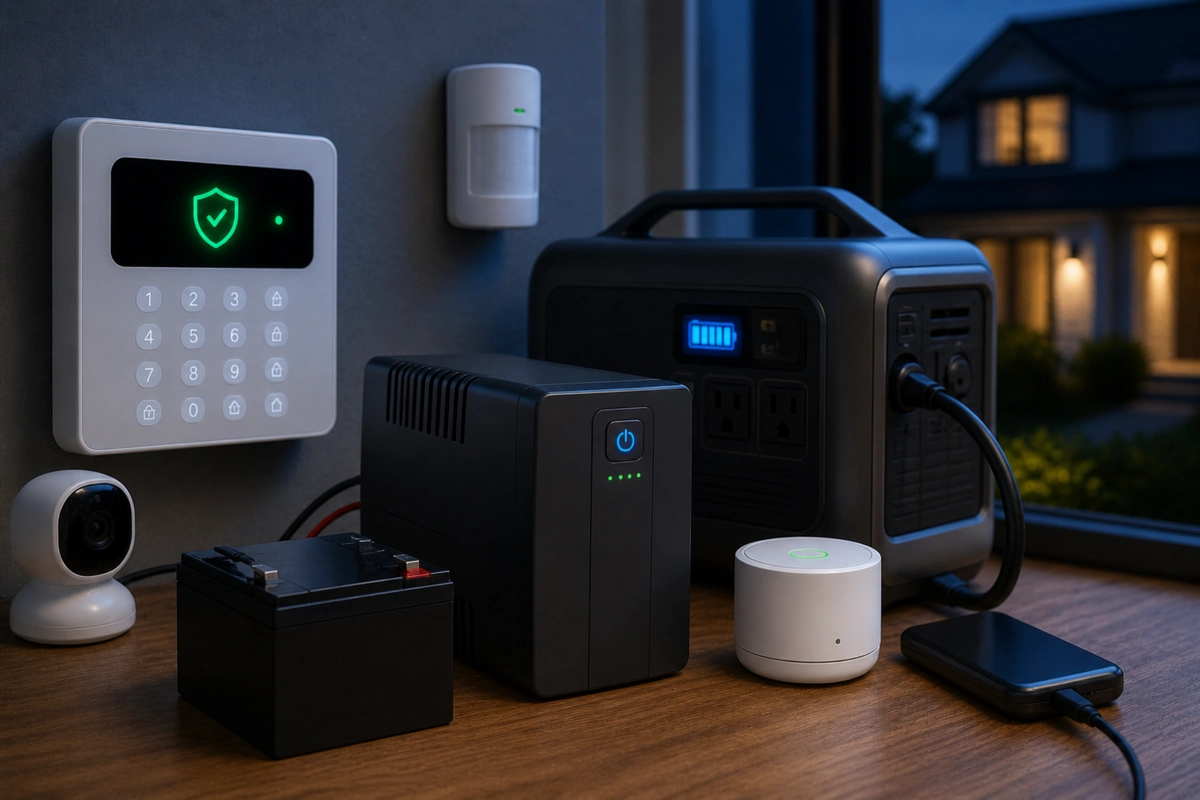
Many modern alarm control panels include internal rechargeable batteries. When household electricity fails, the panel automatically switches to battery mode.
This allows door sensors, motion detectors, and the alarm siren to continue operating seamlessly. A security system backup battery is critical for keeping the brain of your setup alive.
These batteries are designed to provide several hours of backup power depending on the system type and the number of connected devices. Because alarm systems prioritize energy efficiency, the core functions typically remain active even when operating on battery.
If you are installing a new layout, it is worth confirming that the control hub includes this feature. Most reputable DIY frameworks include it, but checking is always a good idea.
This basic internal power layer forms the absolute foundation of building redundancy into a system to prevent total dead zones.
Expert Security Tip
Verify Low-Power Mode: Many wireless panels dim their touchscreen displays or turn off status LEDs during a blackout. This is completely normal behavior designed to save internal battery capacity for the underlying radio sensors.
🖥️ Backup Power for Routers and Modems
Even if your alarm panel has battery support, your internet equipment may not. Wi-Fi routers and cable modems usually rely entirely on household electricity.
During an outage, they shut down immediately unless connected to backup power. This matters because many security devices depend on your internet connection for alerts, cloud recording, and remote monitoring.
An uninterruptible power supply is one of the easiest solutions for this exact issue. Using a dedicated UPS for security system components ensures that data paths stay open.
Read More
To learn more about how these emergency power blocks bridge the gap during voltage sags, you can read a technical overview explaining the mechanics of uninterruptible power supplies for electronic networks.
A UPS is essentially a battery that automatically provides temporary power when electricity is interrupted. By connecting your modem and router to a UPS, you can maintain internet connectivity for a limited time.
Depending on the model and power draw, many UPS units can keep networking equipment running for thirty minutes to several hours. That window may be enough to maintain alerts and video uploads during short outages.
Keeping your network alive is the first step toward fail-safe security planning when local utility systems go offline.
📱 Battery-Powered Security Devices
Battery-powered security devices offer a natural advantage during power outages. Wireless cameras, door sensors, motion detectors, and smart locks often run on internal batteries that continue operating when household electricity stops.
These devices communicate wirelessly with the central hub, which may also be running on its own backup battery. This means the layout handles blackouts natively.
Because of this design, many modern DIY systems remain partially functional during outages without any additional equipment. It makes wireless hardware exceptionally reliable for renters or urban apartment layouts where adding hardware is limited.
However, battery-powered cameras may reduce recording activity to conserve energy. Some models limit recording duration or switch to motion-only events when running on battery.
Even with these limitations, maintaining basic monitoring is far better than losing visibility entirely. Knowing how your specific devices behave helps you avoid common DIY security failures during emergency situations.
Device Power Attributes
- Wireless Contact Sensors: Consume minimal energy, often lasting years on a single small cell without needing user intervention.
- Smart Door Locks: Rely entirely on separate internal AA or lithium batteries, keeping locks secure independent of the grid.
- Wireless Motion Detectors: Enter brief sleep periods between activations to keep power draw exceptionally low during blackouts.
🎥 Powering Cameras During Outages
Plug-in cameras rely on wall power and shut down during outages unless connected to backup power. If continuous camera operation is important to you, consider connecting critical cameras to a UPS along with your networking equipment.
This setup allows cameras, the router, and the modem to remain active simultaneously. It is an excellent way to keep cameras running during outage scenarios without missing vital events.
However, it is important to understand that cameras consume more electricity than simple low-power routers. Selecting the best battery backup for security cameras means finding a balance between capacity and cost.
Larger backup batteries may be required to maintain operation for extended periods. Many homeowners choose to prioritize key cameras such as front door or driveway views rather than attempting to power every device.
Focusing your power budget on entry points matches how home burglaries actually happen, as intruders look for hidden pathways.
Camera Power Priorities
| Camera Location | Priority Level | Rationale |
| Front Door Entrance | High | Captures primary entry vectors and delivery arrivals. |
| Main Indoor Hallway | High | Tracks movement between central rooms if perimeter fails. |
| Back Patio Area | Medium | Monitors secondary glass entries that are hidden from view. |
| Side Yard Path | Low | Secondary pathway that can be covered by basic contact sensors. |
📦 Portable Power Stations
Portable power stations are becoming increasingly popular for emergency preparedness. These devices contain large rechargeable lithium batteries capable of powering electronics through standard outlets or USB ports.
During extended outages, a portable power station can operate networking equipment, cameras, and alarm hubs for several hours or even longer depending on capacity. It acts as an incredibly versatile backup power for home alarm system setups.
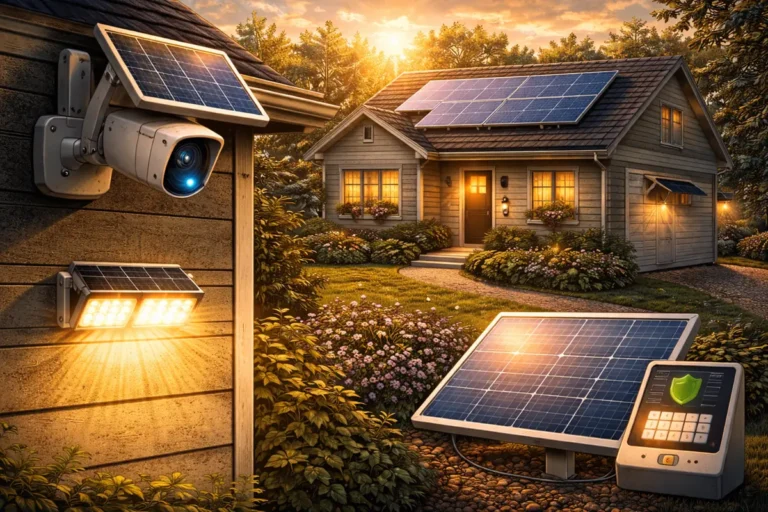
Unlike small UPS units, portable power stations can often be recharged using solar panels, vehicle adapters, or generators. This solar backup for home security system equipment allows you to stay online indefinitely during long grid collapses.
For households in areas prone to severe storms or grid disruptions, they provide a flexible backup option. While they are not strictly necessary for every security system, they offer additional resilience during longer outages.
Adding clean solar charging helps create a completely off-grid security framework for long-term protection.
Power Station Benefits
- High Energy Capacity: Supplies enough juice to power both your network and multiple plug-in camera lenses for days.
- Clean Silent Operation: Works inside your living room without the dangerous fumes or noise of fuel-driven engines.
- Renewable Recharging: Plugs into portable solar mats to harvest free energy during extended daytime blackouts.
🔐 Smart Locks and Access Control
Smart locks deserve special mention when discussing backup power. Most smart locks operate on internal batteries rather than household electricity.
This design ensures that the lock continues functioning even if power is lost entirely. Keypads and local Bluetooth access typically remain operational during outages.
This means you will not be locked out of your home if the local grid drops. Most models also include traditional key access or hidden external terminals as a final backup method.
This layered approach ensures that you can always enter your home regardless of electrical conditions. It confirms that smart lock safety features are built with physical emergencies in mind.
Expert Security Tip
Keep a Physical Backup: Even if your smart lock features a reliable battery indicator, always keep one standard physical key hidden in a secure spot outside or inside your vehicle for absolute peace of mind.
🎛️ Prioritizing Essential Devices
When planning backup power, it helps to identify which devices matter most. For many homes, the priority list should focus on core infrastructure rather than luxury automations.
Maintaining these core components allows the system to continue detecting intrusions and sending alerts to your phone. Other smart devices, such as decorative lighting automation or secondary interior cameras, may be less critical during an outage.
Focusing backup resources on essential devices keeps costs reasonable while preserving protection. It fits perfectly into a layered security framework that balances hardware cost with real-world utility.
Essential Security Priorities
- Alarm Control Panel: Keeps the central radio receiver active to listen for sensor triggers.
- Wi-Fi Router and Modem: Preserves the outward communication line so emergency notifications can leave the house.
- Entry Sensors and Contact Blocks: Monitors doors and windows using low-power internal cells.
- Primary Entryway Camera: Provides visual verification of the main entrance area during a crisis.
🧪 Testing Your Backup Systems
Installing backup power is only the first step. Testing it regularly is equally important for maintaining true home defense.
Simulating a power outage is simple. Disconnect the main power supply from your wall outlets and observe how your system behaves.
Check whether the alarm hub switches to battery mode smoothly, confirm that internet equipment stays active if connected to a UPS, and verify that cameras remain accessible through your mobile app.
These tests help you understand exactly how long your system can operate without electricity. It prevents unexpected surprises when a real storm knocks down local lines.
A proper testing routine is an essential part of an annual security system checklist to keep components clean. It takes only a few minutes, and it ensures everything works the way it should when an actual outage occurs.
Testing Checklist Walkthrough
- Step 1: Flip the breaker or unplug the main alarm hub power brick from the wall.
- Step 2: Check your smartphone app to see if a “Power Loss” notification arrives within two minutes.
- Step 3: Walk past a motion sensor to verify that it still triggers an internal chime or alert.
- Step 4: Restore main power and ensure the internal battery starts recharging automatically.
🔋 Battery Maintenance
Backup batteries do not last forever. Rechargeable batteries inside alarm panels and UPS units gradually lose their total storage capacity over time.
Manufacturers usually recommend replacement every few years depending on usage and room temperature. Most modern systems provide automatic alerts when battery health declines or replacement is needed.
Paying attention to these notifications ensures your backup plan remains effective. Staying ahead of these warnings is part of managing batteries efficiently across your entire hardware network.
Routine maintenance may not feel exciting, but it is one of the simplest ways to keep your security system reliable. A dead backup battery is exactly the same as having no backup power at all when the grid fails.
⛈️ Planning for Longer Outages
Short power interruptions are the most common scenario for most neighborhoods. However, severe weather events or infrastructure issues can sometimes cause longer outages lasting many hours or even days.
In these cases, a temporary generator for security system support may become useful if you want to keep security equipment operating continuously. Balancing this equipment keeps your home safe over extended periods.
Even without those heavy solutions, standalone battery-powered devices can often continue basic monitoring for extended periods on their own. Planning ahead helps you decide how much redundancy is appropriate for your home and location.
If you want to keep your system fresh as technology evolves, learning how to upgrade your components ensures you can add better battery tech down the line. It ensures your homestead remains protected no matter what happens to the municipal grid.
✅ Conclusion
Backup power is one of the most overlooked aspects of home security. Without it, even the most advanced system can stop working during a simple power outage. With it, your alarms, sensors, and cameras can continue protecting your home when conditions are less than ideal.
Built-in alarm batteries, uninterruptible power supplies, battery-powered devices, and portable power stations all play useful roles depending on your needs. By prioritizing key equipment and testing your setup occasionally, you can create a system that remains dependable during unexpected disruptions.
Home security works best when every layer supports the others. Preparing your power infrastructure ensures that protection does not disappear when the grid does.