🔋Managing Batteries in a DIY Security System

TLDR
- Managing security system batteries is mostly about consistency, not complexity.
- Most DIY systems rely on low battery alerts home security features, but you shouldn’t rely on those alone.
- Proper placement, settings, and usage habits directly affect battery life.
- Knowing when to replace security system batteries prevents system failures at the worst time.
- Simple routines make alarm system battery management almost effortless.
If you are running a DIY system, batteries are quietly doing most of the work. Sensors, cameras, keypads, motion detectors, and even some sirens often rely entirely on battery power. The thing is, everything feels fine until it doesn’t. A dead sensor doesn’t usually give you a dramatic warning; it just stops protecting that entry point.
From my own experience with a layered home security framework, the biggest lesson came early. I assumed low battery alerts home security systems send would give me plenty of notice. They do help, but they are not foolproof.
Delays, missed notifications, or simply ignoring the alert for a few days can leave significant gaps in your protection. This is a common DIY home security failure that is easily avoided with a bit of foresight.
⚙️ Why Battery Maintenance Matters
Once you see how much relies on internal power, it becomes clear why battery maintenance security system habits are vital. A wireless security system is only as strong as its weakest cell.
| Device Type | Battery Dependency |
| Door and window sensors | Fully battery-powered |
| Motion detectors | Fully battery-powered |
| Wireless cameras | Battery or hybrid |
| Keypads | Often battery-backed |
| Base stations | Usually plugged in with backup battery |
🧠 Understanding How Security System Batteries Behave
Not all batteries drain the same way. Most window and motion sensors are designed to last months or even years because they spend most of their time in a low-power state.
They only “wake up” when triggered. Cameras are a different story; they use significantly more power, especially if they record frequently or stream live video.
A few key factors affect the longevity of your security system batteries:
- Frequency of motion detection (high traffic areas drain faster).
- Temperature (extreme cold can cause power to drop rapidly).
- Signal strength (weak connections force the device to work harder).
- Recording settings and resolution for cameras.
🛠️ Alarm System Battery Management Without Overthinking It
You do not need a complicated system to stay on top of things. Think in terms of light structure rather than constant monitoring. This is part of testing your home security system regularly to ensure everything is functional.
A simple routine involves checking the battery status once a month in your app and keeping a small supply of spare batteries at home. I have found that replacing batteries in batches is far more efficient than chasing individual alerts.
When you design a home security system on a budget, buying batteries in bulk and swapping them proactively saves both money and time.
🔔 Low Battery Alerts: Helpful, But Not Perfect
While low battery alerts home security users receive are useful, treat them as a backup. In some cases, especially with cheaper cells or extreme weather, voltage can drop off a cliff after the first alert. It is much safer to build redundancy into your setup by having a manual check schedule.
🔄 When to Replace Security System Batteries
Proactive replacement is almost always the safer option. For high-priority areas like front doors and ground-floor windows, replacing batteries before they are fully drained is a smart move. If you are assessing your home like a burglar would, you will realize that a dead sensor on the main entry is a massive vulnerability.
| Device | Recommended Timing |
| Door/window sensors | Every 12 to 24 months |
| Motion sensors | Every 12 to 18 months |
| Keypads | Every 12 months |
| Cameras | Recharge or replace based on usage (weeks to months) |
Knowing when to replace security system batteries ensures that your best budget home alarm system doesn’t leave you exposed during an emergency.
🔋 Best Batteries for Alarm Systems
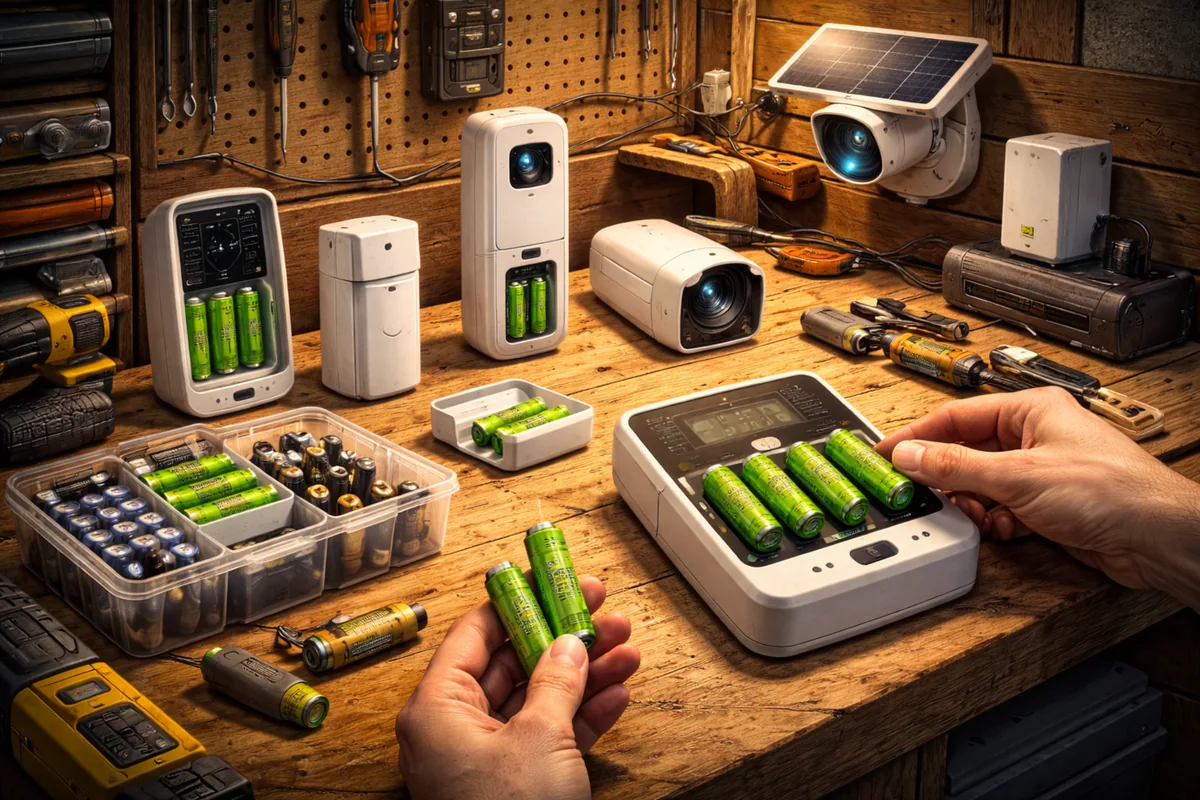
Not all batteries are created equal. Using the wrong type can lead to poor performance or false alarms. For many systems, lithium batteries are preferred over standard alkaline because they handle temperature changes better and maintain a stable voltage for longer.
When searching for the best batteries for alarm systems, look for:
- Manufacturer-recommended types (often CR123A or CR2032).
- Reliable brands with consistent voltage output.
- Long shelf life for your backup supply.
Using the right power source is just as important as choosing between motion and contact sensors.
📉 How to Extend Battery Life Security Sensors
A few small adjustments can make a noticeable difference. If you have cameras, looking for Energy Star certified models can help reduce power consumption.
To effectively how to extend battery life security sensors, consider these tweaks:
- Adjust motion sensitivity to reduce unnecessary triggers from pets or blowing curtains.
- Limit camera recording zones to high-traffic areas only.
- Optimize your Wi-Fi signal to reduce the energy spent on maintaining a connection.
- Avoid placing sensors in areas with extreme temperature fluctuations if possible.
I once had a motion sensor draining too fast because it was pointed at a busy hallway. A slight repositioning toward the entry door doubled the battery life. These are the kinds of common security mistakes that are easily fixed once you know what to look for.
🧰 Battery Maintenance Security System Habits
Consistency is the goal. You don’t need to be a technical expert to perform a battery maintenance security system check. Grouping your replacements and keeping a simple log can make the process nearly invisible in your daily life. This is especially helpful for renters with DIY setups who may move devices frequently.
⚠️ Common Battery Mistakes to Avoid
Avoiding these pitfalls keeps your DIY security system running smoothly:
- Mixing old and new batteries in the same device (this causes uneven drain and early failure).
- Using the wrong battery chemistry (e.g., using alkaline where lithium is required).
- Letting batteries fully drain before seeking a replacement.
- Ignoring early warning signs like slow response times or intermittent connectivity.
🏁 Conclusion
Managing security system batteries does not have to be a headache. Once you set up a simple alarm system battery management routine, it becomes a minor task that provides significant peace of mind. By staying slightly ahead of the drain, you ensure your home is not vulnerable despite having locks.
Keep it simple, stay consistent, and ensure you have a fail-safe plan for power outages to keep your system online 24/7.