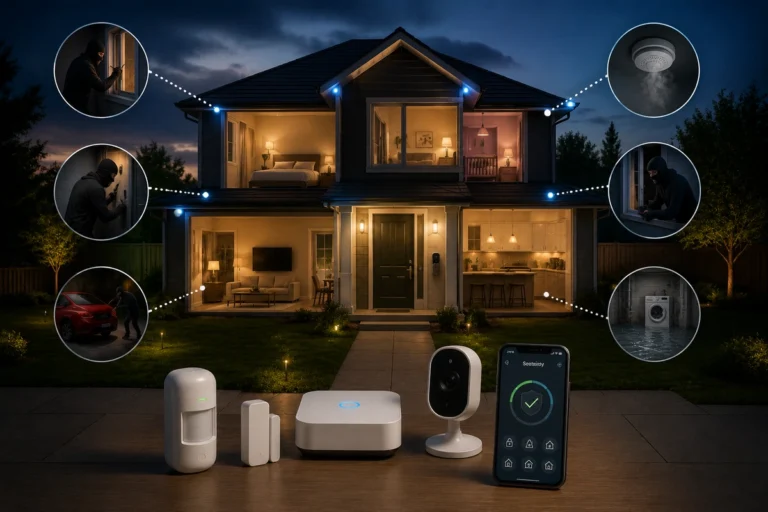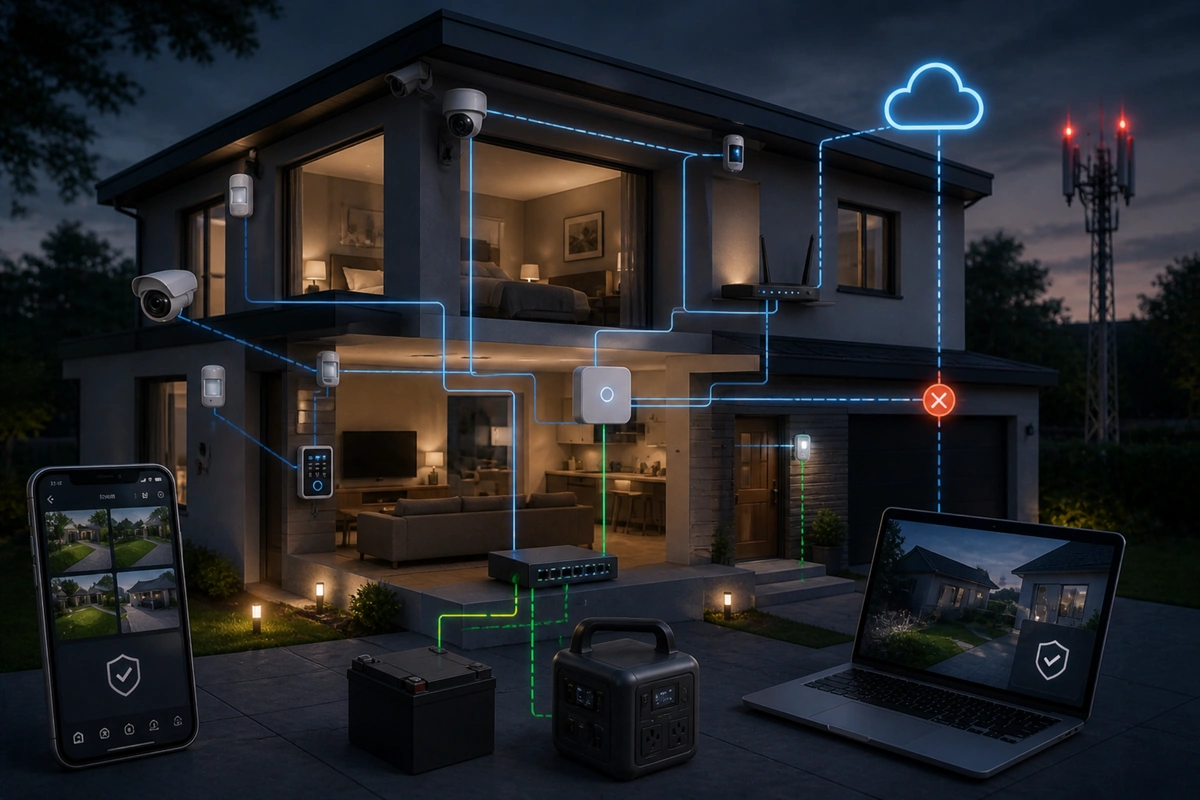
🔄 How to Build Redundancy Into a DIY Security Setup

TLDR
- Redundancy in DIY security means eliminating single points of failure across power, internet, and device coverage.
- Use battery backup and uninterruptible power supplies to keep alarms and networking equipment running.
- Add cellular backup so alerts continue even if broadband internet fails.
- Overlap camera views and combine sensors to prevent blind spots.
- Test and maintain your system regularly to ensure every backup layer works as intended.
If you rely on a single device or one solitary internet connection to protect your household, you are trusting a fragile chain. True property defense requires structural stability. Incorporating security system redundancy is what transforms a basic collection of smart gadgets into an exceptionally resilient shield.
It means that if one technical component fails, runs out of battery, or loses its wireless link, an independent secondary backup layer instantly steps in without leaving your home exposed.
Building a redundant home security setup does not require commercial-grade engineering expertise, massive concrete alterations, or complicated hardwired installations. It simply demands thoughtful structural planning, methodical placement, and a willingness to look beyond standard consumer configurations.
When implemented correctly, introducing fail safe home security setup tactics actually makes your daily life much calmer, removing the persistent anxiety of technical glitches or sudden offline warnings. Let’s look closely at how to add backup to home security system architecture in a practical, accessible way.
🕳️ Understanding Single Points of Failure
Before you begin purchasing backup batteries or secondary communication modules, you must learn how to accurately spot single points of failure around your property. A single point of failure is any standalone technical component that, if it stops working or loses power for even a brief second, completely disables your entire monitoring capability.
If you take a close look at how residential burglaries happen, you will quickly notice that tech-savvy intruders explicitly look for these glaring technical choke points. Standard, unreinforced residential security layouts are filled with vulnerabilities that are incredibly easy to disrupt.
If your entire digital network relies on a single wall outlet or an exposed internet cable on the side of your house, your perimeter defense is far more fragile than it needs to be.
Identifying these internal vulnerabilities is the first step when figuring out diy home security where to start on your property. By auditing your structural boundaries and hardware configurations, you transition away from basic reliance on a single device and learn the core principles of assessing your home like a burglar would to isolate major failure points.
Common Residential Technical Failure Points
- Main Grid Power: Total household electricity blackouts instantly shut down unbacked surveillance hardware, rendering sensors blind.
- Broadband Web Link: An external fiber or cable line outage cuts off smart cloud alerts and remote mobile phone access.
- Isolated Control Hubs: Relying on one unbacked central base station means a single hardware freeze completely takes down your sensors.
- Lone Perimeter Cameras: Mounting only one camera over a wide driveway creates extensive blind spots if the lens gets dirty or disconnected.
- Wi-Fi Band Congestion: Heavy domestic wireless interference can cause critical wireless security hubs to drop connection logs unexpectedly.
The ultimate goal of adding redundancy in DIY security systems is not to achieve impossible perfection or prevent hardware wear entirely. Instead, the goal is to make sure that a localized equipment issue, a minor storm, or an intentional utility line cut never leaves your family without immediate, automated property protection.
🔋 Power Redundancy: The Structural Foundation
Most modern DIY alarm panels include internal rechargeable lithium backup cells built right into the housing. When your main household electricity fails due to a local grid issue or a deliberate fuse box tamper, the panel shifts automatically into an isolated battery-saving mode.
This temporary power swap keeps door contact sensors, window glass break sensors, and localized indoor sirens fully functioning for a limited time.
When selecting your core hardware, verifying that internal battery backup comes completely standard is absolutely mandatory. This feature is now common across the best budget home alarm systems, serving as a vital baseline for real-world resilience.
However, your external broadband modem, primary wireless router, and smart home automation bridge do not have built-in power cells. If your house loses electricity, your home network goes dark instantly, preventing your armed alarm hub from transmitting emergency push alerts to your smartphone.
The Role of Independent Power Architecture
Plaintext
[Main Home Grid Outage] ---> [UPS Battery Supply Activates] ---> [Router & Modem Stay Online] ---> [Alarm Dispatches Cell Alert]To bridge this specific connectivity gap, you need to implement a dedicated uninterruptible power supply to support your network gear. A UPS acts as an immediate, heavy-duty battery bank that continuously conditions electricity and delivers instant power the millisecond a grid failure occurs.
Connecting your cable modem, primary Wi-Fi router, and main security hub to a dedicated UPS ensures your local internet connection stays completely live during short grid blackouts. This simple hardware addition is central to effective fail-safe planning for power and internet outages.
Backup Power Hardware Architecture Table
| Connected Device Group | Primary Failure Consequence | Recommended Backup Hardware Remedy | Expected Protection Window |
| Main Alarm Base Station | Complete loss of local perimeter monitoring | Built-in internal lithium-ion rechargeable cell | 24 Hours of continuous usage |
| Broadband Modem & Router | Total loss of smartphone push notifications | Dedicated standalone consumer UPS battery unit | 2 to 4 Hours of web link retention |
| Outdoor Wireless Cameras | Blind spot creation on critical approach zones | Integrated solar panel charging arrays | Indefinite daytime power cycles |
| Smart Deadbolt Cylinders | Complete lockout or unsecured exterior doors | Manual mechanical key override cylinder slots | Permanent mechanical fallback |
By pairing integrated device batteries with standalone hardware power units, you establish an incredibly stable backup home security foundation. This approach ensures your core tracking logic continues operating through any standard blackout event.
If you want to dive deeper into choosing power components, our comprehensive guide on backup power solutions for home security systems lays out exactly how to match battery sizes to your specific hardware needs.
📶 Internet Redundancy With Cellular Backup
Even if your local modem and wireless router are completely protected by a heavy-duty UPS battery bank, your primary broadband internet provider could still experience a severe system-wide outage.
A fallen tree down the street, an accidental construction line cut, or a corporate network glitch can instantly sever your connection to the cloud, rendering a standard internet-only system unable to alert you during an emergency.
Integrating an active cellular backup module completely eliminates this dependency on a single connection. Many reputable modern hubs include built-in cellular radios that sit quietly in the background during normal operation.
The very second your primary broadband web link drops offline, the control panel switches its internal routing to commercial mobile networks to deliver high-priority signals.
Expert Security Tip
Evaluating Cellular Subscriptions: While basic self-monitoring over Wi-Fi is often completely free, unlocking cellular data routing typically requires a small monthly subscription fee.
When choosing between diy home security vs professional monitoring paths, paying for a cellular communication plan is one of the few recurring costs that is completely worth it, as it prevents your entire system from being taken offline by a simple pair of wire cutters.
This communication handoff is a core component of a modern layered home security a practical diy framework. It separates your security data from your standard home web connection, making sure that a local broadband provider crash never compromises your family’s safety.
📹 Camera Redundancy: Overlap and Storage
Security cameras introduce their own unique failure points that can easily compromise your property awareness if ignored. If you mount only one camera to cover your entire front entrance porch and that specific device drops offline, runs out of battery, or gets blocked by thick morning fog, that critical entryway goes completely dark.
The most practical remedy is establishing overlapping fields of view across high-value target areas. Position your exterior cameras so that major zones, like your primary front door walkway, vehicle driveway, and rear patio doors, are captured by at least two distinct lens angles. This intentional placement makes sure that even if one lens fails completely, your secondary camera still documents the zone.
[Camera Angle A: Garage Mount] \ \---> [Shared Driveway Target Zone] <--- [Camera Angle B: Porch Mount]Video Recording Reliability Rules
- Local Storage Fallback: Choose camera models equipped with onboard microSD card slots to ensure video logs continue recording locally during internet outages.
- Cloud Synchronization: Verify your cameras automatically push missing local video clips up to your cloud portal once web links reconnect.
- Strategic Blind Spot Auditing: Periodically check your system app to confirm that growing tree branches or summer landscaping haven’t blocked your lens angles.
- Power Source Diversity: Avoid running all your cameras on the exact same electrical circuit breaker; use battery vs wired security devices pros and cons insights to balance your power sources.
Furthermore, recording storage requires careful planning. Many modern smart cameras rely entirely on continuous cloud uploading. If your broadband connection drops, those models stop saving video files immediately.
Prioritizing cameras that feature local storage, such as an internal memory card or a secure network video recorder, ensures you maintain complete documentation through any network drop. Balancing your storage formats helps you navigate the trade-offs of local storage vs cloud storage for security cameras without losing valuable footage.
🚪 Sensor Layering and Physical Reinforcement
True property redundancy is not just about managing power supplies and internet connections; it can also be functional. Relying on a single sensor type to protect a large living space leaves you highly vulnerable if that individual device encounters a technical glitch. True safety requires creating multiple alarm triggers home environments.
For example, never assume a single wide-angle motion sensor can handle an entire ground floor by itself. Instead, combine perimeter magnetic contact sensors on the door frames with an independent acoustic glass break detector in the center of the room.
If an intruder manages to bypass a motion sensor by moving incredibly slowly or staying behind furniture, your door frame contacts still serve as a reliable trigger.
Read More
If you are currently trying to decide how to split your equipment budget between tracking your structural boundaries and monitoring interior movement, it helps to understand the engineering strengths of each sensor class.
Reading our practical comparison guide on motion sensors vs contact sensors what you actually need will help you choose the right devices for your space.
Additionally, remember that manual physical reinforcement serves as the ultimate non-electric backup layer for your digital hardware. Solid-core wooden doors, heavy-duty steel strike plates, and high-quality mechanical deadbolts continue protecting your entryways even during extended blackouts.
If you want to verify your lock strength, checking a detailed smart locks vs traditional locks a security comparison will make sure your mechanical fail-safes remain completely dependable.
🛠️ Testing Your Redundancy Plan Regularly
A comprehensive redundancy strategy is only useful if you regularly verify that every backup layer actually functions under real-world pressure. Batteries degrade over time, software configurations can shift during automatic updates, and wireless signals can become blocked by new household furniture or appliances.
To make sure your backup systems are ready when you need them, you must periodically simulate real-world emergencies. Unplug your main household alarm hub from its wall outlet and verify that it switches over to battery mode without dropping its sensor links.
Turn off your primary home circuit breaker to confirm your modem and router stay powered by your UPS, and temporarily disconnect your broadband line to verify that your system successfully routes alerts over its cellular backup radio.
Bi-Annual Redundancy Inspection Guide
- Simulate Power Outages: Unplug your central internet accessories and security hubs to confirm your backup batteries take over instantly.
- Sever the Web Link: Disconnect your primary broadband cable to ensure your cell module handles notifications smoothly.
- Inspect Local Storage: Pull video clips directly from your camera memory cards to verify they record properly while offline.
- Verify Battery Health: Check your system dashboard for low-battery alerts on your perimeter door and window sensors.
Taking the time to run through these quick diagnostic steps prevents unexpected equipment surprises down the road. Establishing a consistent testing routine helps you protect your investment and avoid the common diy home security failures and how to avoid them that catch unprepared homeowners off guard.
📋 Keeping Systems Maintained and Balanced
Maintaining system reliability requires light, consistent attention to your hardware components. Consumer backup power units do not last forever; the rechargeable lead-acid or lithium-ion batteries sealed inside your alarm panels and UPS housings slowly lose their maximum capacity over time.
Most modern security hubs will push an automated maintenance notification to your smartphone when an internal battery begins to fail, but you should also track these lifespans yourself.
If you need step-by-step guidance on identifying old cells, running diagnostic capacity checks, or handling replacements safely, reviewing industry standards for maintaining and testing backup battery units will ensure your system stays fully prepared for an emergency.
Expert Maintenance Tip
System Updates: Keep your system’s firmware updated regularly. Manufacturers frequently roll out important software patches that fix wireless bugs, improve battery management logic, and patch digital vulnerabilities that could otherwise allow bad actors to compromise your smart devices.
When scheduling these checks, it helps to pair them with other standard household chores. Running through a quick diagnostic routine when you handle other home updates makes the process easy to remember, ensuring you are following the best practices for testing your home security system regularly.
Building a highly reliable backup network does not mean you need to duplicate every single sensor or overcomplicate your daily routine.
True security is achieved by identifying your absolute most vulnerable failure points, such as your main electricity, your internet line, and your primary entryway cameras, and reinforcing them with simple, independent backup layers.
When you approach your layout with a clear plan, you build a steady, dependable network that protects your home through any technical disruption.