🔌 Fail-Safe Planning for Power and Internet Outages

TLDR
- Choose security systems with built-in battery backup to maintain protection during power outages.
- Add cellular backup to ensure alerts continue if your internet service fails.
- Use uninterruptible power supplies for routers, modems, and security hubs.
- Enable local storage on cameras so recordings continue even without cloud access.
- Test your system regularly to confirm it performs as expected during outages.
Your residential security network is only as strong as its weakest link. For a significant number of households, that glaring vulnerability is not the quality of the cameras or the placement of the alarm panel. Instead, it is the underlying power supply or the local broadband internet connection that keeps the entire ecosystem talking to the cloud.
Power outages happen, and sudden internet disruptions are an annoying reality of modern life. The ultimate goal of property protection is not to eliminate these infrastructure failures entirely, because that is completely unrealistic. The goal is to make sure your custom security setup keeps working smoothly when everything else goes dark.
Fail-safe planning means thinking through these exact scenarios right now, rather than waiting for a severe storm or a rolling blackout to reveal your blind spots. Let’s walk through how to build a resilient framework that stays completely dependable when the lights go out.
🛑 Understanding What Actually Fails
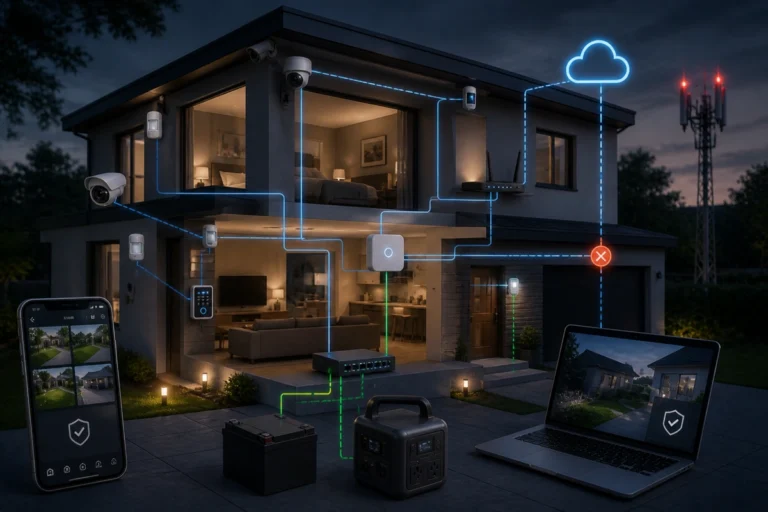
When household electrical power drops, multiple components across your property are affected simultaneously. Unbacked alarm panels freeze, smart Wi-Fi routers shut down, plug-in surveillance cameras go dark, and cloud-based monitoring pipelines sever instantly.
If your internet service drops but your electrical power remains stable, your local sensors may continue tracking movement, but you will completely lose real-time smartphone app alerts.
Understanding the functional difference between an electricity failure and an internet drop is critical when implementing comprehensive layered home security a practical diy framework. They are related but distinct infrastructure vulnerabilities that require unique, independent solutions.
Common Outage Vulnerability Breakdown
- Alarm Control Panels: Lose primary AC power and must immediately rely on integrated secondary storage to avoid complete shutdowns.
- Wi-Fi Routers and Modems: Drop local wireless signals instantly, preventing smart devices from routing telemetry data to your phone.
- Plug-In Smart Cameras: Shut down entirely unless connected to dedicated uninterruptible power accessories.
- Smart Door Locks: Continue local keypad functions via internal batteries but lose all remote management features.
- Cloud Surveillance Tools: Stop processing remote data feeds, creating massive gaps in your event timelines.
Isolating these individual failure points ensures you can protect your perimeter effectively. By taking a proactive approach to your layout, you can identify hidden weaknesses and address home security threats most people ignore before an actual emergency occurs.
🔋 Battery Backup for Alarm Panels
Most reputable modern alarm setups include an integrated, rechargeable battery backup system directly inside the central base station. The very millisecond household utility power is interrupted, the hub switches automatically to internal battery operation without dropping a single active link. The alarm continues to actively monitor entry sensors, track motion detectors, and trigger loud local sirens if a breach is detected.
While internal runtime values vary based on your specific hardware age and configuration, finding a system with an integrated battery backup for home security system protection is a vital baseline requirement. If you are shopping around for a new setup, confirming these power specifications upfront is highly recommended.
Read More
If you are trying to figure out which hardware components require continuous grid power and which ones can run reliably on integrated cells, evaluating your equipment ecosystem is essential. Reviewing our balanced analysis on battery vs wired security devices pros and cons will help you select the ideal power infrastructure for your property.
An alarm panel lacking standalone power support completely defeats the purpose of setting up an automated perimeter. Investing in a high-quality hub gives you access to a dependable, best budget home alarm systems layout that remains armed and fully operational through standard electrical disruptions.
⚡ Powering Your Network Equipment
Even if your central alarm base station features an exceptional internal battery, your home broadband router and internet modem typically do not.
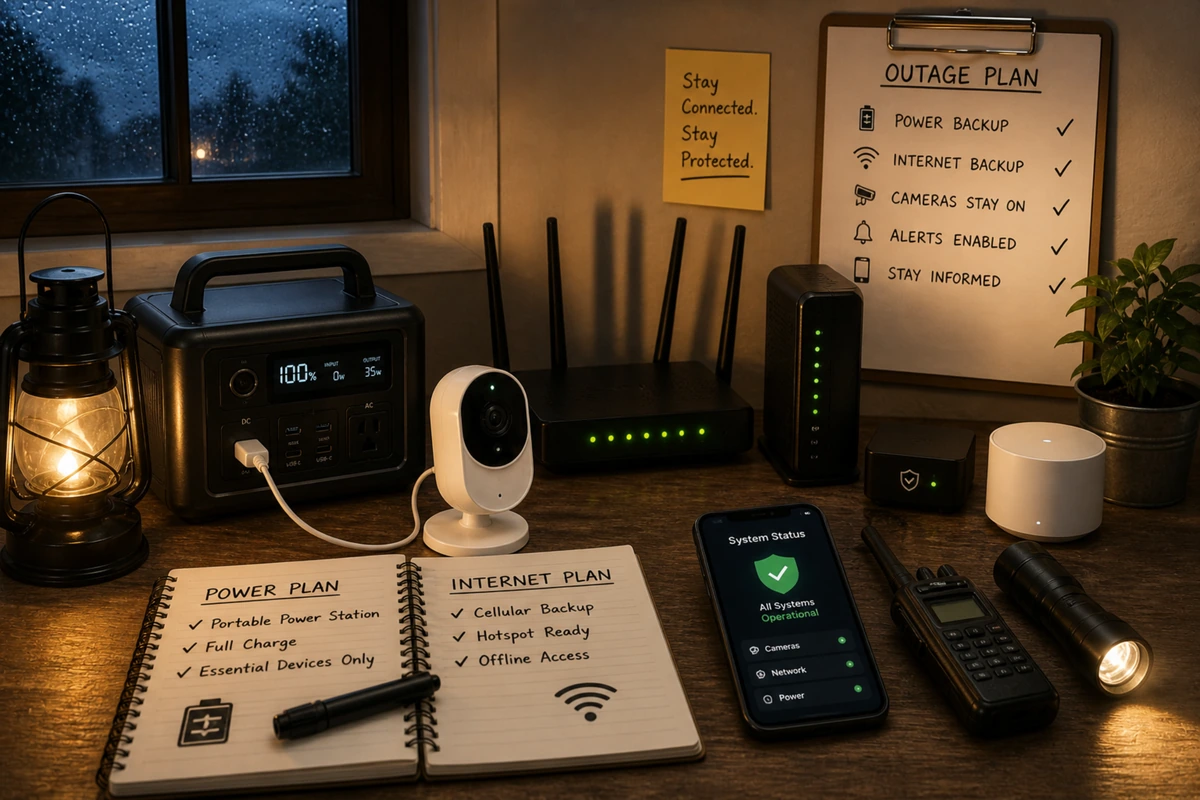
If you rely entirely on real-time smartphone alerts or cloud video recording, losing your local internet connection severely cripples your situational awareness. A straightforward, cost-effective remedy is installing a standalone uninterruptible power supply.
Deploying a dedicated UPS for alarm system home applications provides immediate, automated backup power to your connected network devices the second a blackout hits.
Keeping your modem and router plugged into a UPS preserves your local internet connection through brief outages, ensuring your smartphone alerts get through without annoying hardware reboots.
Hardware Power Continuity Flow
[Main Electrical Grid Failure] ---> [UPS Battery Bank Swaps Instantly] ---> [Modem & Router Stay Online] ---> [Alert Dispatches Normally]Essential Network Power Continuity Table
| Protected Hardware | Primary Outage Vulnerability | Recommended DIY Power Remedy | Critical Protection Benefit |
| Broadband Cable Modem | Loss of external internet communication | Small consumer UPS battery unit | Maintains outgoing data pipelines |
| Wireless Router Hub | Disconnects all local smart sensors | Centralized network UPS backup | Preserves internal device communication |
| Smart Camera Nodes | Plug-in lenses shut down instantly | Localized battery banks or solar links | Prevents immediate visual blackouts |
| Electronic Lock Cylinders | Loss of remote guest management | Internal AA/Lithium battery cells | Retains manual pin code entry access |
Integrating a dedicated UPS into your core communications hub is one of the most reliable internet outage home security tips you can implement. This simple addition ensures your smart devices stay connected to the web when you need them most.
📶 Cellular Backup: The Strongest Redundancy Layer
Even with a high-capacity UPS keeping your local router fully powered, a major storm can still compromise your provider’s physical data lines down the street. Opting for a security system power backup that includes an integrated cellular module completely eliminates your reliance on a single physical wire.
When your primary home internet link drops offline, a cellular-equipped hub routes all emergency data across commercial mobile networks instead. This means your system can still alert you or a monitoring center during a blackout, making it an excellent choice for anyone building a robust, redundant home security setup.
Expert Security Tip
Local Siren Reliance: If both your broadband internet and local cellular signals are completely blocked during an outage, remember that a high-quality alarm system without internet will still trigger its loud, physical on-site siren if an entryway is breached. That immediate acoustic response remains a highly effective tool for scaring off intruders, regardless of cloud connectivity.
Understanding how your hardware behaves when offline ensures your property stays protected. This standalone reliability is why a properly configured system is an excellent choice for what diy home security actually protects against during severe weather.
📹 Camera Considerations During Outages
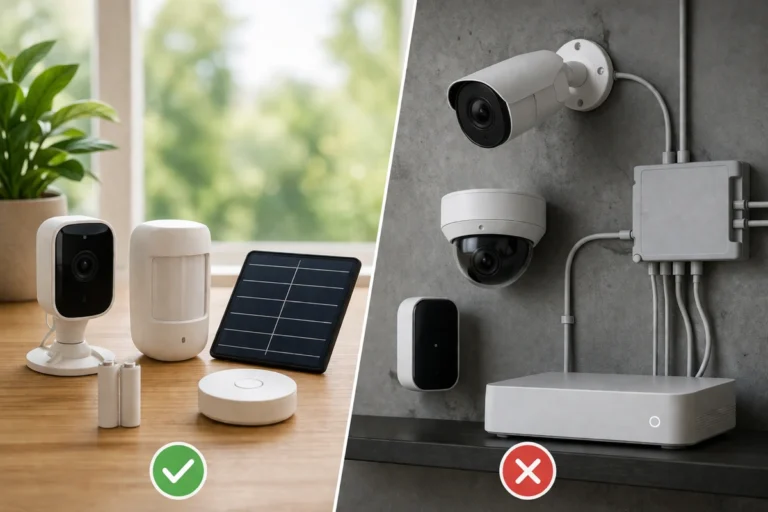
Surveillance cameras introduce an extra layer of complexity during extended utility failures. Standard plug-in consumer cameras shut down instantly during a home security power outage unless they are connected to an independent backup supply.
While battery-powered models can keep recording locally, cloud-based storage features remain completely unavailable without an active web connection.
To protect your property during an outage, select camera models that support local storage options, such as an onboard microSD card or a local network video recorder. This configuration ensures your cameras keep logging critical event footage even when the internet drops.
Once your network connection is restored, many modern systems will automatically sync those local clips back up to your cloud portal.
Video Storage Continuity Map
[Camera Lens Captures Event] —> [Broadband Offline] —> [Saves Direct to MicroSD Card] —> [Web Restores] —> [Syncs to Cloud Portal]
Taking the time to choose the right storage settings prevents gaps in your security logs. If you are currently designing a new visual network, examining local storage vs cloud storage for security cameras will help you maintain continuous coverage through any coverage drop.
🛠️ Testing Your Setup Under Real-World Stress
Fail-safe planning should never remain a theoretical exercise on a checklist; it must be tested under real-world conditions. You can easily simulate a local utility failure by unplugging your main alarm hub from the wall and observing how it behaves. Verify that the panel switches to battery mode smoothly and confirm that you receive a power loss alert on your phone.
If you want to know how to keep alarm working during power outage scenarios, routine diagnostics are essential. Unplug your UPS unit to see exactly how long your modem and router can stay online, and temporarily disable your Wi-Fi to confirm your system successfully switches over to its cellular backup link.
Bi-Annual Fail-Safe Inspection Guide
- Simulate Power Drops: Disconnect your primary power transformers to ensure your internal backup cells take over instantly.
- Sever the Internet Link: Unplug your modem’s data cable to confirm your cellular module handles outgoing alerts.
- Verify Local Logs: Pull a test memory card from an outdoor camera to confirm it records properly while offline.
- Audit Smart Locks: Test your physical backup keys in your exterior door cylinders to make sure they operate smoothly.
Running through these quick diagnostic checks twice a year reveals hidden system weaknesses before an actual emergency occurs. Consistent testing builds confidence in your setup, ensuring you avoid the common diy home security failures and how to avoid them that catch unprepared homeowners off guard.
📋 Maintenance, Upgrades, and Battery Health
Maintaining system reliability requires light, consistent attention to your hardware components. Backup power supplies do not last forever; the rechargeable lithium or lead-acid cells inside your alarm panels and UPS housings slowly lose their maximum capacity over time.
Most modern smart systems will send an automated notification to your smartphone when an internal battery begins to degrade, but you should also track these lifespans yourself.
If you need step-by-step guidance on identifying old cells, running capacity checks, or handling replacements safely, reviewing industry standards for maintaining and testing backup battery units will ensure your system stays fully prepared for an emergency.
Plaintext
Phase 1: Factory Fresh Battery (100% Capacity) ---> Phase 2: Standard Chemical Aging ---> Phase 3: Routine Replacement WindowKeeping your system’s software updated is just as important as maintaining the physical hardware. Manufacturers frequently roll out important firmware updates that fix wireless bugs, improve battery efficiency, and patch security vulnerabilities.
Keeping your devices updated ensures your backup systems operate reliably during critical moments, helping you maintain a stable, how to upgrade a diy system over time framework.
🏁 Conclusion: Reducing Single Points of Failure
The core philosophy behind fail-safe planning is systematically reducing single points of failure across your entire property. If your home defense network relies entirely on a single Wi-Fi connection and standard grid power, two completely ordinary infrastructure drops can leave your home entirely unprotected.
By combining integrated battery backups, a dedicated network UPS, and reliable cellular data routing, you distribute your risk effectively. Layered technology redundancy perfectly mirrors your physical security barriers; both strategies ensure that a single localized failure cannot collapse your entire defense system.
It isn’t a matter of paranoia, it is simply sensible, practical preparation for the real world. Take the time to secure your power supplies, verify your backup connections, and you will establish a resilient system that keeps protecting your home even when everything else flickers.