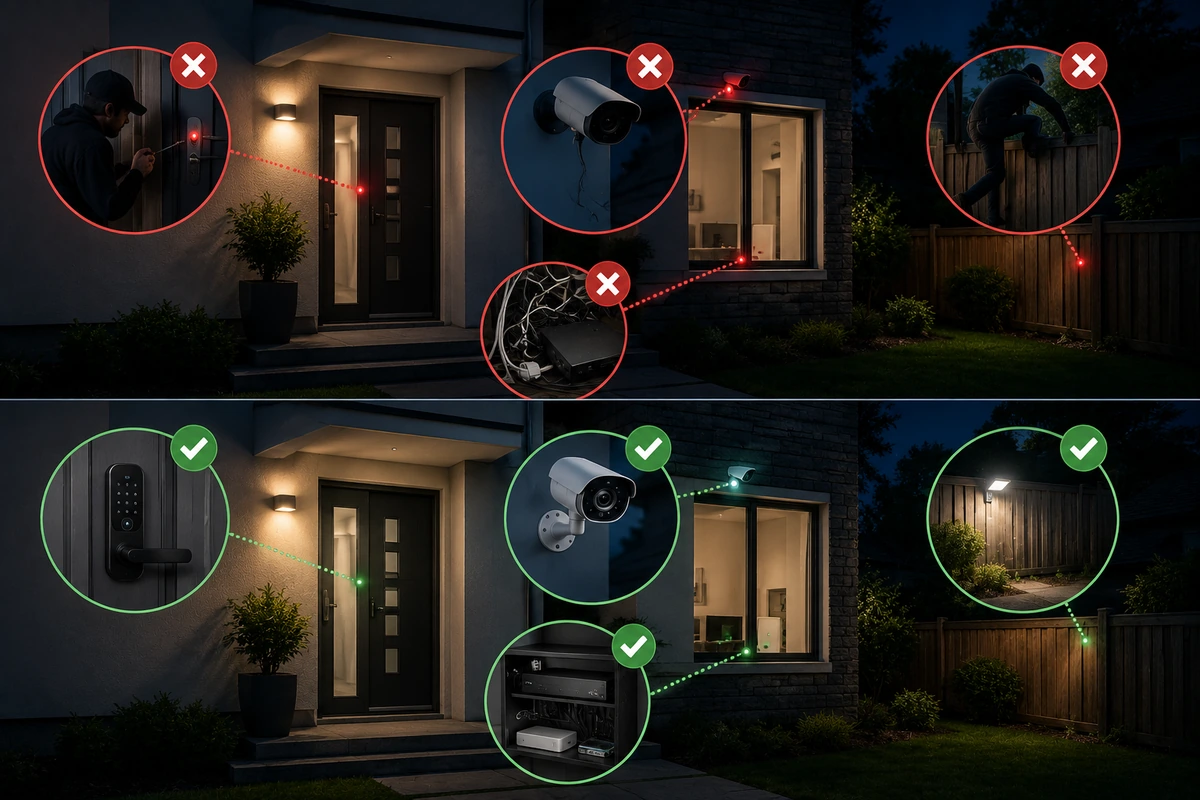
🚨 Common DIY Home Security Failures and How to Avoid Them

TLDR
- Poor camera placement is one of the most common DIY security mistakes and reduces effectiveness.
- Weak passwords and unsecured networks can expose your system to unauthorized access.
- Relying on a single device instead of a layered setup leaves major gaps in protection.
- Ignoring maintenance like battery changes and updates can cause silent system failures.
- Simple adjustments in setup, placement, and habits can dramatically improve your security.
Do-it-yourself residential protection has come an incredibly long way over the last few years. Modern equipment options are simpler to install, highly affordable, and remarkably capable right out of the retail shipping box.
But here is the crucial side of the equation that simply does not get talked about enough in online forums or product marketing brochures.
The vast majority of unexpected DIY home security failures do not happen because the underlying retail technology is inherently flawed or cheaply manufactured. Instead, they occur because of how the hardware is initially configured, where it is physically mounted, or how it is used on a day-to-day basis.
The good news is that these common DIY security mistakes are usually incredibly easy to fix once you know exactly what warning signs to scan for. Let’s take a practical look through the most frequent structural oversights and see how you can insulate your property from unnecessary vulnerabilities.
📐 Poor Camera Placement and Misaligned Lenses
Improperly mounting your equipment is easily one of the most frequent problems you will encounter when inspecting a self-installed home network. A high-definition lens might technically be active and online, but it is frequently positioned in a way that prevents it from capturing anything remotely useful during a real emergency.
Homeowners routinely angle their lenses too high toward the horizon, too low toward the porch floor, or facing a completely unhelpful direction. Sometimes a wide-angle lens is aimed at a massive, open backyard space but completely misses the primary ground-level windows or side utility entries where a breach is most likely to occur.
When people make these glaring mistakes when installing security cameras, they end up with a system that looks visually intimidating to visitors but fails to capture recognizable facial details or clothing descriptions when it actually matters.
📋 Strategic Lens Alignment Blueprint
| Target Zone | Common Placement Error | Optimal Tactical Alternative |
| Front Entrance | Mounted too high, capturing only the tops of hats | Lowered to 7 feet, angled to record clear facial profiles |
| Side Passageways | Aimed directly into blinding morning sunlight | Positioned north-facing or shielded by architectural eaves |
| Main Living Area | Placed flat on low tables, blocked by furniture | Corner-mounted near the ceiling for an unhindered view |
Fixing your viewing angles ensures your hardware gathers actionable evidence during a property incident. To map out your entire perimeter footprint correctly from day one, take a look at our step-by-step layout guide on where to place security cameras for maximum coverage.
🔍 Structural Blind Spots Around Key Entry Points
Even when you buy multiple pieces of high-end surveillance hardware, it is surprisingly easy to accidentally leave massive physical gaps in your defensive perimeter. A secluded basement window, a hidden garage side door, or an unmonitored rear entry point might go completely overlooked simply because your family rarely uses those areas.
Professional criminals specifically hunt for exactly these kinds of unmonitored blind spots when scoping out potential targets. If an entry path is hidden from view by dense ornamental landscaping or architectural shadows, it requires immediate mechanical or electronic monitoring.
The tactical solution to this common problem does not require you to go out and buy hundreds of dollars in additional equipment. It simply requires a more intentional deployment of your existing inventory across the property.
💡 Core System Insights
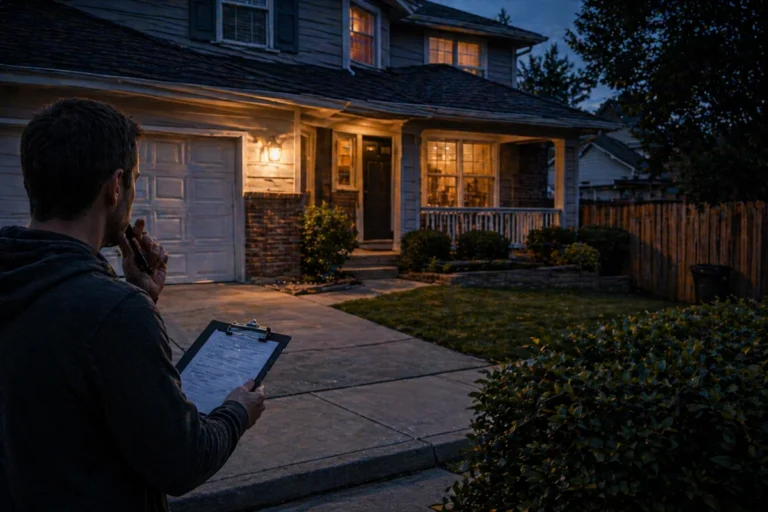
Audit Your Property Perimeter: Walk around the outside of your house and actively think like a motivated intruder trying to slip inside unnoticed. If you spot a ground-level point of entry, ensure it is covered by a physical sensor, a wide-angle lens, or both. You can learn to spot these vulnerabilities yourself by reading our blueprint on assessing your home like a burglar would.
🔐 Weak Passwords and Deficient Account Security
This digital vulnerability rarely gets enough attention from property owners, but it represents one of the absolute most critical points of failure for a modern home. Because your entire physical hardware network relies on a unified mobile application and a cloud-based web account, a weakness in your digital password hygiene breaks your whole defensive perimeter.
Reusing simple, generic phrases or recycled credentials across your smart home profiles creates an immense amount of unnecessary risk for your family. If a hacker manages to compromise your account credentials through a third-party data breach, they can quietly log into your security feed, view your internal camera streams, or even disarm your entry sensors remotely.
Protecting your master application profile behind an unbreachable digital wall is a fast, painless process that completely hardens your system behind the scenes.
🔍 Account Hardening Checklist
- Stop using standard dictionary words, birthdates, or sequential numbers for your login passwords.
- Turn on mandatory two-factor authentication (2FA) inside every single home security application you use.
- Never share your master administrator account password with temporary house guests or service workers.
- Learn how to implement robust digital protections across your entire property by reviewing our technical guide on how to secure your home wi-fi for security-devices.
🔄 Ignoring Mandatory Firmware and Software Updates
It is incredibly easy to tap “remind me later” when a software update notification pops up on your smartphone screen. Your equipment is currently powered up and recording normally, so it feels completely logical to avoid rocking the boat with a system restart.
However, skipping these over-the-air manufacturer rollouts is one of the top reasons why DIY security systems fail over the long haul. These digital packages contain vital patches designed to close newly discovered network vulnerabilities, fix hardware compatibility errors, and optimize overall system performance.
Leaving your smart equipment running on outdated, unpatched code leaves a digital back door wide open for malicious network scans.
💡 Core System Insights
Automate Your Updates: Dive into the settings menu of your home security app and toggle on automatic software updates to ensure your devices pull down critical security patches in the middle of the night. To understand how these evolving network standards keep your property safe, read our review on matter thread the future of smart home security standards.
🧱 The Vulnerability of Relying on a Single Defense Device
Installing a standalone video doorbell or a single smart camera near the kitchen might feel like more than enough protection, especially if you live in a compact downtown apartment or a rental unit. But building an entire residential layout around a solitary piece of electronics creates a fragile configuration with a single point of failure.
If that individual device suddenly drops its wireless connection, runs out of battery power, or gets its lens obscured by insects, your home is left completely exposed to incoming threats. This structural fragility is a hallmark of basic DIY home security failures.
True, reliable property defense requires a strategy built around intentional overlap, ensuring that if one piece of your hardware fails to catch an event, a secondary device is positioned to pick up the slack immediately.
📈 The Benefits of Layering Hardware
- Redundant Triggers: Combine an exterior porch lens with a physical contact sensor attached directly to the front door frame.
- Overlapping Coverage Zones: Position your indoor entry sensors so they track motion across hallways even if an exterior camera goes offline.
- Multi-Tiered Validation: Use specialized interior sound triggers alongside traditional glass break sensors to instantly confirm an actual break-in attempt.
- Designing the Perfect Layout: You can see exactly how to coordinate this layered design approach by looking over our guide on layered home security a practical diy framework.
📡 Poor Wi-Fi Connectivity and Unstable Local Routing
Because modern wireless security devices rely so heavily on your home internet router, a weak local network signal will quickly undermine your entire defensive setup. When your wireless coverage is patchy or inconsistent, your security cameras will constantly drop offline, mobile push alerts will experience severe delays, and critical cloud video recordings will fail to upload during an incident.
This common connectivity bottleneck is especially frequent in larger multi-story homes or older properties built with thick plaster walls, concrete floors, or brick fire barriers.
Ensuring your wireless network has the range and stability to support multiple streaming security feeds will eliminate a massive amount of technical frustration down the line.
📋 Network Optimization Tactics
- Centralize the Router: Move your master wireless router to a central location in your home, away from thick concrete walls and metal appliances.
- Deploy Dedicated Extenders: Install weather-resistant wireless mesh nodes to boost signal strength near your furthest exterior cameras.
- Create an Isolated Subnet: Protect your core security equipment from local network congestion by learning the step-by-step process of should you put security-devices on a guest network.
🔋 Neglecting Internal Battery Levels and Power Cycles
Battery-powered security devices offer amazing deployment flexibility, but they require a steady level of ongoing owner responsibility. Entry sensors, window contacts, and wire-free cameras do not always make an obvious sound or flash a bright light before their internal power cells drain completely.
If you regularly miss or tune out the low-battery warning indicators popping up on your mobile dashboard, massive sections of your home alarm layout can quietly go dark without you ever realizing it.
Establishing a routine schedule to inspect your hardware’s power levels is a simple, highly effective habit that ensures your system stays active every hour of the week.
💡 Core System Insights
Switch to Long-Life Power Solutions: For hard-to-reach outdoor cameras that drain batteries quickly due to cold winter weather, consider attaching small, low-profile solar panel accessories to provide a continuous trickle charge. You can master this maintenance routine by referencing our expert guide on managing batteries in a diy security system.
🔔 Shifting Sensitivity to Prevent Constant False Alerts
A residential alarm layout that floods your smartphone with dozens of meaningless notifications every hour is a system that you will eventually start to ignore entirely. When motion sensors are triggered by normal backyard pets, passing street traffic, or simple shifts in natural sunlight, they create a massive amount of digital noise.
Over time, alarm fatigue sets in, and you will naturally start tuning out the pings or muting the application notifications altogether, which completely defeats the purpose of having a system in the first place.
Spending a few minutes fine-tuning your motion detection fields and adjusting software thresholds will instantly make your smartphone alerts incredibly meaningful again.
🔍 System Calibration Steps
- Define custom motion zones inside your application to ignore busy public sidewalks or swaying tree limbs.
- Adjust internal PIR sensor sensitivity down slightly if your household pets are routinely tripping your indoor alarms.
- Use embedded machine-learning features to restrict push alerts solely to verified human shapes or vehicle arrivals.
- Explore advanced diagnostics by reviewing our manual on troubleshooting home security system configurations.
🧪 Forgetting to Test Your Hardware Assemblies Regularly
This operational mistake is incredibly widespread among DIYers. Everything gets unboxed, the adhesive strips are pressed onto the door jambs, the mobile application says the setup is complete, and the entire system is then left completely alone for months on end.
Without proactive operational checkups, you have absolutely no way of knowing how your hardware will actually behave during a real, high-stress property breach.
Taking a few brief minutes every single month to intentionally trip your entry points and check your notification delivery speeds provides immense confidence that your property defense network is working exactly as intended.
💡 Core System Insights
Run a Monthly Drill: Arm your system, walk out your front door, and physically open an alarmed window to verify that your interior sirens fire instantly and your mobile phone receives the critical alert within seconds. You can set up a structured maintenance program by looking over our home security maintenance checklist monthly yearly.
🪵 Forgetting About the Importance of Physical Entry Barriers
Modern electronic security systems are wonderful tools for tracking activity and providing real-time alerts, but they can never serve as a complete replacement for robust physical home security. High-end cameras can only record an incident; they cannot physically stop a determined criminal from kicking through a weak wooden door frame.
If your property relies on thin hollow-core entry doors, worn-out window latches, or low-quality deadbolt cylinders, your smart electronics are stuck playing a purely reactive role rather than actively preventing a break-in.
Always view your digital smart home gear as an intelligent layer of defense built on top of a rugged physical foundation, rather than expecting tech to make up for structurally weak entryways.
📋 Physical Hardening Enhancements
- Swap out short half-inch strike plate screws for heavy-duty three-inch steel alternatives that anchoring deep into structural wall studs.
- Install high-quality, Grade 1 deadbolts that resist professional picking, drilling, and manual bumping attacks.
- Learn the mechanical fundamentals of entry defense by reading our entry point breakdown on why most homes are vulnerable despite having locks.
🌀 Overcomplicating Your Local System Architecture
When you start exploring the world of home automation, it is incredibly easy to get carried away by the sheer volume of products available on retail shelves. You start adding dozens of extra sensors, complex automation routines, smart lighting triggers, and interlinked tertiary devices until your dashboard becomes an unmanageable mess.
Overly complex smart home layouts frequently suffer from conflicting software commands, missed emergency notifications, and persistent communication errors between mismatched device brands.
Keeping your security footprint clean, simple, and strictly focused on your core protection needs will always deliver superior operational reliability over the long haul.
📊 System Architecture Paths
- The Minimalist Strategy: Focus heavily on a streamlined, cohesive collection of reliable sensors that protect your primary points of entry without cluttering your mobile dashboard.
- The Chaotic Strategy: Interlinking too many disparate smart home plug-ins from unverified third-party developers, which ultimately compromises system stability.
- Optimizing for Performance: To discover how to keep your residential defense layout exceptionally clean and reliable, review our guide on minimalist home security setups that actually work.
⏳ Failing to Align Your Technology With Your Daily Habits
A residential alarm configuration can be engineered perfectly from a technical standpoint, but it will still fail to protect your home if it continuously clashes with your family’s daily habits and natural foot traffic. If your alarm system is frustratingly difficult to arm when rushing out the door, or if it constantly triggers false alarms during your normal morning routine, you will eventually stop using it consistently.
In the world of residential property defense, long-term consistency is the absolute key to keeping your home safe.
The ultimate goal is to select and configure a hardware platform that blends into your everyday life so smoothly that arming the perimeter becomes an effortless, automatic habit.
💡 Core System Insights
Automate Your Daily Routine: Use geofencing features inside your security application to automatically arm your perimeter the moment your mobile phone leaves a preset radius around your property. To see how to easily design a seamless, friction-free security schedule for your household, look through our walkthrough on a simple nighttime home security routine.
🔋 Skipping Essential Power and Network Backup Options
Widespread power grid failures, local electrical storms, and deliberate internet line cuts happen when you least expect them. If your DIY security hub completely lacks internal battery backups or alternative wireless data links, your entire protective network can drop completely offline during a crisis.
Investing in simple backup power solutions and opting for hubs that feature secondary communication paths will ensure your home stays fully protected even when the neighborhood power grid fails.
📋 Redundancy Infrastructure Steps
- Select a master security panel that includes an integrated rechargeable battery backup to handle sudden blackouts.
- Look into cellular backup subscription options to ensure your system can still transmit emergency alerts if your physical cable lines are down.
- Discover how to safeguard your property from unexpected system outages by exploring our blueprint on fail-safe planning for power and internet outages.
🚪 Conclusion
Do-it-yourself residential security is an incredibly powerful, cost-effective way to protect your property, but it functions best when it is deployed with careful intention and maintained with regular discipline. Most system failures do not stem from faulty factory engineering; they grow out of minor physical oversights and missed maintenance habits that quietly compound over time.
Fortunately, learning how to avoid DIY security mistakes is a straightforward process that anyone can handle. By correcting your camera angles, securing your digital passwords, executing simple monthly testing drills, and focusing on a layered defensive design, you can dramatically elevate the real-world performance of your hardware.
You do not need a massively expensive, multi-room professional installation to keep your family safe. You simply need a security layout that is functionally reliable, intentionally organized, and customized to fit the unique geometry of your living space. When you get those fundamental elements right, true peace of mind naturally follows.