Optimizing Wi-Fi for Home Security Devices

πŸ“‘ Optimizing Wi-Fi for Home Security Devices

TLDR

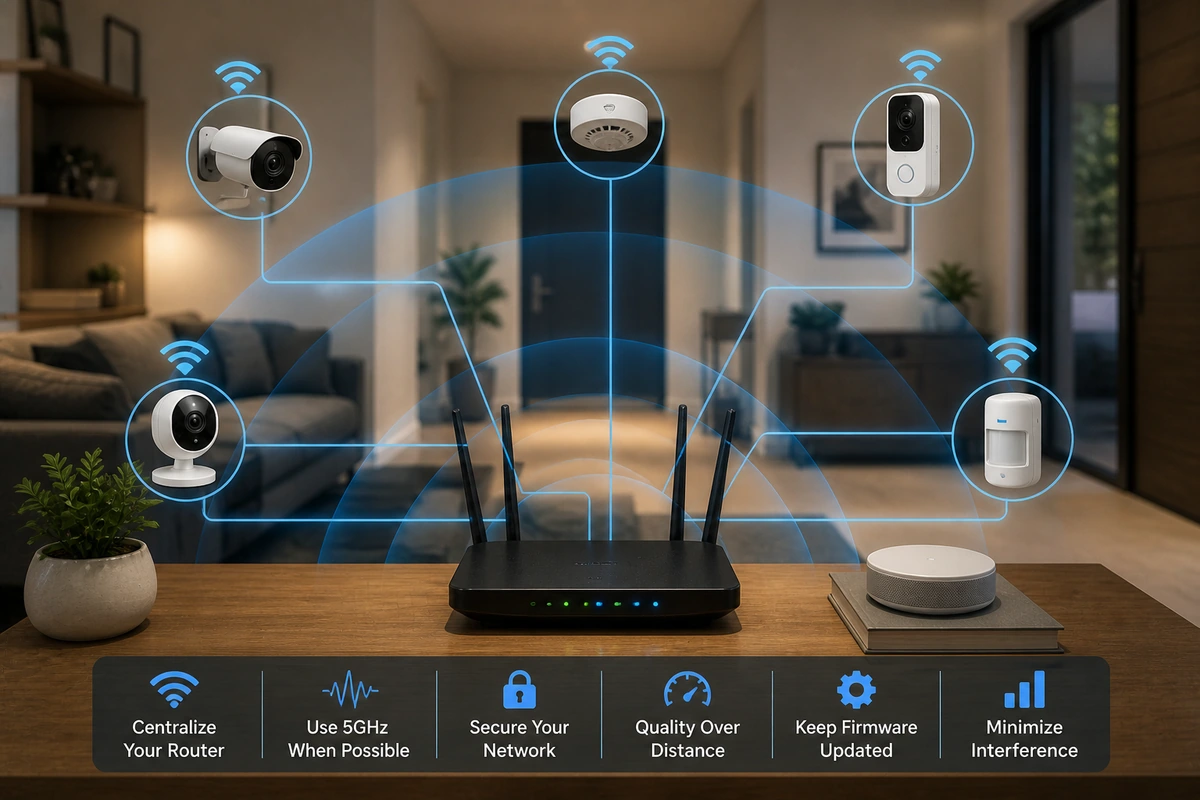
  • Place your router centrally and elevate it to improve signal coverage for cameras, hubs, and sensors.
  • Use the 2.4 GHz band for most security devices because it travels farther and penetrates walls better.
  • Reduce network congestion by separating security devices from high-bandwidth gadgets.
  • Add mesh Wi-Fi nodes or wired access points to eliminate dead zones around the property.
  • Keep firmware updated and regularly test connectivity to maintain reliable device communication.

A surprising number of home security issues come down to something simple: weak Wi-Fi. You can install the best hardware on the market, but if the network underneath them struggles, everything feels completely unreliable.

Delayed notifications, dropped camera feeds, and spotty device connections often trace back to the same root network issues. These coverage issues represent some of the most common errors made during independent installations today.

The good news is that most wireless problems are fixable with a few thoughtful adjustments. Once your network is stable and well planned, your entire tracking setup becomes noticeably more dependable.

πŸŽ›οΈ Why Wi-Fi Quality Matters for Security Devices

Security devices depend on consistent, unbroken communication to protect your property. Cameras stream high-definition video, perimeter sensors send immediate alerts, and smart hubs coordinate your entire defense framework.

All of that data traffic travels across your local home network simultaneously. If the signal is weak or congested, your hardware may disconnect or respond sluggishly to real-world activity.

Cameras might miss critical motion events entirely, or smartphone alerts might arrive far too late. This directly impacts how reliable wireless security platforms are when an actual intrusion occurs.

Treating your network as part of your security infrastructure is one of the smartest moves you can make. It transforms an unreliable array of gadgets into a cohesive, responsive shield for your family.

Read More

To explore how basic wireless transmission rules function over distance, you can read a scientific overview of radio wave propagation characteristics to see how signals interact with obstacles.

πŸ“ Start With Router Placement

Router placement is the single biggest factor in overall network performance. Many routers end up hidden away in a far corner of the house or tucked inside a low cabinet next to the incoming cable modem.

That may look tidy for your interior decor, but it heavily restricts signal coverage. Wireless signals spread outward from the antenna array in a spherical shape.

If the hub sits at one edge of the home, your exterior coverage becomes highly uneven. This often leaves distant assets vulnerable, making it harder to maintain proper security device positioning along your perimeter.

Expert Security Tip

Elevate Your Network Hub: Place your central router on a high shelf or wall mount near the center of your house. Because wireless signals travel outward and slightly downward, elevation naturally decreases interference from furniture.

πŸ“‘ Understanding the 2.4 GHz Advantage

Most smart security devices operate exclusively on the 2.4 GHz Wi-Fi band. While modern routers also offer faster 5 GHz frequencies, the lower band has one massive advantage: physical transmission range.

Its signal travels significantly farther and passes through dense interior walls and floors much more easily. Knowing how to utilize this band properly helps homeowners optimize WiFi for security cameras installed along distant exterior property lines.

Security cameras installed outdoors or at the far end of your driveway benefit immensely from that longer reach. In many cases, it is best to allocate a distinct SSID for your smart devices on this band while reserving 5 GHz for heavy entertainment devices.

This intentional separation keeps your system responsive and stable. It ensures that critical tracking assets prioritize connection reliability over raw, short-range transmission speed.

Radio Band Performance Metrics

  • 2.4 GHz Frequency: Offers excellent wall penetration and long range, making it ideal for distant exterior cameras.
  • 5 GHz Frequency: Provides high data speeds but struggles to pass through solid concrete, brick, or heavy timber walls.
  • Smart Allocation: Keeps bandwidth-heavy laptops on the high band so they do not crowd out your emergency sensors.

πŸ›‘ Avoid Network Congestion

Modern homes contain dozens of connected devices competing for airtime. Phones, tablets, televisions, speakers, thermostats, and appliances all battle for access to the same local network space.

When everything shares the same raw frequency, severe congestion can occur. This slow response can impact your WiFi home security setup during peak household hours.

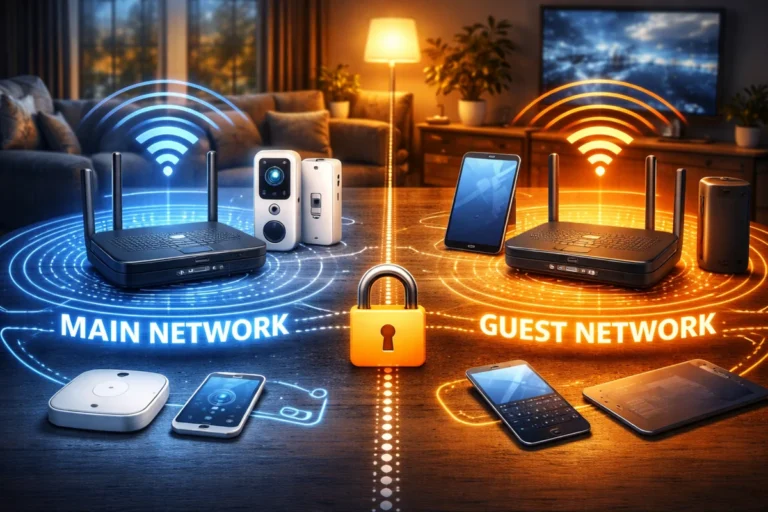
One useful strategy is creating a completely separate network segment for your smart home devices. Many routers allow you to deploy an independent network specifically for Internet-of-Things hardware.

This tactical separation keeps high-traffic entertainment downloads from interfering with emergency cameras and sensors. It ensures your safety signals always enjoy a clear, unobstructed path to the internet.

Network Segmentation Strategy

Device TypeAssigned NetworkBandwidth Priority
Security Cameras & HubsDedicated IoT NetworkHigh (Real-time monitoring)
Laptops & SmartphonesMain Home NetworkMedium (General data traffic)
Smart TVs & Gaming ConsolesMain Home Network (5 GHz)Medium (High speed, short range)
Guest ElectronicsIsolated Guest NetworkLow (No access to local assets)

πŸ•ΈοΈ Use Mesh Systems for Larger Homes

Traditional single routers struggle to cover large houses or multi-story architectural layouts. Thick brick walls, long hallways, and insulated exterior surfaces create harsh dead zones where signals weaken significantly.

Cameras installed in detached garages or yards often fall into these dark zones, leaving your property easy to exploit. You can study what makes a home easy to break into to see how thieves target these blind spots.

Deploying a modern mesh network is a highly effective way to improve WiFi for smart security devices. Mesh layouts use multiple interconnected nodes that distribute uniform wireless coverage across your entire living space.

Instead of relying on a single distant point, mesh nodes communicate dynamically with each other to create a single web. Your peripheral hardware automatically connects to the strongest nearby node without dropping its link.

Using mesh WiFi for cameras provides the consistent data throughput needed to prevent drops. It ensures your perimeter defense stays uniform regardless of your home’s total square footage.

πŸ”Œ Wired Backhaul for Maximum Stability

Some premium mesh systems support a powerful performance feature called wired backhaul. This means the individual mesh nodes connect to each other using physical Ethernet cables rather than relying entirely on wireless airwaves.

When available, wired connections drastically improve data speed and eliminate wireless packet drops between nodes. This extra infrastructure is a great way to how to build redundancy directly into a premium monitoring layout.

If your home already features Ethernet wiring or accessible cable routes, connecting nodes this way provides unmatched stability. Security cameras, especially high-resolution multi-camera arrays, benefit immensely from this dedicated data highway.

Backhaul Performance Benefits

  • Dedicated Data Path: Frees up the wireless airwaves entirely for communication between the node and your cameras.
  • Immunity to Interference: Prevents thick plaster walls from degrading the backbone connection between your mesh pods.
  • Lower Latency: Noticeably improves the live-view load times when opening your smartphone tracking application.

🏑 Strengthening Outdoor Coverage

Outdoor cameras present unique networking challenges that indoor hardware never encounters. Heavy exterior insulation, metal siding, and sheer distance from the router weaken signals before they reach the lens housing.

If an outdoor lens frequently drops offline, low signal power is almost always the core culprit. Learning how to fix WiFi issues with security cameras usually starts with optimizing these boundary points.

Installing a mesh node closer to the exterior wall or in a room with a direct line of sight to the camera often solves the issue. Small positioning changes can make an immediate, noticeable difference in real-world signal strength.

For properties with expansive backyards, combining a strong wireless foundation with alternative power solutions is a smart move. Homeowners can read our comprehensive guide on solar-powered security to build a completely independent exterior perimeter.

Expert Security Tip

Mind the Angles: If your router features adjustable external antennas, orient them perpendicular to each other. One vertical and one horizontal antenna maximizes signal distribution across both single-story and multi-level spaces.

🎚️ Managing Interference

Wireless signals operate within a shared, crowded radio spectrum. Common household electronics like microwave ovens, older cordless phones, and Bluetooth speakers can create invisible interference that disrupts communication.

Apartment buildings and densely populated neighborhoods introduce additional network overlapping from neighboring routers. This environment requires careful planning to achieve the best WiFi setup for home security system stability.

Many modern routers automatically analyze local airspace and select the cleanest wireless channel available. However, you can also manually lock in less crowded channels if your cameras face frequent, unexplained drops during the day.

Monitoring signal metrics through your router’s administrative console helps identify these invisible environmental issues before they cause full system dropouts.

Read More

To learn more about optimizing specific channel widths and manually adjusting local radio frequencies to bypass crowded apartment airwaves, you can read this technical FAQ detailing advanced router channel selection methods.

πŸ“Š Bandwidth Considerations for Cameras

Security cameras generate the single largest data load among all your smart home assets. High-resolution models streaming video history continuously require vastly more bandwidth than low-power door sensors or smart deadbolts.

Multiple high-res cameras operating simultaneously can place a heavy strain on an unoptimized home router. This can lead to annoying delays and stuttering feeds across your dashboard.

Bandwidth Management Actions

  • Drop Resolution Slightly: Lowering a lens from 4K to 2K or 1080p drastically cuts data weight while keeping facial details clear.
  • Use Motion Recording: Switch from 24/7 continuous uploading to event-only logging to keep your upload pipes clear.
  • Adjust Compress Settings: Enable modern video compression profiles (like H.265) inside your camera settings to shrink file sizes.

Managing these variables is an effective way to reduce lag in security cameras during peak usage times. Balancing visual clarity with your actual network capacity keeps your entire tracking layout responsive.

πŸ”’ Network Security Matters Too

A stable network must also be a highly secure one to prevent outside manipulation. Implementing strong passwords and using modern encryption protocols ensures your data remains completely private.

Read More

To understand how to protect your network router from brute-force digital entry, you can view this professional guide on creating strong wireless passwords to secure your local access points.

Many homeowners change their default administrator credentials immediately during initial hardware setup. These simple security adjustments help minimize the privacy risks of smart home systems by blocking unauthorized network intrusion.

Securing your network keeps your hardware safe from digital tampering. It ensures your protective system cannot be turned against you by an outside actor.

πŸ§ͺ Testing Your Network Coverage

Once your wireless layout is configured, running a complete physical test is essential. Walk through your property and observe how each camera and sensor performs under real-world conditions.

Many manufacturer applications display real-time signal strength indicators for every connected asset. Pay close attention to zones where signal quality metrics drop below acceptable levels.

Those weak spots will benefit immensely from an extra mesh pod or a slightly adjusted router antenna angle. Testing your system is a vital component of a routine home security maintenance plan to keep your homestead defense reliable.

Running a quick connectivity check after any major furniture rearrangement saves massive troubleshooting head-scratching later on. It keeps your layout sharp and responsive.

πŸ“± The Role of Backup Connectivity

Even the most optimized Wi-Fi network cannot prevent an unexpected neighborhood internet outage. While local adjustments keep devices talking inside your home, external service disruptions can still cut you off from remote alerts.

To combat this vulnerability, many premium DIY kits offer a cellular fallback engine built directly into the main hub. Understanding if you need cellular backup helps you determine the right level of redundancy for your property.

This feature complements your optimized wireless network by providing an emergency escape route for data when your main line goes dark. Together, they form a highly reliable communication chain that keeps you informed during blackouts.

βœ… Conclusion

Wi-Fi plays an absolutely central role in modern DIY security systems. When your network is stable and well designed, cameras stream smoothly, alerts arrive instantly, and devices remain consistently connected to their cloud engines.

Improving router placement, prioritizing the 2.4 GHz band for smart devices, reducing congestion, and utilizing mesh hardware can completely transform the day-to-day reliability of your setup.

Add regular firmware updates and occasional testing, and your network becomes a dependable foundation for everything else. With a well-optimized network underneath them, your devices can finally perform exactly the way they were meant to.

Leave a Reply

Your email address will not be published. Required fields are marked *