🏠Do You Need a Home Automation Hub for Security?

TLDR
- No, most people do not need a home automation hub for basic security: Many cameras, sensors, and alarms work perfectly fine on their own.
- A hub becomes useful when you want smarter automation: Think lights turning on after motion, locks working with alarms, or devices reacting together.
- Local control can improve reliability: Some hubs keep automations running even if your internet goes down.
- Compatibility matters more than hype: A hub only makes sense if it supports the devices you already own or plan to buy.
- Start simple, scale later: For most DIY setups, it’s better to begin without a hub and add one when your system genuinely outgrows basic controls.
Home security has gotten wonderfully weird in recent years. You can buy a camera that recognizes packages, a smart lock that lets in dog walkers remotely, or motion sensors that quietly turn lights on when someone steps into the yard.
Pretty impressive stuff for devices that often arrive in a cardboard box with “easy setup” stamped on the front. But eventually, a question sneaks in: Do you actually need a home automation hub security setup to make your property safe?
The short answer is probably not. The slightly longer answer is that it depends entirely on how complicated you want your network to become, how much raw reliability matters to you, and whether you enjoy a bit of tinkering or prefer things to simply work.
When you start exploring where to start with DIY home security, evaluating your need for dedicated core controllers is a key step. Let’s sort through the confusion without turning this into a rigid tech lecture.
🤔 First, What Even Is a Home Automation Hub?
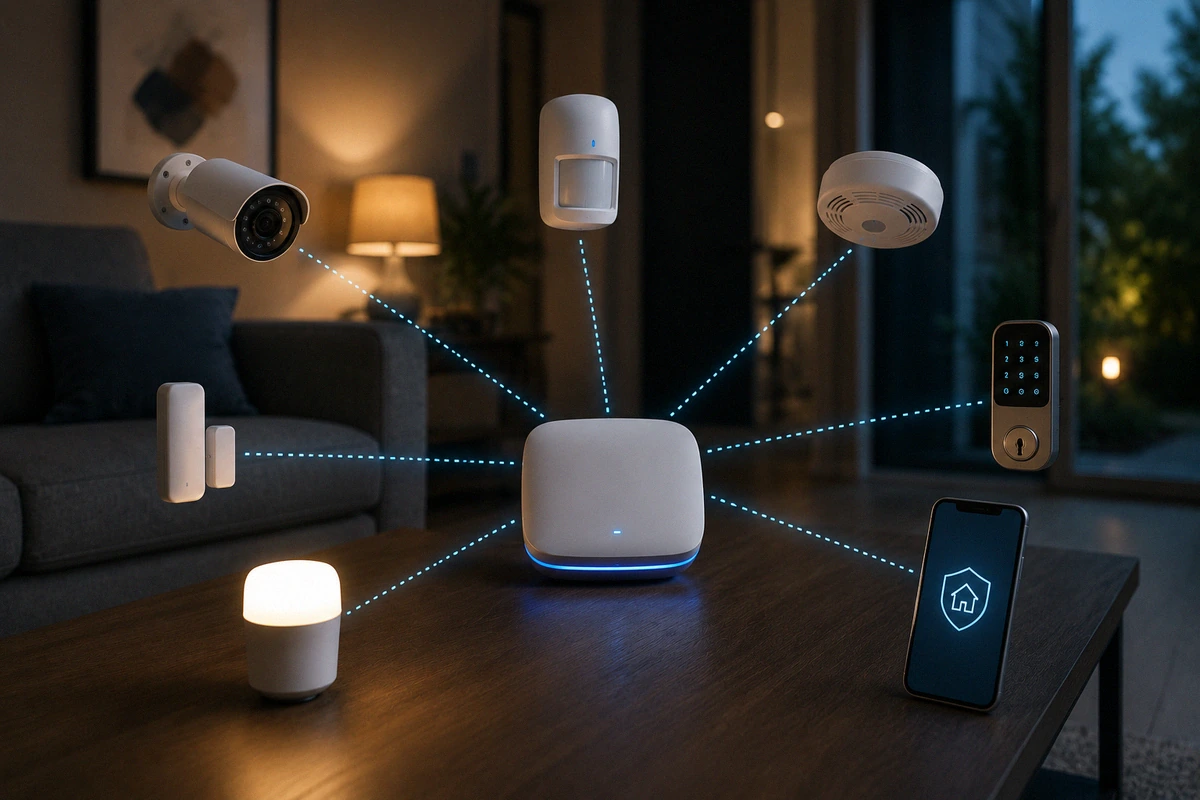
A home automation hub is basically the centralized middleman for your smart devices. Instead of every camera, sensor, lock, and smart bulb operating separately inside its own standalone app, a hub lets devices communicate and cross-react together. It acts like a translator sitting in the middle of a room, helping different hardware languages blend into a singular conversation.
When evaluating a hub vs no hub smart security system, the main contrast is how pieces interact. Without a hub, your hardware operates in isolated silos.
Your camera works in one app, your smart lock works in another, and your alarm system does not talk to your entryway lights. With a hub, a motion sensor can instantly trigger a floodlight, or an alarm event can lock down every entry point simultaneously.
Core Setup Paths
| Setup Type | Best For | Technical Complexity | System Behavior |
| No Hub | Simple camera or alarm setups | Low (App-to-device direct) | Standalone silos, manual toggles |
| Basic Ecosystem | Google Home, Apple Home, Alexa | Medium (Cloud integrations) | Cross-brand rules, cloud-dependent |
| Advanced Hub | Larger, highly custom DIY security | Higher (Local radio meshes) | Instant execution, offline stability |
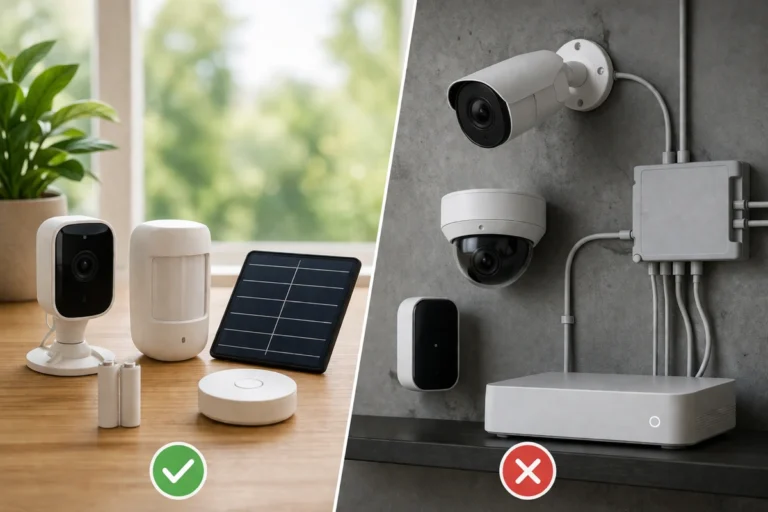
The good news is that you are no longer forced into a complex framework just to get decent protection. Many modern DIY systems explained handle simple alerts perfectly well right out of the box without any extra structural hardware.
🔐 When You Probably Don’t Need a Hub
This is the part many people skip when caught up in the excitement of building a smart home. If your security goals are straightforward, adding a dedicated hub can inject unnecessary cost and confusion into your life. You should actively stop and ask yourself: is hub required for smart devices to accomplish what I actually want?
If your needs are basic, the answer is no. You do not need an extra physical controller if you simply want a video doorbell to check on deliveries, a few Wi-Fi cameras to watch the yard, or standalone door sensors that send basic push notifications to your phone. Modern standalone devices handle these tasks beautifully on their own.
Simplicity Check for Small Spaces
- Low Hardware Count: Ideal for renters or small apartments where you only manage one or two doors.
- App Direct Efficiency: Less equipment means fewer things to troubleshoot when a connection drops.
- Cost Savings: Allows you to redirect your budget toward higher quality locks instead of backend processors.
I have tested setups where adding an advanced automation engine felt like giving a standard bicycle a race car engine. It is technically impressive but completely unnecessary for daily safety. If you prefer separate, clear app controls and have zero interest in complex programming, skip the hub entirely.
⚙️ When a Hub Starts Making Sense
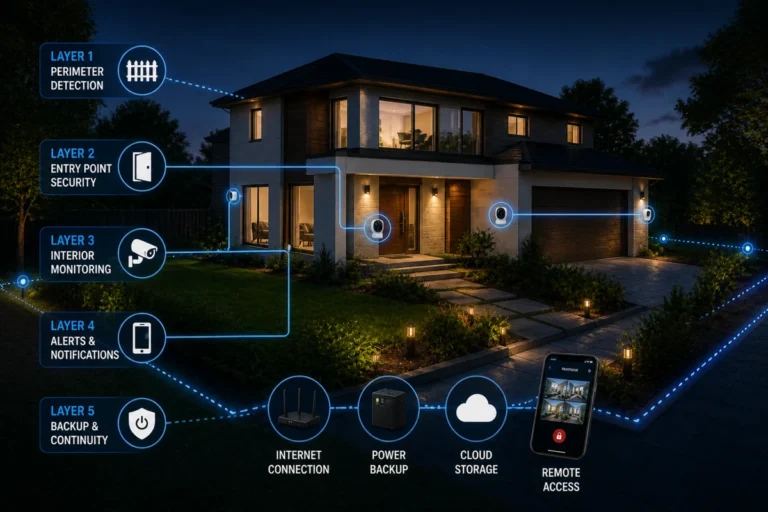
A hub becomes genuinely useful when you stop thinking about devices individually and start thinking about integrated systems. True property protection thrives on layered deterrence. Instead of a single device sending a lonely text alert saying “motion detected,” a hub coordinates a defensive chain reaction.
When you leverage the true benefits of smart home hub for security, you turn passive observation into an active deterrent. Someone steps onto your property, and the system executes a sequence: porch lights flash on, your outdoor security cameras spin up to maximum recording sensitivity, your deadbolts double-check their lock status, and your interior hallway light turns on low to make the home look actively occupied.
Practical Security Sequences
- The Midnight Choke Point: Someone opens your side gate after hours, causing the backyard floodlights to engage while keeping the bedroom lights off so you can observe without being spotted.
- True Vacation Mode: When you arm your system as away, the hub rotates interior lamps randomly to simulate presence, while keeping your window security sensors on high alert.
- The Forced Entry Trap: If a perimeter door is breached, the indoor cameras instantly pivot to record the exact entryway pathway while the main siren sounds.
📡 Reliability and Local Control Control the Narrative
This factor catches a lot of homeowners by surprise. A hub is not just about fancy convenience; it is fundamentally about network stability. Many cheap, standalone smart devices rely entirely on cloud servers to talk to one another. If your internet provider has a bad afternoon, or a storm knocks out your neighborhood line, those cloud-dependent automations die instantly.
Achieving true reliability with home automation hub hardware means looking for systems that support local processing. In a local setup, your rules and schedules live directly on the physical hub inside your house.
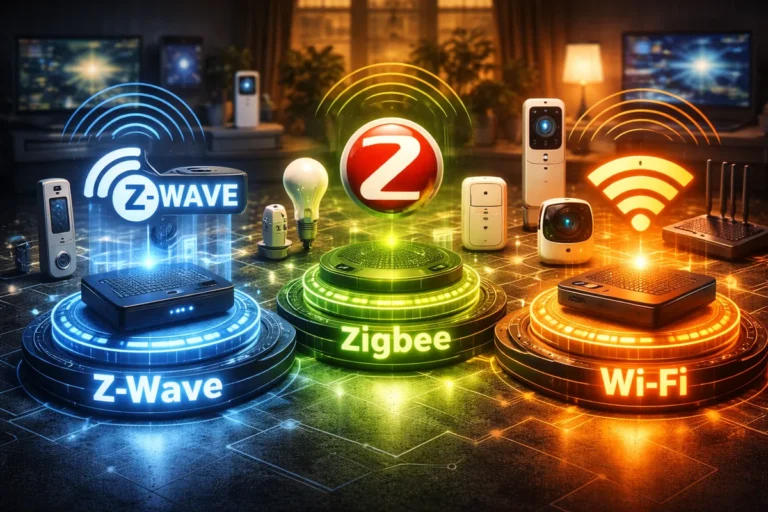
If the internet vanishes, your motion sensors can still talk directly to your switches over local radio frequencies like Z-Wave or Zigbee. This is an essential component of professional grade fail-safe planning for internet outages.
Stability Features to Look For
- Local Automation Execution: Rules trigger instantly without traveling to an external server and back.
- Radio Mesh Autonomy: Devices pass signals along themselves, bypassing congested home Wi-Fi bands.
- Power Redundancy: The ability to add backup power solutions directly to the hub chassis.
A boring system that works every single day beats an exciting one that randomly breaks because your router had a brief hiccup. Prioritizing offline stability ensures you don’t fall victim to common DIY home security failures.
🧩 Compatibility Can Get Annoyingly Complicated
Here is the slightly annoying truth that product marketing avoids: not all smart devices play nicely together. Even when looking at the best hubs for home security, compatibility depends heavily on specific wireless frequencies and manufacturer licensing. If you buy a hub blindly, you might find your existing hardware can only use half its advertised features.
For example, a premium smart lock might pair with a basic hub but lose its ability to manage custom user codes remotely. A camera might stream live video to a screen but refuse to act as a motion trigger for other brands of lighting.
For instance, tech journalists noted this exact friction when analyzing how the Samsung SmartThings hub removed Z-Wave in specific hardware iterations, altering what devices users could link.
Smart Home Protocol Audit
- Wi-Fi: Great for heavy data like video, but heavy on sensor battery consumption.
- Z-Wave & Zigbee: Excellent for low-power sensors, but completely dependent on a central translator hub.
- Ecosystem Lock-In: Some brands intentionally block competitors to force you into buying their proprietary gear.
Before you invest your money, make a physical spreadsheet of every piece of hardware you currently own to see if they can share a unified language.
🛠️ What About Matter, Thread, and Future Proofing?
You have likely seen terms like Matter and Thread floating around smart home blogs recently. Without getting overly technical, these open-source standards are designed to fix the exact compatibility headaches mentioned above. The goal is to make devices work across Apple, Google, Amazon, and Samsung ecosystems seamlessly.
In theory, this means less app chaos and fewer locked systems. In practice, development takes time. Open-source developers frequently update consumers on milestones, such as tracking new Matter certification rollouts, proving the tech is evolving but still has minor implementation gaps.
Don’t buy a piece of hardware based on a promise of what it will do next year. Buy what solves your immediate security problems today.
💰 The Hidden Cost of System Escalation
When asking yourself do you need smart home hub controllers, look closely at your budget habits. The physical hub itself is rarely the expensive part; the real financial trap is what happens after you plug it in. Automation is addictive for DIY enthusiasts.
You start out with a simple goal: “I just want my front door camera to be reliable.” But once the hub is active, you see how clean the integration is. Within three months, you are buying custom switches, putting contact sensors on window frames, and explaining radio frequencies to confused relatives.
If you have a large property, this scaling can be completely worth it to avoid ignoring hidden security threats. But if money is tight, a simpler, standalone approach keeps your wallet protected.
🧭 Final Audit Checklist Before Buying
To cut through the marketing noise, walk through your property and run your network through a simple, practical diagnostic:
Strategic Decision Steps
- Count Your Openings: Do you have a complex layout that requires securing sliding glass doors and multiple windows, or just a single front entry?
- Check Your Network: Is your home Wi-Fi optimized enough to handle more smart gadgets without dropping connection?
- Analyze User Habits: Are you comfortable managing another piece of network hardware, or do you prefer simple, distinct phone notifications?
- Evaluate Your Entry Points: Will a hub actually make your doors more resistant to force, or should you spend that money on physically reinforcing the front door frame?
🏁 Conclusion: Match the Tool to Your Space
For basic home security, the answer remains refreshingly clear: no, you do not explicitly need a home automation hub. A few high-quality cameras, properly positioned motion and door sensors, and consistent habits will easily protect your home from opportunistic intruders.
However, if you are looking to build a deeply integrated, highly resilient system that runs locally and coordinates multiple brands of hardware, a hub transitions from a luxury to a necessity. The best approach for most people is to start completely hub-free.
Learn what security blind spots actually exist on your property by performing a personal home security assessment. Expand intentionally, scale slowly, and only add a hub when your system genuinely outgrows your basic smartphone controls.