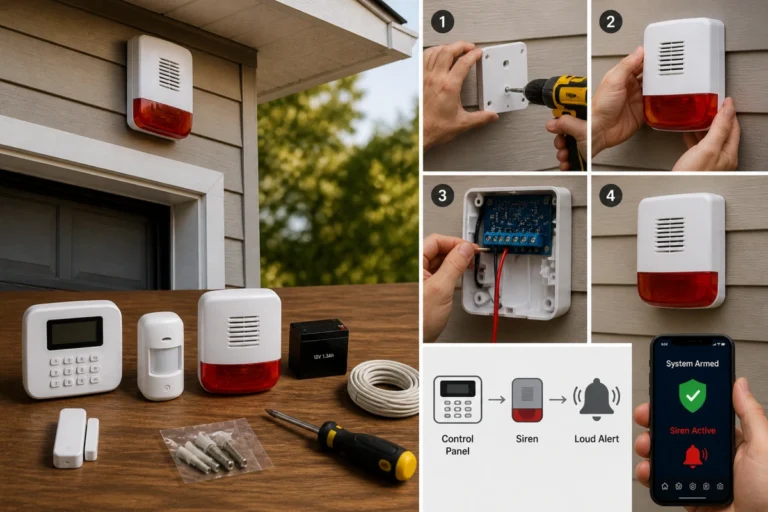
🚨How to Reduce False Alarms in DIY Security Systems

TLDR
- Most false alarms come from user error, poor sensor placement, or lack of maintenance.
- Training everyone who uses your system is one of the most effective fixes.
- Proper sensor positioning (away from vents, windows, and pets) reduces unnecessary triggers.
- Regular maintenance, especially battery checks, prevents unpredictable behavior.
- Layering smart habits with correct settings keeps your system reliable without losing sensitivity.
False alarms are one of those things you do not think about until they start happening. At first, it is just annoying. Then it becomes stressful. And if it keeps happening, something worse creeps in: you start ignoring alerts altogether. That is when a security system quietly stops doing its job.
The good news is this is not a mystery problem. False alarms usually come down to a handful of very fixable issues. Once you understand those, you can make your system far more reliable without spending much at all. This is a crucial step in avoiding common DIY home security failures.
🔍 Understand What Actually Causes False Alarms
Most people jump straight to “how do I fix this,” but it is worth pausing for a second. According to industry reports on alarm triggers, if you do not know what is triggering your system, you are just guessing.
| Cause | What Happens |
| User error | Wrong codes, forgetting to disarm, accidental triggers |
| Poor sensor placement | Sensors reacting to airflow, sunlight, or movement |
| Pets | Motion detectors picking up animal movement |
| Low batteries | Devices behaving unpredictably |
| Loose doors/windows | Slight movement triggering contact sensors |
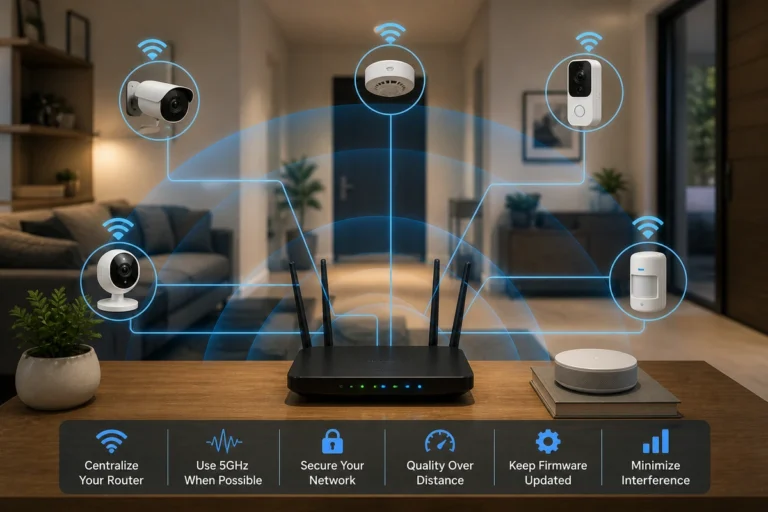
| Environmental factors | Wind, HVAC airflow, or vibrations setting things off |
One key point that surprises people: human error is consistently the biggest contributor. Not faulty gear, not weather, just everyday mistakes. Understanding this is vital when assessing your home like a burglar would, as it shifts the focus back to human habits.
🧠 Train Everyone Who Uses the System
If more than one person uses your alarm system, this matters more than anything else. It sounds obvious, but plenty of false alarms happen because someone does not fully understand how the system works.
Training Checklist:
- Everyone knows how to arm and disarm the system
- Everyone understands entry and exit delays
- Backup codes are set and tested
- Temporary users (like cleaners or sitters) get clear instructions
- You’ve practiced using the system at least a few times
I have seen setups where the system itself was perfect, but the users were not confident with it. That is a recipe for false alarms and is one of the most common security mistakes homeowners make.
📍 Fix Sensor Placement (This Is a Big One)
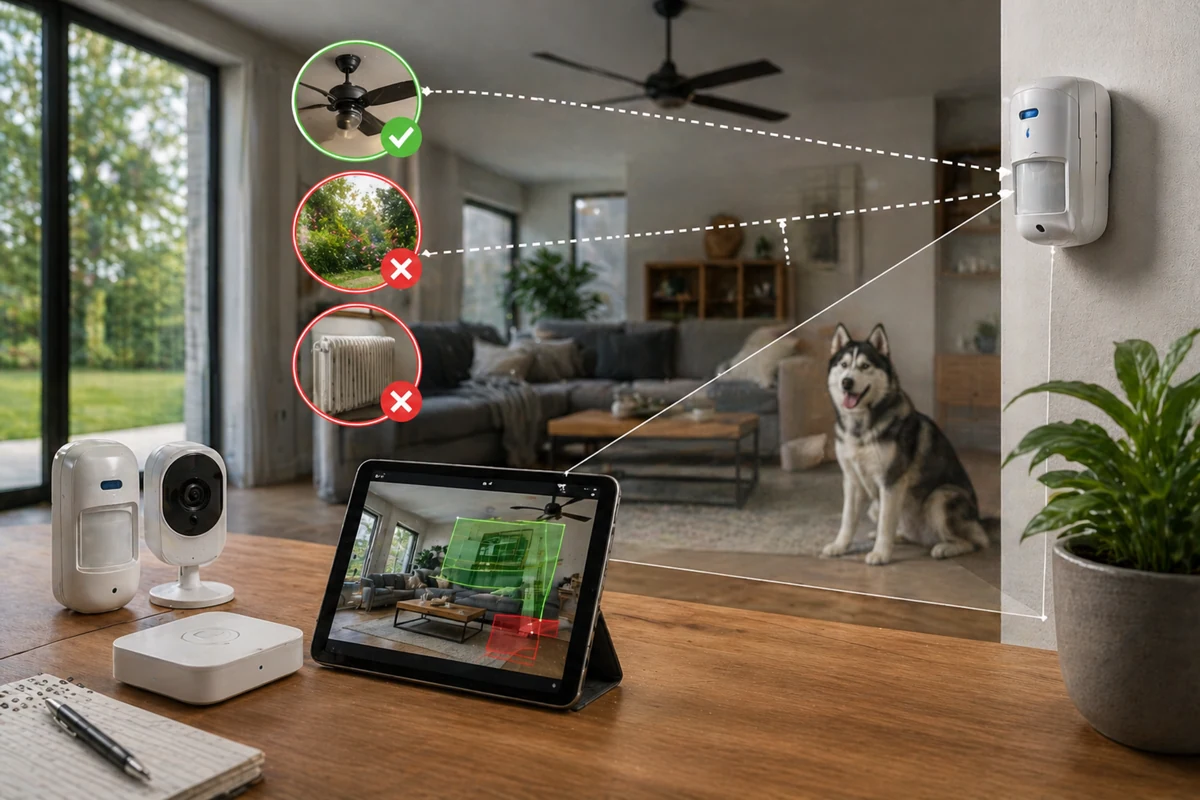
Sensor placement is one of the most overlooked issues in DIY home security systems explained. A motion sensor pointed at a window is asking for trouble. Sunlight shifts, shadows move, and curtains sway, it all looks like motion to the sensor.
To reduce false alarms security system triggers, you need to calibrate motion detectors home environments specifically for your layout.
Do this:
- Aim motion sensors across walkways, not at windows
- Install at recommended heights from the manufacturer
- Keep sensors away from vents and fans
- Focus on entry paths, not wide cluttered areas
Avoid this:
- Facing sensors directly toward sunlight
- Mounting near HVAC vents or air returns
- Placing near hanging decorations or loose objects
A small adjustment, literally just changing the angle, can eliminate a huge number of false triggers. This is why the proper placement of security sensors is a core part of any layered home security framework.
🐕 Account for Pets (Even Small Ones)
Pets are one of the most common reasons why motion sensors trigger false alarms. Even if your system is labeled “pet-friendly,” it still depends on proper setup. These sensors are designed to ignore movement below a certain weight or size, but that only works if they are positioned correctly.
Expert Insight: Pet-immune sensors typically rely on heat and movement patterns. If a sensor is angled incorrectly, a pet jumping on furniture or moving closer to the sensor can still trigger it.
To avoid pet triggered alarms, keep sensors angled slightly upward and avoid placing them near furniture pets can climb. Use pet-specific settings if your system supports it. It is not about turning off motion detection, it is about making it smarter.
🔋 Stay on Top of Maintenance
This is the unglamorous part, but it matters. Low batteries are a known cause of erratic behavior in sensors. Devices may disconnect, send intermittent signals, or trigger alerts without clear reasons.
Simple Maintenance Routine:
- Check batteries every 3 to 6 months
- Replace batteries proactively, not just when alerts appear
- Clean sensors occasionally (dust can interfere)
- Test the system after any battery change
It does not take long, and it prevents those “random” alerts. Make this part of your routine for testing your home security system regularly.
🚪 Secure Doors and Windows Before Arming
Contact sensors are extremely sensitive by design. Even slight misalignment can trigger an alarm, especially with wind or pressure changes. Common mistakes include:
- Doors that do not latch properly
- Windows left slightly open
- Frames that shift or loosen over time
- Arming the system before double-checking entry points
This is one of those habits that pays off immediately. A quick walk-through can fix false alarms DIY security users often face during stormy weather.
⚙️ Adjust Sensitivity and Settings Thoughtfully
Modern DIY systems give you control, but more sensitivity is not always better. If your system is too sensitive, it starts reacting to normal activity. The goal is balance.
Quick Settings Guide:
- Lower sensitivity in high-traffic areas
- Increase sensitivity in low-traffic entry points
- Use activity zones for cameras when available
- Enable verification features (like alerts before sirens, if supported)
It is worth spending a bit of time in your app settings to learn how to prevent false alarms home security software can catch before they escalate. You can find more tips on this in our guide to designing a home security system on a budget.
🔄 Give Yourself a “Learning Period”
When you first install or reset a system, expect a few hiccups. According to practical tips on home monitoring, the first week is where most false alarms happen. After that, things settle down once you have made a few tweaks. Treat it like calibration, not failure.
📞 Use Verification When Possible
If your system supports it, verification features can reduce unnecessary escalations. Some systems allow you to confirm an alert through an app or receive a call before dispatching emergency services.
This helps prevent false alarms from turning into unnecessary responses. This is a major benefit when comparing DIY home security vs professional monitoring.
🏁 Conclusion
A good security system should not constantly demand your attention. When false alarms are under control, something interesting happens: you start trusting your system again. Alerts feel meaningful. You respond faster. And the whole setup becomes less stressful to live with.
You do not need to replace your system or upgrade everything. Most of the time, it is about refining what you already have. A few adjustments, a bit of awareness, and suddenly your system works the way it was supposed to from the start. That peace of mind is what minimalist home security setups are all about.