How to Turn an Old Phone Into a Security Camera

Key Take-Aways
- You can turn an old phone into a functional security camera using nothing more than some free apps and WiFi.
- Setup is simple: reset the phone, install a camera app, and position it strategically.
- However, you need constant power and stable internet, these are essential for long-term reliability.
Do you have an old phone sitting in a drawer? Most of us do, and that means you’re already halfway to adding another layer to your home security.
Modern smartphones still have decent cameras, WiFi connectivity, and enough processing power to stream video.
That is really all a basic security camera needs to function, no?
With the right setup, you can monitor a room or keep an eye on pets without spending anything extra on hardware.
From a practical standpoint, an old phone security camera is one of the easiest DIY upgrades you can make.
It is surprisingly useful for low-risk areas and acts as a great entry point if you’re wondering where to start with DIY home security.
If you go this route, ensure your network is secured by a VPN first!

What You Need to Get Started Turning Your Old Phone Into a Security Camera
You do not need much to MacGuyver your way through this, which for me is part of the appeal and why I’d recommend it if you’re designing a home security system on a budget.
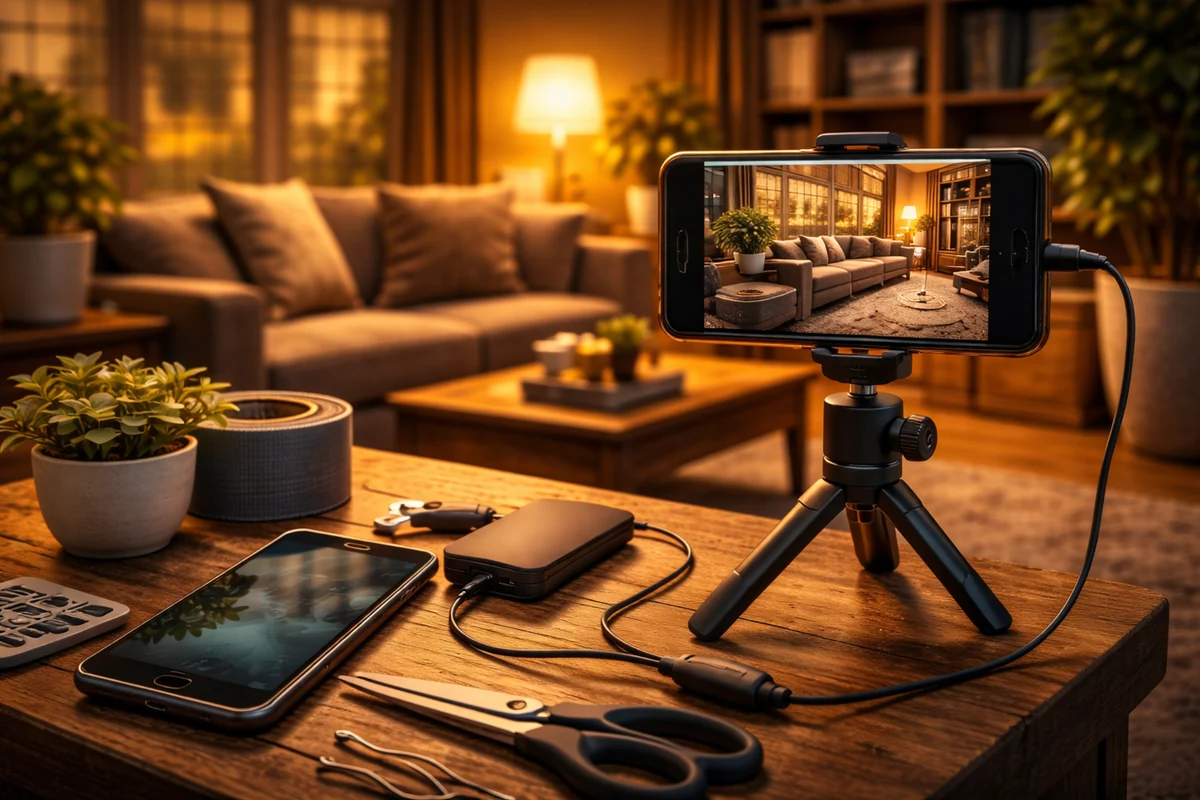
All you really need are: an old smartphone, a stable WiFi connection, a power source, and a specialized app.
| Feature | Old Phone Setup | Dedicated Security Camera |
| Cost | Free (if owned) | Paid |
| Setup | Easy | Easy to moderate |
| Video Quality | Varies by phone | Consistent |
| Reliability | Moderate | High |
Expert Tip: If the phone battery is swollen or the screen is cracked, avoid using it. The heat generated from constant video streaming can become a fire hazard with damaged hardware.
Turning Your Old Phone Into a Security Camera: Step-by-Step Setup
Setting up your free security camera using old phone technology is straightforward, but a few steps matter for performance.
- Start by wiping all personal data and updating the operating system to the latest available version.
- Install a reputable app and link it to your primary device.
When you turn old smartphone into security camera mode, make sure to disable any sleep or power saving modes that might kill the app in the background.
4 simple steps
- Reset: Wipe the phone to free up storage and memory.
- Update: Install security patches to protect your network.
- Connect: Pair the old device with your current viewer phone.
- Position: Place it where it has a clear view and minimal obstruction.
Continuous power is non-negotiable because video streaming drains batteries in minutes. This is a common hurdle when evaluating battery vs wired security devices for your home.
Choosing the Right App
The app is essentially the brain of your setup.
Almost all of the best apps for using phone as CCTV will offer live streaming, motion detection alerts, and sometimes two-way audio.
You want to look for stable connection performance and minimal lag in notifications.
And then finally, if you want to use your phone as security camera for more than just live viewing, check if the app offers cloud or local recording.
Placement Tips That Make a Difference
Where you mount your old phone for surveillance matters just as much as the software you choose. Best locations include entry points like hallways or rooms where packages are left.
Avoid placing the phone behind glass, as this causes glare and reflection issues, especially at night.
It also helps to assess your home like a burglar would to find the most vulnerable angles.
| Ideal Spot | Purpose | Avoid |
| High Shelf | Wide field of view | Direct sunlight |
| Hallway | Transition monitoring | Heat sources |
| Entryway | Face identification | Weak WiFi zones |
Power and Battery Realities
Streaming video is extremely power-intensive. Even a healthy battery will not last long, which is why keeping the phone plugged in is essential.
Use a reliable charger and avoid cheap adapters that tend to overheat.
If you find your old phone security camera is getting too hot, try removing the protective case to allow better airflow.
My advice? Use a long, high-quality USB cable to ensure you can reach a wall outlet without putting the phone in an awkward or highly visible position.
Security and Privacy Considerations
When you turn old smartphone into security camera setups, you are relying on third-party apps and your home network.
You must ensure you are optimizing your Wi-Fi for home security devices to prevent unauthorized access.
Always use a strong WiFi password and enable two-factor authentication if the app supports it.
- WiFi Security: Avoid unsecured or public networks. Use a VPN!
- App Updates: Keep software current to patch vulnerabilities.
- Storage: Understand if your footage stays local or goes to the cloud.
Pros and Cons You Should Know
An old phone security camera costs nothing if you already own the device and is very quick to set up.
However, these phones are not designed for 24/7 continuous use like a dedicated DIY home security system.
They can overheat, disconnect randomly, or suffer from limited durability compared to weatherproof outdoor cameras.
It is often a great way to test out a minimalist home security setup before committing to expensive gear.
Final Thoughts
Using an old phone security camera is a smart way to bridge a gap in your home’s protection.
It is not a replacement for a professional system, but as an extra layer, it is genuinely useful.
It can come in handy, especially in a pinch.
Start small by moving one phone into a hallway or entryway to see how it performs. You can always upgrade your DIY system over time as your needs and budget grow.
But I can’t stress this enough, ensure your network is secured by a VPN, or you’re giving burglars a way to view your home from a distance!