Optimizing Wi-Fi for Home Security Devices

Key Take-Aways
- Place your router centrally and elevate it to improve signal coverage for cameras, hubs, and sensors.
- Use the 2.4 GHz band for most security devices because it travels farther and penetrates walls better.
- Reduce network congestion by separating security devices from high-bandwidth gadgets.
Did you know that a surprising number of home security issues come down to something simple: weak Wi-Fi?
Yes, it’s true … you can install the best hardware on the market, but if the network underneath them struggles, everything feels completely unreliable.
Delayed notifications, dropped camera feeds, and spotty device connections often trace back to the same root network issues.
These coverage issues represent some of the most common errors made during independent installations today.
The good news is that most wireless problems are fixable with a few thoughtful adjustments.
Once your network is stable and well planned, your entire tracking setup becomes noticeably more dependable.
Don’t forget to get a quality VPN as well, to protect your digital safety when setting up or maintaining your setting!

Why Wi-Fi Quality Matters for Security Devices
Security devices depend on consistent, unbroken communication to protect your property.
Cameras stream high-definition video, perimeter sensors send immediate alerts, and smart hubs coordinate your entire defense framework.
All of that data traffic travels across your local home network simultaneously. If the signal is weak or congested, your hardware may disconnect or respond sluggishly to real-world activity.
Cameras might miss critical motion events entirely, or smartphone alerts might arrive far too late. This directly impacts how reliable wireless security platforms are when an actual intrusion occurs.
Start With Router Placement
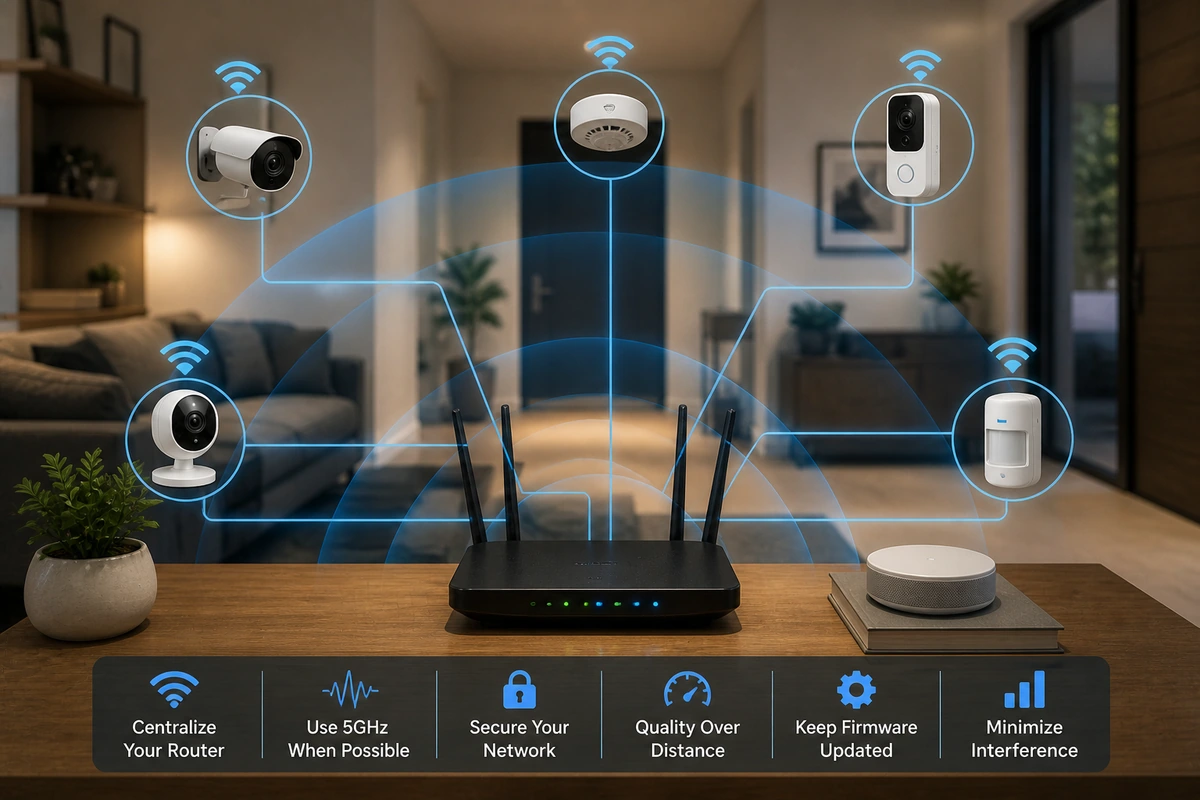
Router placement is hands down the single biggest factor in overall network performance.
Many routers end up hidden away in a far corner of the house or tucked inside a low cabinet next to the incoming cable modem.
(Be honest, where’s yours?)
That may look tidy for your interior decor, but it heavily restricts signal coverage.
Wireless signals spread outward from the antenna array in a spherical shape.
If the hub sits at one edge of the home, your exterior coverage becomes highly uneven.
This often leaves distant assets vulnerable, making it harder to maintain proper security device positioning along your perimeter.
The solution?
Place your central router on a high shelf or wall mount near the center of your house.
Because wireless signals travel outward and slightly downward, elevation naturally decreases interference from furniture.
Avoid Network Congestion
Most modern homes contain many connected devices competing for airtime.
Phones, tablets, televisions, speakers, thermostats, and appliances all battle for access to the same local network space.
When everything shares the same raw frequency, severe congestion can occur. This slow response can impact your WiFi home security setup during peak household hours.
My personal method? I just reduce the connected devices … at any given point, the maximum amount of devices connected to my Wi-Fi is 4 to 5 – two of which use a strong VPN.
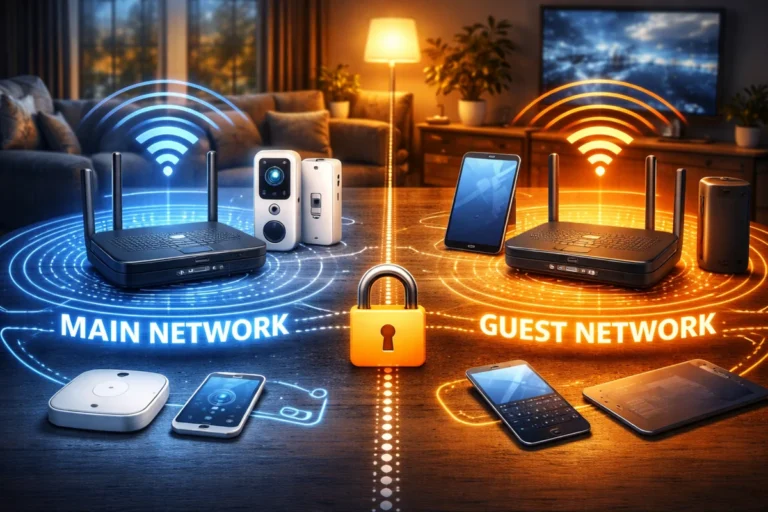
If that’s not an option for you: one other useful strategy is creating a completely separate network segment for your smart home devices.
Many routers allow you to deploy an independent network specifically for Internet-of-Things hardware.
This tactical separation keeps high-traffic entertainment downloads from interfering with emergency cameras and sensors. It ensures your safety signals always enjoy a clear, unobstructed path to the internet.
Strengthening Outdoor Coverage
Outdoor cameras present unique networking challenges that indoor hardware never encounters.
Heavy exterior insulation, metal siding, and sheer distance from the router weaken signals before they reach the lens housing.
If an outdoor lens frequently drops offline, low signal power is almost always the core culprit. Learning how to fix WiFi issues with security cameras usually starts with optimizing these boundary points.
Installing a mesh node closer to the exterior wall or in a room with a direct line of sight to the camera often solves the issue.
Small positioning changes can make an immediate, noticeable difference in real-world signal strength.
Managing Interference
Wireless signals operate within a shared, crowded radio spectrum.
Common household electronics like microwave ovens, older cordless phones, and Bluetooth speakers can create invisible interference that disrupts communication.
You can’t see them, but you can rest assured that they’re there … perhaps silently giving us all cancer in 50 years, who knows?
Apartment buildings and densely populated neighborhoods introduce additional network overlapping from neighboring routers.
Many modern routers automatically analyze local airspace and select the cleanest wireless channel available.
However, you can also manually lock in less crowded channels if your cameras face frequent, unexplained drops during the day.
Network Security Matters Too
A stable network must also be a highly secure one to prevent outside manipulation.
My recommendations?
- Implement strong passwords and use modern encryption protocols to ensure your data remains completely private.
- Get a quality VPN set up.
- Change your default administrator credentials immediately during initial hardware setup.
These simple security adjustments help minimize the privacy risks of smart home systems by blocking unauthorized network intrusion.
Securing your network keeps your hardware safe from digital tampering. It ensures your protective system cannot be turned against you by an outside actor.
The Role of Backup Connectivity
Let’s end with something I always emphasize: the importance of redundancy and backups.
Even the most optimized Wi-Fi network cannot prevent an unexpected neighborhood internet outage.
While local adjustments keep devices talking inside your home, external service disruptions can still cut you off from remote alerts.
To combat this vulnerability, many premium DIY kits offer a cellular fallback engine built directly into the main hub.
Understanding if you need cellular backup helps you determine the right level of redundancy for your property.
This feature complements your optimized wireless network by providing an emergency escape route for data when your main line goes dark.
Together, they form a highly reliable communication chain that keeps you informed during blackouts.