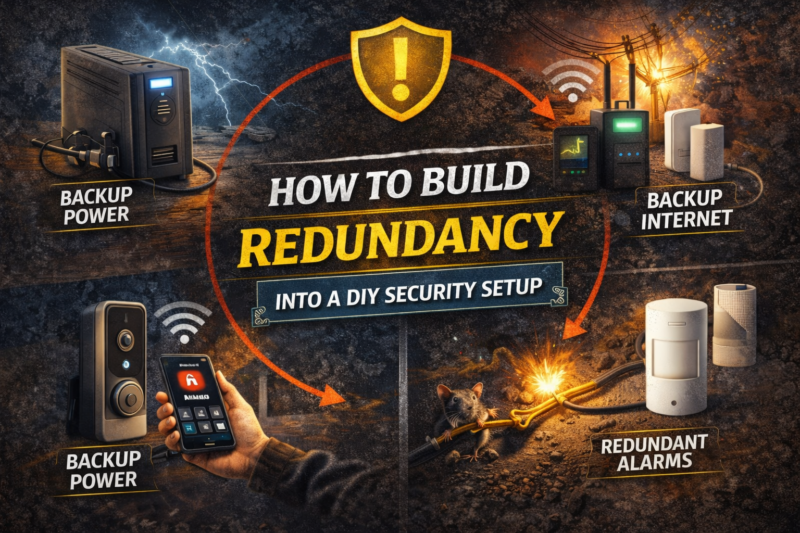
How to Build Redundancy Into a DIY Security Setup
TLDR
- Redundancy in DIY security means eliminating single points of failure across power, internet, and device coverage
- Use battery backup and uninterruptible power supplies to keep alarms and networking equipment running
- Add cellular backup so alerts continue even if broadband internet fails
- Overlap camera views and combine sensors to prevent blind spots
- Test and maintain your system regularly to ensure every backup layer works as intended
If you rely on a single device or connection to protect your home, you are trusting a fragile chain.
Redundancy is what turns a basic DIY home security setup into a resilient one. It means that if one component fails, another steps in without leaving your home exposed.
This does not require commercial-grade equipment or complicated wiring. It requires thoughtful planning and a willingness to think beyond the “standard” setup.
When done correctly, redundancy makes your system calmer, not more complicated.
Understanding Single Points of Failure
A single point of failure is any component that, if it stops working, disables your entire system.
In a typical DIY setup, common weak spots include:
- Grid power
- Home internet connection
- A single control hub
- One camera covering a critical area
If your power goes out and your system shuts down, that is a single point of failure. If your Wi-Fi drops and you lose all alerts, same issue.
The goal is not to eliminate failure entirely. It is to ensure that no single disruption leaves you without protection.
Power Redundancy: The Foundation
Most modern alarm control panels include internal rechargeable batteries.
When household electricity fails, the panel switches automatically to battery mode. This allows door sensors, motion detectors, and sirens to continue functioning for a limited time.
If you are selecting equipment, confirm that battery backup is standard. This is now common across reputable DIY systems and is essential for resilience.
However, your router and modem usually do not have built-in backup. That is where an uninterruptible power supply comes in.
A UPS (Uninterruptable Power Supply) provides temporary battery power to connected devices during an outage. Connecting your modem, router, and alarm hub to a UPS can preserve internet connectivity long enough to maintain alerts and cloud communication during short outages.
It is one of the simplest upgrades you can make, and the difference is significant.
Internet Redundancy With Cellular Backup
Even with a UPS, your broadband provider could experience an outage.
Cellular backup addresses this risk. Some alarm systems include or offer add-on cellular modules that allow the control panel to send signals over mobile networks.
If your internet connection fails, the system automatically switches to cellular communication for alerts and monitoring.
This feature is common in professionally monitored systems and increasingly available in DIY platforms. It typically requires a subscription, but it eliminates dependence on a single connection.
From a redundancy standpoint, cellular backup is one of the strongest layers you can add.
Local Functionality Still Matters
It is easy to focus on app notifications, but redundancy also means ensuring your system works locally.
If internet service is interrupted, door sensors should still trigger your control panel. The siren should still sound. Interior motion detection should still function.
Wireless alarm systems use dedicated radio protocols between sensors and the hub. These do not rely on your home Wi-Fi network.
That separation is important. It prevents a Wi-Fi outage from disabling core intrusion detection.
When reviewing your system, confirm that essential functions do not depend solely on cloud connectivity.
Camera Redundancy: Overlap and Storage
Cameras introduce their own failure points.
If you have a single camera covering your main entrance and it loses power, becomes obstructed, or disconnects, that area goes dark.
One solution is overlapping fields of view. Position cameras so that high-priority areas, like entry doors and driveways, are visible from more than one angle.
This does not mean doubling your equipment everywhere. It means being strategic about critical zones.
Storage redundancy is also important. Many cameras rely on cloud recording. If internet service drops, some models stop recording entirely.
Look for cameras that support local storage, such as microSD cards or network video recorders. This allows footage to be saved even if cloud access is temporarily unavailable.
When connectivity is restored, some systems automatically synchronize stored footage.
Redundancy in recording ensures that outages do not create gaps in documentation.
Sensor Layering Instead of Sensor Dependence
Redundancy is not only technical. It can also be functional.
For example, do not rely solely on a single motion sensor to detect intrusion in a large living area. Combine entry sensors with motion detection.
If a door contact fails, interior motion detection still provides coverage. If someone bypasses a motion sensor by staying low or moving slowly, entry sensors act as the first alert.
Layered detection reduces dependence on any single trigger.
Glass break sensors can complement window contacts. Environmental sensors, such as smoke or water leak detectors, add another layer of protection beyond intrusion.
Each device serves a different purpose, and together they strengthen the system.
Physical and Digital Redundancy Together
DIY security is not purely electronic.
Physical reinforcement acts as a redundancy layer for your alarm system. Reinforced strike plates, solid-core doors, and quality locks slow entry attempts even if electronics fail.
Exterior lighting adds another protective layer. Motion-activated lights can deter activity before a sensor is ever triggered.
When physical and digital measures support each other, your system becomes more resilient overall.
In my own setup, reinforcing door hardware felt less exciting than installing new cameras, but it added a layer of security that does not rely on electricity at all.
That is true redundancy.
Smart Locks and Access Control
Smart locks typically operate on internal batteries, which allows them to function even during household power outages.
Most models include physical key overrides. This provides a mechanical backup if the electronics fail or batteries are depleted.
Remote access may depend on internet connectivity, but local keypad or Bluetooth access usually remains operational.
When evaluating smart locks, confirm that manual override options are available. Redundancy should extend to access control as well.
Network Reliability
Your network is the backbone of many DIY systems.
Place your router centrally to ensure stable connectivity for cameras and hubs. If certain devices experience weak signals, consider adding a mesh Wi-Fi node or wired backhaul to strengthen coverage.
Frequent connectivity interruptions can create gaps in recording or delayed alerts. Monitoring device health within your system’s app helps you catch these issues early.
Stable connectivity reduces stress on backup systems and improves overall reliability.
Testing Your Redundancy Plan
Redundancy only works if it is verified.
Simulate a power outage by disconnecting main power and observing how your system responds. Confirm that the control panel switches to battery mode and that alerts continue.
If you have cellular backup, test it by temporarily disconnecting your internet connection and checking whether alerts still reach your phone.
Test cameras to ensure local storage functions without cloud access.
I recommend running these checks at least twice a year. It builds confidence and reveals weaknesses before they matter.
Maintenance Is Part of Redundancy
Backup batteries degrade over time.
Most alarm panels and UPS devices use rechargeable batteries that eventually require replacement. Monitor system notifications for battery health alerts.
Keep firmware updated to ensure stability and compatibility with backup features.
Redundancy is not a one-time configuration. It requires light but consistent attention.
Fortunately, maintenance is usually straightforward and infrequent.
Avoiding Overcomplication
There is a balance to strike.
Redundancy does not mean duplicating every device or creating unnecessary complexity. It means strengthening critical points where failure would have the greatest impact.
Focus on:
- Power
- Internet connectivity
- Entry detection
- Critical camera coverage
Strengthen those areas first. Everything else can be incremental.
A well-designed redundant system should feel steady, not overwhelming.
Conclusion
Building redundancy into a DIY security setup is about preparation, not paranoia.
By adding battery backup, supporting your network with a UPS, enabling cellular communication, overlapping camera coverage, and layering sensors, you reduce single points of failure.
Combine electronic measures with physical reinforcement and lighting for balanced protection.
Test your system regularly and maintain it thoughtfully. When you do, your security setup continues functioning even when individual components fail.
Redundancy is what turns a collection of devices into a dependable system. With intentional planning, you can achieve that reliability without expensive contracts or complicated installations.