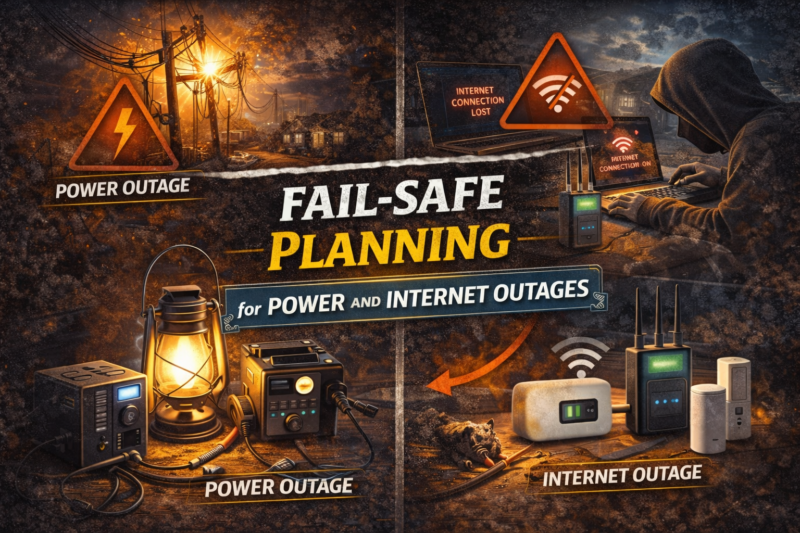
Fail-Safe Planning for Power and Internet Outages
TLDR
- Choose security systems with built-in battery backup to maintain protection during power outages
- Add cellular backup to ensure alerts continue if your internet service fails
- Use uninterruptible power supplies for routers, modems, and security hubs
- Enable local storage on cameras so recordings continue even without cloud access
- Test your system regularly to confirm it performs as expected during outages
Your security system is only as strong as its weakest link.
For many homes, that weak link is not the camera or the alarm panel. It is the power supply or the internet connection that keeps everything running.
Power outages happen. Internet disruptions happen. The goal is not to eliminate them, because that is unrealistic. The goal is to make sure your security setup keeps working when they do.
Fail-safe planning means thinking through those scenarios now, not during a storm or blackout.
Let’s walk through how to build a system that stays dependable when the lights go out.
Understanding What Actually Fails
When power goes out, several components may be affected:
- Alarm control panels
- Wi-Fi routers and modems
- Smart cameras
- Smart locks
- Cloud-based monitoring services
If internet service drops but power remains, your local system may still function, but you could lose remote notifications and app access.
Understanding the difference between power loss and internet loss helps you plan properly. They are related but separate vulnerabilities.
Battery Backup for Alarm Panels
Most modern alarm systems include a built-in rechargeable backup battery.
When household power is interrupted, the system automatically switches to battery operation. The alarm continues to monitor sensors and trigger sirens as needed.
Backup runtime varies by model and usage, but battery support is a standard feature in reputable systems. If you are shopping for a DIY system, confirm that battery backup is included and ask how long it typically supports core functions.
In my opinion, this feature is non-negotiable. An alarm without backup power defeats the purpose.
Powering Your Network Equipment
Even if your alarm panel has battery backup, your router and modem may not.
If you rely on app notifications or cloud recording, losing internet connectivity can limit your awareness. A simple solution is an uninterruptible power supply, often called a UPS.
A UPS provides temporary battery power to connected devices during an outage. When connected to your modem and router, it can maintain internet service for a limited time, depending on battery capacity and load.
For short outages, this can keep your security notifications active and prevent device reboots.
It is a relatively affordable addition that dramatically improves resilience.
Cellular Backup: The Strongest Redundancy Layer
Some alarm systems offer optional cellular backup.
In this configuration, the control panel includes a cellular module that communicates over mobile networks if broadband internet fails. This allows alarm signals and alerts to reach monitoring services or your smartphone even when your home internet is down.
Cellular backup is widely used in professionally monitored systems and increasingly available in DIY setups.
If you live in an area prone to outages or unstable internet service, this feature adds a meaningful layer of reliability.
It does require a subscription in most cases, but the redundancy is substantial.
Local Alarm Functionality Still Matters
It is easy to focus on remote alerts, but local alarm behavior is equally important.
If the power fails but the panel battery remains active, the system should still trigger a loud siren when a sensor is activated. That immediate audible response can deter intruders regardless of internet connectivity.
The same principle applies if internet service fails but electricity remains. Sensors should continue communicating with the control panel via their dedicated wireless protocols.
Your system’s core security should not depend entirely on cloud access.
Camera Considerations During Outages
Cameras introduce additional complexity.
Many consumer cameras rely on both power and internet connectivity. During a power outage, plug-in cameras will shut down unless connected to a backup power source.
Battery-powered cameras may continue operating, but cloud recording requires internet access. Without internet, some cameras stop recording altogether.
Look for models that support local storage, such as microSD cards or network video recorders. Local recording allows footage to be captured even when internet access is temporarily unavailable.
When connectivity is restored, some systems automatically sync stored footage to the cloud.
Testing Your Setup
Fail-safe planning is not theoretical. It should be tested.
Simulate a power outage by unplugging the main power supply to your alarm panel. Confirm that the system switches to battery mode and that you receive a notification.
Test your router and modem backup if you use a UPS. Monitor how long connectivity remains active.
These tests reveal weak points before an actual emergency does. They also help you understand how long your backup systems can realistically support your equipment.
I test my own system twice a year. It is reassuring to know exactly what will happen when something fails.
Environmental Factors and Extended Outages
Short outages are common. Extended outages require additional planning.
If you live in an area affected by severe weather, wildfires, or grid instability, consider how long you may be without power.
Portable power stations can support networking equipment or individual cameras for extended periods. However, capacity must match your needs. High-draw devices drain batteries quickly.
In prolonged outages, prioritization matters. Keeping your alarm panel and one camera operational may be more practical than attempting to power an entire smart home.
Plan realistically, not ideally.
Protecting Smart Locks and Access Control
Smart locks often run on internal batteries.
This design is intentional. Even if household power fails, battery-powered smart locks continue functioning. Most models also include a physical key override for redundancy.
However, if internet access fails, remote lock and unlock features may not function. Local keypad entry or Bluetooth control typically continues.
Understanding these operational differences prevents confusion during an outage.
Firmware Updates and Security Patches
Reliability is not only about hardware.
Manufacturers periodically release firmware updates to improve stability and security. Keeping devices updated reduces the risk of software-related failures during critical moments.
Automatic updates are convenient, but it is wise to confirm that devices are running current firmware.
Stable software contributes to stable performance.
Notification Awareness
Many systems send alerts when switching to backup power or losing internet connectivity.
Pay attention to those notifications. They are not minor details.
If your system repeatedly reports connectivity interruptions, investigate the cause. Weak Wi-Fi signals, aging routers, or unstable broadband service can undermine your fail-safe planning.
Resilience starts with recognizing small warning signs.
Reducing Single Points of Failure
The concept behind fail-safe planning is reducing single points of failure.
If your security relies solely on Wi-Fi and grid power, two common disruptions can disable it. By adding battery backup, a UPS, and optional cellular redundancy, you distribute risk.
Layered redundancy mirrors layered physical security. Both aim to ensure that one failure does not collapse the entire system.
It is not about paranoia. It is about sensible preparation.
Conclusion
Power and internet outages are part of modern life.
Designing a DIY home security system that remains functional during those disruptions requires intentional planning. Built-in battery backup, a UPS for network equipment, local recording capabilities, and optional cellular communication form a strong foundation.
Test your setup. Maintain your batteries. Keep firmware updated.
When you take these steps, your system does more than look good on a checklist. It continues protecting your home when conditions are less than ideal.
Security works best when it anticipates failure instead of assuming perfection. With thoughtful fail-safe planning, you can keep your protection steady even when everything else flickers.