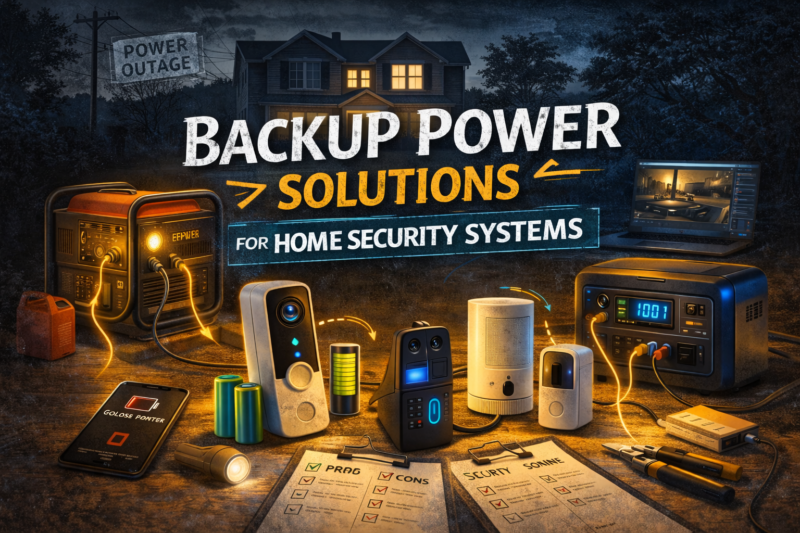
Backup Power Solutions for Home Security Systems
TLDR
- Built-in backup batteries in alarm panels keep sensors and sirens active during short power outages
- Uninterruptible power supplies can maintain electricity for routers, modems, and security hubs
- Battery-powered cameras and sensors often continue operating independently during outages
- Portable power stations can support networking equipment or cameras during longer blackouts
- Testing backup systems regularly ensures your security setup stays functional when power fails
A home security system is designed to protect your space when something goes wrong.
But there is a simple question many homeowners forget to ask: what happens when the power goes out?
Power outages are common. They can be caused by storms, grid failures, maintenance work, or even local accidents involving power lines. If your security devices rely entirely on household electricity, those outages can interrupt monitoring at the exact moment you need it most.
The solution is not complicated. It simply requires building backup power into your setup.
With the right combination of battery support and emergency power solutions, your security system can remain active even when the lights go out.
Why Backup Power Matters
Most modern home security systems depend on electricity to operate.
Alarm hubs, cameras, Wi-Fi routers, and smart home integrations all require power to function. If electricity disappears, those devices can shut down immediately unless they have backup options.
This creates a potential gap in protection. Sensors may stop communicating, cameras stop recording, and remote notifications stop arriving.
Backup power ensures your system keeps running long enough to maintain monitoring during temporary outages.
For many homeowners, even a few hours of continued operation provides peace of mind during storms or unexpected disruptions.
Built-In Battery Backup in Alarm Panels
Many modern alarm control panels include internal rechargeable batteries.
When household electricity fails, the panel automatically switches to battery mode. This allows door sensors, motion detectors, and the alarm siren to continue operating.
These batteries are designed to provide several hours of backup power depending on the system and the number of connected devices.
Because alarm systems prioritize energy efficiency, the core functions typically remain active even when operating on battery.
If you are installing a DIY security system, it is worth confirming that the control hub includes this feature. Most reputable systems do, but checking is always a good idea.
Backup Power for Routers and Modems
Even if your alarm panel has battery support, your internet equipment may not.
Wi-Fi routers and cable modems usually rely entirely on household electricity. During an outage, they shut down immediately unless connected to backup power.
This matters because many security devices depend on your internet connection for alerts, cloud recording, and remote monitoring.
An uninterruptible power supply is one of the easiest solutions.
A UPS is essentially a battery that automatically provides temporary power when electricity is interrupted. By connecting your modem and router to a UPS, you can maintain internet connectivity for a limited time.
Depending on the model and power draw, many UPS units can keep networking equipment running for thirty minutes to several hours.
That window may be enough to maintain alerts and video uploads during short outages.
Battery-Powered Security Devices
Battery-powered security devices offer a natural advantage during power outages.
Wireless cameras, door sensors, motion detectors, and smart locks often run on internal batteries that continue operating when household electricity stops.
These devices communicate wirelessly with the central hub, which may also be running on its own backup battery.
Because of this design, many modern DIY systems remain partially functional during outages without any additional equipment.
However, battery-powered cameras may reduce recording activity to conserve energy. Some models limit recording duration or switch to motion-only events when running on battery.
Even with these limitations, maintaining basic monitoring is far better than losing visibility entirely.
Powering Cameras During Outages
Plug-in cameras rely on wall power and shut down during outages unless connected to backup power.
If continuous camera operation is important to you, consider connecting critical cameras to a UPS along with your networking equipment.
This setup allows cameras, the router, and the modem to remain active simultaneously.
However, it is important to understand that cameras consume more electricity than routers. Larger backup batteries may be required to maintain operation for extended periods.
Many homeowners choose to prioritize key cameras such as front door or driveway views rather than attempting to power every device.
Portable Power Stations
Portable power stations are becoming increasingly popular for emergency preparedness.
These devices contain rechargeable lithium batteries capable of powering electronics through standard outlets or USB ports.
During extended outages, a portable power station can operate networking equipment, cameras, and alarm hubs for several hours or even longer depending on capacity.
Unlike small UPS units, portable power stations can often be recharged using solar panels, vehicle adapters, or generators.
For households in areas prone to storms or grid disruptions, they provide a flexible backup option.
While they are not strictly necessary for every security system, they offer additional resilience during longer outages.
Smart Locks and Access Control
Smart locks deserve special mention when discussing backup power.
Most smart locks operate on internal batteries rather than household electricity. This design ensures that the lock continues functioning even if power is lost.
Keypads and local Bluetooth access typically remain operational during outages.
Most models also include traditional key access as a final backup method.
This layered approach ensures that you can always enter your home regardless of electrical conditions.
Prioritizing Essential Devices
When planning backup power, it helps to identify which devices matter most.
For many homes, the priority list looks something like this:
- Alarm control panel
- Wi-Fi router and modem
- Entry sensors and motion detectors
- One or two key cameras
Maintaining these core components allows the system to continue detecting intrusions and sending alerts.
Other smart devices, such as lighting automation or secondary cameras, may be less critical during an outage.
Focusing backup resources on essential devices keeps costs reasonable while preserving protection.
Testing Your Backup Systems
Installing backup power is only the first step. Testing it is equally important.
Simulating a power outage is simple. Disconnect the main power supply and observe how your system behaves.
Check whether the alarm hub switches to battery mode, confirm that internet equipment stays active if connected to a UPS, and verify that cameras remain accessible through your app.
These tests help you understand how long your system can operate without electricity.
Personally, I like to test my setup once or twice a year. It takes only a few minutes, and it ensures everything works the way it should when an actual outage occurs.
Battery Maintenance
Backup batteries do not last forever.
Rechargeable batteries inside alarm panels and UPS units gradually lose capacity over time. Manufacturers usually recommend replacement every few years depending on usage.
Most systems provide alerts when battery health declines or replacement is needed.
Paying attention to these notifications ensures your backup plan remains effective.
Routine maintenance may not feel exciting, but it is one of the simplest ways to keep your security system reliable.
Planning for Longer Outages
Short power interruptions are the most common scenario.
However, severe weather events or infrastructure issues can sometimes cause longer outages lasting many hours or even days.
In these cases, portable power stations or generators may become useful if you want to keep security equipment operating continuously.
Even without those solutions, battery-powered devices can often continue basic monitoring for extended periods.
Planning ahead helps you decide how much redundancy is appropriate for your home and location.
Conclusion
Backup power is one of the most overlooked aspects of home security.
Without it, even the most advanced system can stop working during a simple power outage. With it, your alarms, sensors, and cameras can continue protecting your home when conditions are less than ideal.
Built-in alarm batteries, uninterruptible power supplies, battery-powered devices, and portable power stations all play useful roles depending on your needs.
By prioritizing key equipment and testing your setup occasionally, you can create a system that remains dependable during unexpected disruptions.
Home security works best when every layer supports the others. Backup power ensures that protection does not disappear when the grid does.