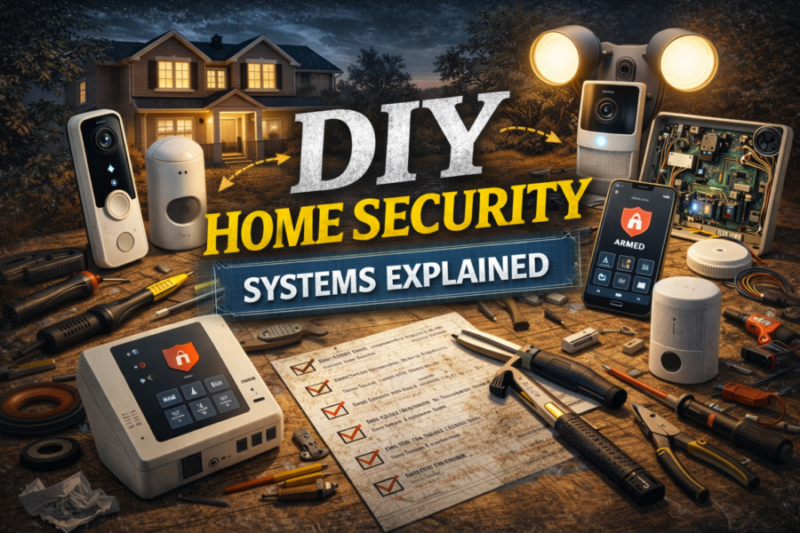
DIY Home Security Systems Explained
TLDR:
- DIY home security systems let you install and manage protection yourself using cameras, sensors, and a mobile app
- They usually cost less long term because there are no mandatory contracts or installation fees
- You can self monitor alerts or optionally add professional monitoring later
- Proper setup matters: placement, WiFi security, and maintenance affect reliability more than brand names
- A layered approach with locks, lighting, sensors, and cameras works better than relying on one device
Walk into any electronics store or browse online for ten minutes and you’ll see it immediately: home security is no longer a niche category. Doorbells record video, cameras talk to your phone, and sensors stick to doors in seconds.
The confusing part is not whether you should secure your home. It’s understanding what all these devices actually do and how they work together.
A DIY system is simply a security setup you install and manage yourself rather than hiring a company to handle everything. The goal is the same as traditional security, but the control stays in your hands.
Let’s break down what that really means and how these systems function in real life.
What “DIY” Actually Means
DIY doesn’t mean complicated wiring or technical expertise anymore. Most modern systems are designed so a first time user can set them up in an afternoon with nothing more than a screwdriver and a phone.
Instead of technicians installing equipment and locking you into a service agreement, you purchase devices individually and connect them through an app. The system sends alerts directly to you, not to a monitoring center unless you choose that option later.
You decide what to install, where to place it, and how it behaves.
The Core Pieces of a DIY System
A good DIY setup is not just one camera. It is a small ecosystem of devices that cover different types of risk.
Entry Sensors
Door and window sensors are usually the backbone. They detect when something opens unexpectedly while the system is armed. These are small magnetic devices that separate when a door moves.
They matter because most residential intrusions happen through entry points, not smashed walls or dramatic movie scenarios.
Motion Sensors
Motion detectors watch interior movement. Typically you place one in a hallway, living room, or area someone must pass through after entering.
Many modern sensors ignore pets under a certain weight, reducing false alerts during normal daily activity.
Cameras
Cameras serve two roles: awareness and deterrence. A visible camera often discourages unwanted activity, and recorded footage helps you verify events.
Outdoor cameras cover approaches and entrances. Indoor cameras are optional but useful for valuables, deliveries, or confirming alerts.
Video Doorbells
A doorbell camera is often the first device people install because it solves everyday problems, not just security ones. You see deliveries, visitors, and unexpected activity without opening the door.
They also act as a front line deterrent since entry doors are common access points.
Alarm or Siren
A local siren creates noise when a sensor triggers. Even without professional monitoring, sound draws attention and usually ends an intrusion attempt quickly.
Some hubs include a siren, while others use separate units.
How Alerts and Monitoring Work
The defining difference between DIY and traditional security is who responds to alerts.
In a DIY setup, notifications go to your phone. You open the app, view a camera, and decide whether action is needed. Many systems allow you to call emergency services directly from the app interface.
Some users later add optional monitoring subscriptions. That hybrid approach is increasingly common because it keeps flexibility without long term commitments.
Storage: Cloud vs Local
Every camera records footage somewhere. Understanding this part prevents surprises later.
Cloud storage saves clips online and lets you view them from anywhere. If a camera is stolen, recordings still exist. The tradeoff is a monthly fee.
Local storage saves footage to a memory card or local hub in your home. There is no subscription, but recordings can be lost if the device is damaged or taken.
Many people use both for redundancy.
Why Placement Matters More Than Hardware
People often obsess over brand comparisons. In practice, placement has a bigger impact than small feature differences.
A poorly aimed camera misses faces. A motion sensor facing a window triggers constantly. A door sensor on the wrong door leaves the main entry uncovered.
When I set up my first system, moving a camera by about two feet improved detection dramatically. That experience sticks with me because it showed how setup matters more than specs.
Network Security Is Part of Home Security
DIY systems rely on your home internet. That means protecting your network is part of protecting your house.
Change default passwords on devices and routers. Keep firmware updated. Use strong WiFi encryption. These are normal best practices for connected devices and prevent unauthorized access to cameras and accounts.
Security hardware is only as safe as the network it runs on.
Maintenance: The Overlooked Step
A system is not install and forget.
Batteries need replacement. Apps update. Cameras shift slightly over time. Seasonal lighting changes detection performance. Checking devices monthly keeps reliability high.
Treat it like smoke alarms. Quick routine checks prevent problems later.
Advantages of DIY Systems
The biggest advantage is control. You choose features, devices, and upgrades without contracts.
Cost is also predictable. You pay once for hardware and optionally for features you want, not a mandatory service plan.
Flexibility matters too. Renters can install removable sensors and take them when moving. Homeowners can expand gradually instead of replacing everything at once.
Limitations to Understand
DIY systems require involvement. You respond to alerts yourself and adjust settings when needed.
They also depend on your internet connection. During outages, some features stop working unless devices include cellular backup or local alarms.
Knowing these limits helps set realistic expectations.
Building a Layered System
Effective security rarely relies on a single device. Think in layers:
Exterior visibility through lighting and cameras
Entry detection through door and window sensors
Interior awareness through motion detection
Notification through alerts or alarms
Each layer covers a different scenario. Together they create reliability without complexity.
Who DIY Security Fits Best
DIY works well for people comfortable using smartphone apps and willing to spend a little time learning settings. It is especially practical for apartments, small homes, and budget conscious setups.
Those wanting hands off management may prefer professional monitoring, but many households discover they like having direct awareness instead of filtered notifications.
A Realistic Expectation
No security system guarantees prevention of every incident. The real purpose is awareness, deterrence, and faster response.
When you understand that, the technology becomes less intimidating. You are not building a fortress. You are reducing risk and uncertainty.
Conclusion
DIY home security systems are less about gadgets and more about control. They put monitoring, customization, and expansion in your hands while keeping costs manageable.
Start simple, place devices thoughtfully, and maintain them occasionally. Add layers over time instead of trying to perfect everything in one day.
Security works best when it fits your habits. A system you understand and actually use will always outperform one that looks impressive but feels confusing. Build something you trust, not something complicated.
Blog
-
Best Budget Home Alarm Systems
Budget home alarm systems can provide solid protection without long-term contracts or expensive professional installation.
-
Best DIY Home Security Cameras for Apartments
Apartment security does not require a complicated system.
